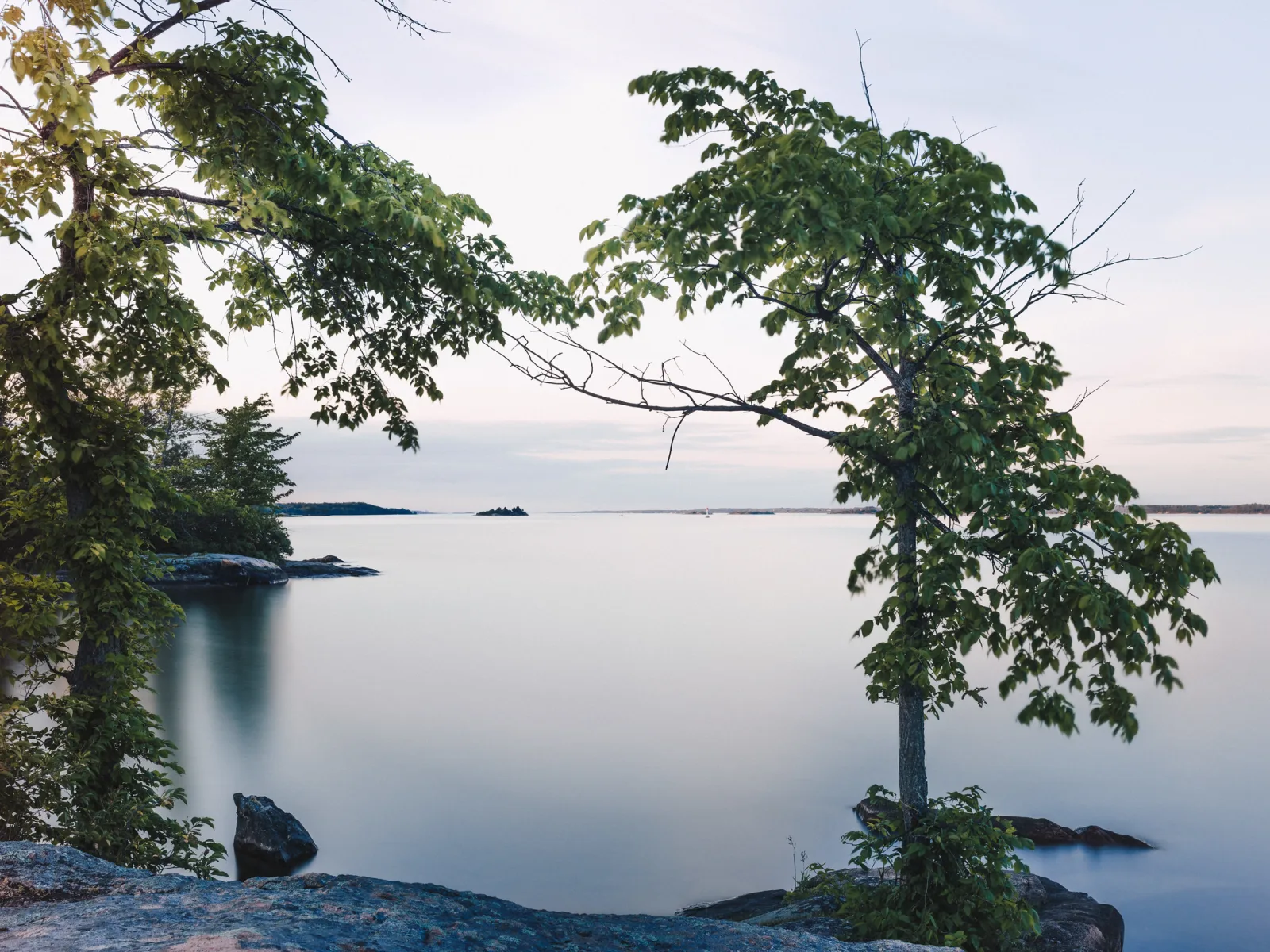
A camera lens filter is glass or resin in front of the lens that changes the light before it is recorded. A polarizer removes glare and deepens blue sky, a neutral density filter cuts light so the shutter can stay open longer, a graduated filter darkens only the sky, and a colored filter changes how colors turn into gray tones in black and white. Some effects can be copied in editing. Polarization and long exposure cannot.
This page takes each common filter type in turn: UV and protection filters, polarizers, neutral density and graduated filters, color filters for black and white, infrared, close-up and diffusion filters. For each it explains what the filter does optically, what it costs in light or image quality, and whether software can do the same job.
Which filter does which job
Every filter costs something, usually light. Anything that absorbs light forces a longer shutter speed, a wider aperture or a higher ISO to keep the same exposure. The loss is measured in stops: one stop is half the light. Filter makers also give it as a filter factor, the number the exposure must be multiplied by. A factor of 2 is one stop, 4 is two stops and 8 is three stops. A camera that meters through the lens sees the filter and compensates by itself in most cases. A handheld meter does not, so the factor has to be applied by hand.
| Filter type | What it does | Light lost (stops) | Can editing replace it? |
|---|---|---|---|
| UV or clear protection | Blocks ultraviolet (useful on film) and shields the front element | 0 | Nothing to replace on digital |
| Polarizer | Removes reflections from non-metallic surfaces and darkens blue sky | 1 to 2 | No |
| Neutral density | Dims the whole frame evenly for a longer shutter speed or wider aperture | As marked: 3, 6 and 10 are common | No |
| Graduated neutral density | Darkens part of the frame, usually the sky | 1 to 3 in the dark half | Often, by a raw gradient or blended exposures |
| Color filter for black and white | Lightens its own color, darkens the opposite color | 1 to 3 | Yes from a color file. No on film or a monochrome sensor |
| Warming or cooling | Shifts overall color balance | 1/3 to 2 | Yes, with white balance |
| Infrared | Blocks visible light, records infrared | Many: exposures of seconds on an unconverted camera | No |
| Close-up | Lets the lens focus nearer | 0 | No |
| Diffusion or mist | Spreads light for glowing highlights and lower contrast | Little or none | Partly |
The stops are typical values. The figure printed on the filter is the one to trust.
What editing can and cannot replace
Software works on the light that was recorded, so it can change anything that is only color or brightness. A warming filter is now a white balance setting. A colored filter for black and white is now a set of sliders, provided the picture was captured in color. A graduated filter can often be replaced by a gradient on a raw file, as long as the sky was not clipped.
Software cannot change what a filter decided before capture. Once glare has covered the stones under the water, no slider can show the stones. Blur from moving water or clouds is made of exposure time, and the nearest substitute, averaging many short frames, still has to be shot that way. Infrared and close-up effects are not in the file unless the filter was on the lens.
Two landscape photographers, Thomas Heaton and Joshua Cripps, on which filters still earn a place in the bag now that editing can do so much:
Polarizers and UV filters: glare, sky and protection
UV and protection filters
Film is sensitive to ultraviolet light, which the eye cannot see. In most pictures the effect is tiny, but at high altitude and in distant landscapes it made color film look paler and bluer than the scene, and a UV filter removed that cast. A digital sensor sits behind its own filter that already blocks ultraviolet, so on a digital camera a UV filter changes almost nothing in the picture and costs no light.
What remains is protection: the filter keeps spray, sand and fingers off the front element. The price is two extra glass surfaces. With a bright light in or near the frame, such as the sun or street lamps at night, they can add ghost reflections and lower contrast, less so if the glass is coated. A lens hood also guards the front element, and it reduces flare instead of adding it. The UV filter page weighs protection against flare, situation by situation.
Polarizing filters
Ordinary light vibrates in all directions. Light reflected from water, glass, wet leaves, paint and other non-metallic surfaces is partly polarized: it vibrates mostly in one direction. So is light from parts of a clear blue sky. A polarizing filter blocks light vibrating in one direction, so rotating it until that direction matches the glare makes the glare fade.
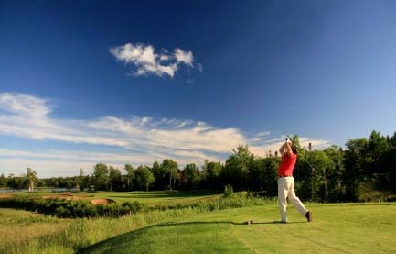
That gives a polarizer three jobs. It removes reflections from water and windows, so the camera can see into a puddle or through glass. It strips the sheen from foliage and wet rock, which makes their colors more saturated. And it darkens blue sky so clouds stand out. The sky effect is strongest at 90 degrees from the sun. Reflections are removed best when the camera looks along the surface at roughly 30 to 40 degrees, and hardly at all straight on. Reflections from bare metal are not polarized and do not change.
A polarizer costs 1 to 2 stops. On a wide-angle lens the sky darkens unevenly, as a band instead of an even tone. Circular polarizers are the standard type, because a linear one can upset the autofocus and metering of cameras that use a mirror. Rotation, reading the effect and when to take the filter off are on the polarizing filter page.
Three videos that show a polarizer being rotated and what it does to glare, foliage and sky, from B&H, Steve Perry and Visual Education:
Neutral density and graduated ND filters: less light on purpose
A neutral density filter is gray. It reduces all colors of light equally across the frame and changes nothing else. There are three reasons to want less light: a slow shutter speed in daylight, so that water, clouds or crowds blur; a wide aperture in bright sun; and, for video, a shutter speed slow enough to keep motion looking natural.
Strength is labeled three ways. In stops: 3, 6 and 10 are common. As an ND number, which is the filter factor: ND8 is 3 stops, ND64 is 6 and ND1000 is about 10. As optical density, where each 0.3 is one stop: 0.9, 1.8 and 3.0 for the same three. Each stop doubles the exposure time, so a metered 1/60 second becomes about 1 second with 6 stops and about 17 seconds with 10.
Strong ND filters have side effects. The view is too dark to focus through, so compose and focus before fitting one. Many add a color cast, which white balance usually corrects. A variable ND filter, two polarizing layers in a rotating mount, changes strength with a turn of the ring, but near its darkest setting it can put a dark cross across the frame, mostly on wide lenses. The ND filter guide has the exposure time conversions, and long exposure photography covers the tripod technique.
An introduction to ND filters on video, from B&H:
Graduated ND filters
A graduated ND filter, also called a gray grad, is dark at one end and clear at the other. Imagine a field under a bright sky: expose for the grass and the sky turns pale. With the dark half over the sky, one exposure holds detail in both, even when the difference exceeds the dynamic range of the camera. Typical strengths are 1, 2 and 3 stops. A soft gradient suits an uneven horizon such as hills, and a hard one suits a flat horizon such as the sea.
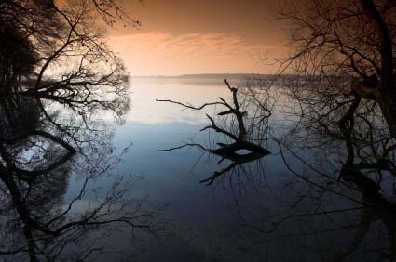
Graduated filters are used most in landscape photography. The gradient is a straight line, so a tree or tower that rises above the horizon is darkened with the sky. A rectangular grad in a holder can be slid and turned to darken the top, the bottom or one side of the picture. Blending two bracketed exposures avoids the straight line but needs a still subject. How to use graduated neutral density filters works through positioning and metering.
Color filters for black and white photography

photo by aslakr
A colored filter transmits light of its own color and absorbs the rest. A yellow filter absorbs blue light and lets yellow pass. On color film this tints the picture. Photograph a yellow banana through a green filter: yellow is a combination of red and green light, the filter blocks the red portion, and the banana registers as green. That is why strong color filters are rare in color photography.
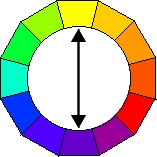
In black and white photography there are no colors to tint, only tones, and the same filter becomes a contrast control. A filter lightens the tone of anything that is its own color and darkens its complementary color. Complementary colors sit opposite each other on the color wheel, as in the wheel below. The page on color theory explains the wheel.
The lightening can be extreme. Through a yellow filter the banana looks almost white, and a red filter can do the same to a red apple, or a green filter to peas. The darkening matters as much. Unfiltered, a red apple among green leaves can record as two nearly identical grays. A red filter makes the apple light and the leaves dark, and a green filter does the reverse. A filter pulls apart tones that would otherwise merge.
What each color lightens and darkens
Yellow absorbs blue. It darkens a blue sky a little so white clouds stand out, reduces distant haze, and gives a natural rendering of sky, cloud and foliage. A darker yellow does more of the same.
Yellow-green lightens foliage and separates one green from another while still darkening the sky a little. It suits spring landscapes, where it lifts the light green of fresh leaves, and portraits outdoors.
Orange darkens blue and blue-green more strongly than yellow, and a deep orange darkens green as well. The sky is distinctly toned, clouds stand clear, and outlines in landscape and architecture become crisp. Shadows darken too, because they are lit mostly by blue light from the sky. In still life it lightens yellow, orange and red objects. A deep orange is usually too strong for portrait photography.
Red lightens red, orange and yellow and darkens blue and green strongly. Cloud contrast becomes dramatic, haze is reduced, white surfaces look brilliant against a dark sky, and skin turns very pale. A deep red can take the sky almost to black, which looks surreal and can suggest moonlight in a picture taken by day.
Green lightens green and darkens red. It separates the greens of summer foliage and suits flower studies where blooms should stand apart from leaves. In portraits it darkens the red tones in skin and lips, which makes freckles and blemishes more visible.
Blue lightens blue and darkens yellow, orange and red. Outdoors it lightens the sky and strengthens haze, which is occasionally wanted for mist in valleys or fog over water. Under tungsten light, which is rich in red, reds reproduce too light on film, and a light blue filter corrects that.
Filter factors for colored filters
A colored filter absorbs light, so the exposure has to increase. Typical factors are 2 for a medium yellow (1 stop), about 4 for orange and yellow-green (2 stops) and 8 for a standard red (3 stops). Greens and blues usually fall between 2 and 3 stops, and a deep red needs more than 3. The exact factor depends on the filter, the film and the color of the light, so the number supplied with the filter takes priority.
To apply a factor, open the aperture or lengthen the shutter speed by that many stops. A meter that reads through the lens does most of this without help. With strong red filters, many film photographers meter without the filter and then apply the factor, because a meter cell does not respond to color as film does.
The digital equivalent: the black and white conversion
A digital color file stores red, green and blue separately, so the filter decision can wait. In a black and white conversion, color sliders set how light or dark each color becomes. Lowering blue darkens the sky as a yellow, orange or red filter would, depending on how far it goes. Raising green lightens foliage like a green filter. Unlike glass, the conversion can be changed afterward and can treat parts of the picture differently.
It has limits. Pushed hard, a darkened sky shows noise, bright halos appear where sky meets a light object, and smooth gradients can break into bands. Many cameras also offer a monochrome mode with yellow, orange, red and green filter effects. That shapes the preview and the JPEG, while a raw file keeps the color for a later conversion.
A colored glass filter on a color sensor works against the camera: it starves one or two of the three color channels of light, which adds noise and costs detail. The exceptions are film and cameras with a monochrome sensor. They record no color to mix later, so the glass filter is the only way to change how colors become tones.
Infrared, close-up and diffusion filters
Infrared filters look almost black. They block visible light and pass infrared, which lies just beyond the red the eye can see. Foliage reflects infrared strongly and records as white, while blue sky and water go dark. An ordinary digital camera has an internal filter that blocks most infrared, so exposures run to several seconds on a tripod, even in sunlight. A camera converted for infrared can be used handheld. Infrared photography covers the methods, focusing and processing.
Close-up filters are magnifying lenses that screw on like a filter. Strength is given in diopters, commonly +1, +2 and +4. With the camera lens focused at infinity, the subject is sharp at 1 meter divided by the diopter number: 50 cm for a +2, 25 cm for a +4. They cost no light, but the lens cannot focus on distant subjects while one is fitted. A single-element filter softens the frame edges and adds color fringes, and two-element designs correct most of that. Macro without a macro lens compares the options.
Diffusion filters, also called softening or mist filters, create a dreamy haze. Some use a fine net or grid, others a material that is transparent but not optically sharp. Light spreads from bright areas into their surroundings, so highlights glow and contrast drops. The look differs from real mist, which thickens with distance, while the filter softens near and far alike. Editing can imitate the softening. The glow around bright lamps is harder to fake.
Screw-in or square: threads, step-up rings, stacking and care
Screw-in filters thread into the front of the lens. The thread diameter is given in millimeters beside a circle with a line through it, on the lens front or inside the lens cap. It is not the focal length.
Step-up rings are thin adapters that let a larger filter fit a smaller thread, so one filter can serve several lenses. The usual cost is that the lens hood no longer fits.
Square and rectangular filters slide into a holder on an adapter ring. The holder makes graduated filters practical, because the filter can be moved to match the horizon. It is bulkier and slower to set up. Some very wide lenses have a bulging front element and no thread, and need a holder made for that lens.
Stacking filters adds two reflecting surfaces each time, so flare increases, and the stacked rims darken the corners on a wide lens. The light losses add: a 2 stop polarizer on a 6 stop ND filter costs 8 stops. In any filter, look for flat optical glass, anti-reflection coatings on both sides and the right thread size.
Looking for one of these? Each link opens an Amazon search for that kind of filter, so you can match the thread size on your own lens: circular polarizers, ND filters, variable ND filters, graduated ND filters, UV and clear protection filters, infrared filters, close-up filters, step-up rings and square filter holders. These are paid links.
Care. A dirty or scratched filter lowers the quality of every picture taken through it, so store filters in a case. Blow off grit before wiping, because grit dragged across the glass is what scratches it. Then wipe from the center outward with a clean microfiber cloth.
Lens filters on video
Two general walk-throughs of the main filter types and their effects, from Adorama and Gavin Hoey:
Common mistakes
Leaving a polarizer on all the time. Indoors or at dusk it costs 1 to 2 stops and removes nothing. Fix: take it off when there is no glare or sky to control.
Stacking a second filter on a protection filter. Corners darken on wide lenses and ghosts appear. Fix: remove the protection filter first.
Focusing after fitting a strong ND filter. Autofocus hunts in the dark view. Fix: compose and focus first, switch to manual focus, then fit the filter.
Darkening every black and white sky to the limit. A red filter, or the blue slider at its end stop, gives a black sky and, in a digital file, noise and halos. Fix: try yellow or orange, or a moderate setting.
Try this
This takes about 15 minutes and needs no filter. Take one color photograph outdoors that contains blue sky with clouds, green foliage and something red, such as brick or a painted door. Open it in an editor with color sliders in its black and white conversion and make three versions. Lower blue a little: the yellow filter. Lower blue a long way and raise red: the red filter. Raise green and lower red: the green filter. Compare the sky, the leaves and the red object in each. Then zoom to 100 percent on the second version and look where the sky meets a roofline or cloud edge for noise or a bright outline.
Frequently asked questions
Do I need a UV filter on a digital camera?
Not for image quality: the sensor already has a filter that blocks ultraviolet. It is worth fitting as protection in spray, sand or dust, and worth removing when bright lights are in the frame.
What is the difference between an ND filter and a polarizer?
An ND filter dims everything equally and changes nothing else. A polarizer removes reflections and darkens blue sky, and loses 1 to 2 stops as a side effect.
Can I use a polarizer and an ND filter together?
Yes. It is a common pairing for water: the polarizer clears surface glare and the ND filter lengthens the exposure. The stops add together, and on a wide lens the two rims may darken the corners.
Which color filter should I use for black and white landscapes?
It depends on how dark the sky should be. Yellow gives a natural sky with visible clouds, orange a clearly darker one, and red a dramatic, near-black one. Green suits scenes where foliage matters more than sky.
Related guides
Understanding lens specifications: filter thread size alongside the other numbers on a lens.
Hue, saturation and luminance in Lightroom: the color ranges that do the work of colored filters in a black and white mix.
ND filter exposure calculator: turns a metered shutter speed into the time needed behind an ND filter.
Camera care: cleaning glass without scratching it, and dealing with sand, salt and condensation.
Camera simulator: practice trading shutter speed against aperture, the trade every light-absorbing filter forces.
How to learn photography: the basics of exposure, light and composition that filter choices build on.