Every photograph depends on the same few ideas, whatever camera made it: how much light there is and where it comes from, how the exposure is set, what is in focus, where you stand and how much the lens takes in, what you include in the frame, how color is rendered, and what you do with the picture afterward. Understand those seven and every button and menu has somewhere to fit.
This page explains each idea in a few paragraphs, gives one thing to try, and points to the page that covers it in depth. It is not a study plan: how to learn photography is about organizing your practice, and the exposure triangle page works through stops and trade-offs in detail. Everything here applies equally to a phone, a compact, a DSLR or a mirrorless camera. Only the controls differ.
Light: how much, from where, how hard
A camera does not record objects. It records the light coming off them, so the same face, street or hillside can look completely different an hour later. Three properties of light matter before any setting does.
- Amount. Bright light lets you use any settings you like. Dim light forces compromises, which the exposure sections below explain.
- Direction. Light from behind the camera (front light) shows color and detail but flattens shape. Light from the side throws shadows that reveal texture and form. Light from behind the subject (backlight) outlines it with a bright rim or turns it into a silhouette.
- Hardness. A small source, such as the sun in a clear sky or a bare bulb, gives hard-edged shadows. A large source, such as an overcast sky or a window with no direct sun, gives soft shadows that fade gradually. What counts is the size of the source as seen from the subject.
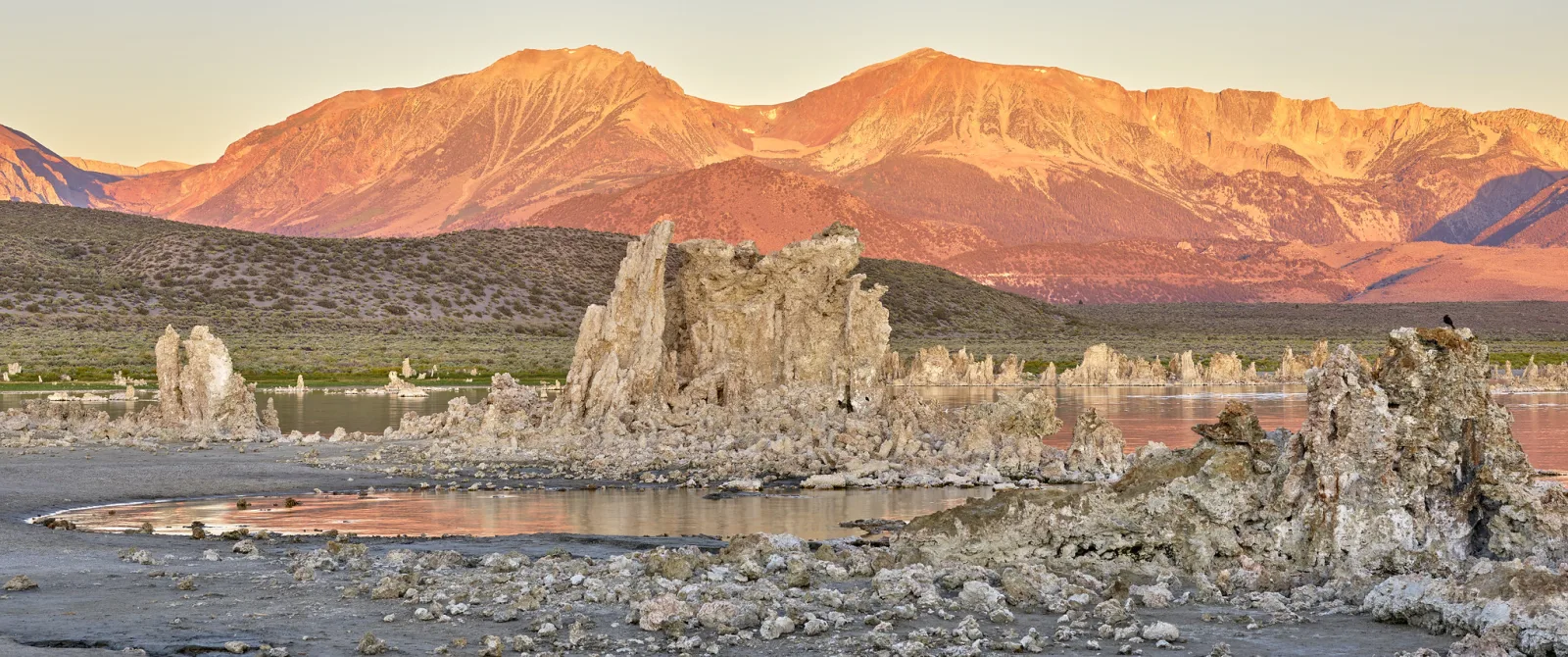
Time of day changes all three. Around midday the sun is high, small and hard. During the golden hour, roughly the hour after sunrise or before sunset, it is low, warm in color and softer, and it strikes things from the side. The blue hour is the twilight when the sun is below the horizon and the sky gives an even, cool light.
Flash and lamps obey the same rules. A diffuser makes a small source larger and therefore softer; a reflector bounces light back into the shadows.
One thing to try: put a mug or a piece of fruit near a window with no direct sun. Photograph it three times: with the window behind you, with the window to one side, and with the window behind the object. Nothing changed except direction.
Exposure: brightness is a decision
Exposure is the amount of light the sensor collects for one picture. Too little and the picture is dark with murky, noisy shadows; too much and bright areas turn to blank white that no editing can bring back.
The camera’s light meter suggests an exposure, and it does so with one fixed assumption: that the scene, averaged out, should come out as a middle tone. For most scenes that works. It fails in predictable ways. A snowy field or a white wall is rendered gray and dull, because the meter pulls it down toward the middle. A black dog or a dark stage is rendered washed out, because the meter pushes it up.
The override is exposure compensation, usually marked with a plus and minus sign. Plus makes the next picture brighter than the meter suggests, minus makes it darker. The histogram, the small graph your camera or phone can show, tells you what happened: tones run from black on the left to white on the right, and a tall pile jammed against either end means detail has been lost there.
There is often no single correct exposure. A person against a sunset can be a black shape against a rich sky or a visible face against a pale one. You decide which picture you are making.
One thing to try: fill the frame with a sheet of white paper, then with something black, on automatic. Both come out a similar gray. Repeat with plus 1.5 on the paper and minus 1.5 on the black object.
Three exposure controls, and what each one also changes
Three settings determine exposure, and each has a side effect on how the picture looks. That side effect is the real reason to choose one over another. Light is counted in stops: one stop more is twice the light, one stop less is half.
| Control | To let in more light | What also changes | Set it first when |
|---|---|---|---|
| Aperture (the opening in the lens) | Use a lower f-number: f/2.8 passes more light than f/8 | Less of the scene is sharp from front to back | Background blur or front-to-back sharpness matters most |
| Shutter speed (how long the sensor is exposed) | Use a longer time: 1/30 second gathers more than 1/500 | Anything that moves, including your hands, starts to blur | The subject is moving, or you want motion to show |
| ISO (how much the signal is amplified) | Use a higher number | More visible noise and less clean shadows | Rarely: raise it only as far as the other two require |
The working method is to ask which side effect this picture cannot tolerate, set that control, and let the others follow. A portrait with a soft background: choose a wide aperture. A child running: choose a fast shutter speed, around 1/500 second or faster. A dim room with no tripod: open the aperture, slow the shutter as far as steadiness allows (a common guide is no slower than one over the focal length, so about 1/50 second with a 50mm lens), then raise ISO to cover the rest.
The mode dial only changes who makes these choices. In full auto and program mode the camera sets everything. In aperture priority you set the aperture and the camera picks the shutter speed; shutter priority is the reverse. In manual mode you set all of them and read the meter yourself.
One thing to try: in aperture priority, photograph one object at your lens’s lowest f-number and again at f/11. Watch the shutter speed the camera chooses change, then compare the backgrounds.
Focus and depth of field: choosing what is sharp
A lens focuses at one distance. Think of it as a flat sheet parallel to the back of the camera: whatever lies on that sheet is as sharp as the lens can make it, and sharpness falls away gradually in front of and behind it. The zone that still looks acceptably sharp is the depth of field.
The first decision is where the sheet goes. Left to choose, a camera tends to focus on whatever is nearest or has the most contrast, which may be a branch in front of your subject. Pick the focus point yourself, or tap the subject on a phone screen. With people and animals, focus on the nearer eye.
The second decision is how deep the zone is. Three things make it shallower: a wider aperture, a closer subject and a longer focal length. Three things make it deeper: a smaller aperture, more distance and a wider lens. Sensor size matters as well, which is why phones show nearly everything sharp and imitate background blur with software. At very close range, as in macro photography, the zone shrinks to a few millimeters even at small apertures.

When a picture is soft, look for what is sharp. If something else in the frame is crisp, focus landed in the wrong place. If nothing is sharp and edges are smeared in one direction, the camera or the subject moved during the exposure, and the cure is a faster shutter speed.
One thing to try: stand three objects in a diagonal row on a table, a hand’s length apart. Focus on the middle one at your lowest f-number, then at f/11. Then move much closer and repeat.
What else controls how much is sharp, and where should you focus in a landscape? Depth of field covers aperture, focus distance, focal length, hyperfocal distance and the “focus one-third in” myth.
Focal length and where you stand
Focal length, given in millimeters, sets how wide a slice of the scene the lens takes in. Short focal lengths are wide angle and suit interiors and much landscape photography. Long focal lengths are telephoto: they show a narrow slice, magnified, which is why wildlife photography and sports rely on them. The kit lens sold with most cameras is a zoom covering moderate wide angle to short telephoto. A prime lens has one fixed focal length, usually with a wider maximum aperture.
The idea that matters more is this: the relationship between near and far things is set by where the camera is, not by the lens. Zooming in from the same spot only crops the view. Walking changes the picture. Stand close with a wide lens and near objects loom large while the background shrinks away. Step back and use a longer focal length to keep the subject the same size, and the background appears bigger and closer behind it. A face photographed from very near looks stretched because of the distance, whatever lens is fitted.
So there are two decisions, in this order. Where you stand fixes how things relate to each other. Focal length then fixes how much of that view ends up in the frame.
One thing to try: place a person or a chair a few steps in front of a distant background. Photograph it at your widest setting from close up, then walk back and zoom in until the subject is the same size. Compare how much background appears and how large it looks.
Why does the same lens give a different view on a different camera? Focal length covers what the number measures, angle of view, why perspective comes from where you stand, and crop factor and sensor size.
Composition: choosing what to include
The world has no edges; a photograph has four. Composing is deciding what goes inside them, and everything inside either helps the picture or competes with it. Two questions do most of the work. What is this a picture of? What can be removed without losing it?
Removing things is done with your position more than with anything else. Move closer and clutter falls outside the frame. Take one step sideways and a lamp post stops growing out of someone’s head. Crouch and a messy background becomes sky. Before pressing the button, run your eye around the four edges and across the space behind the subject.
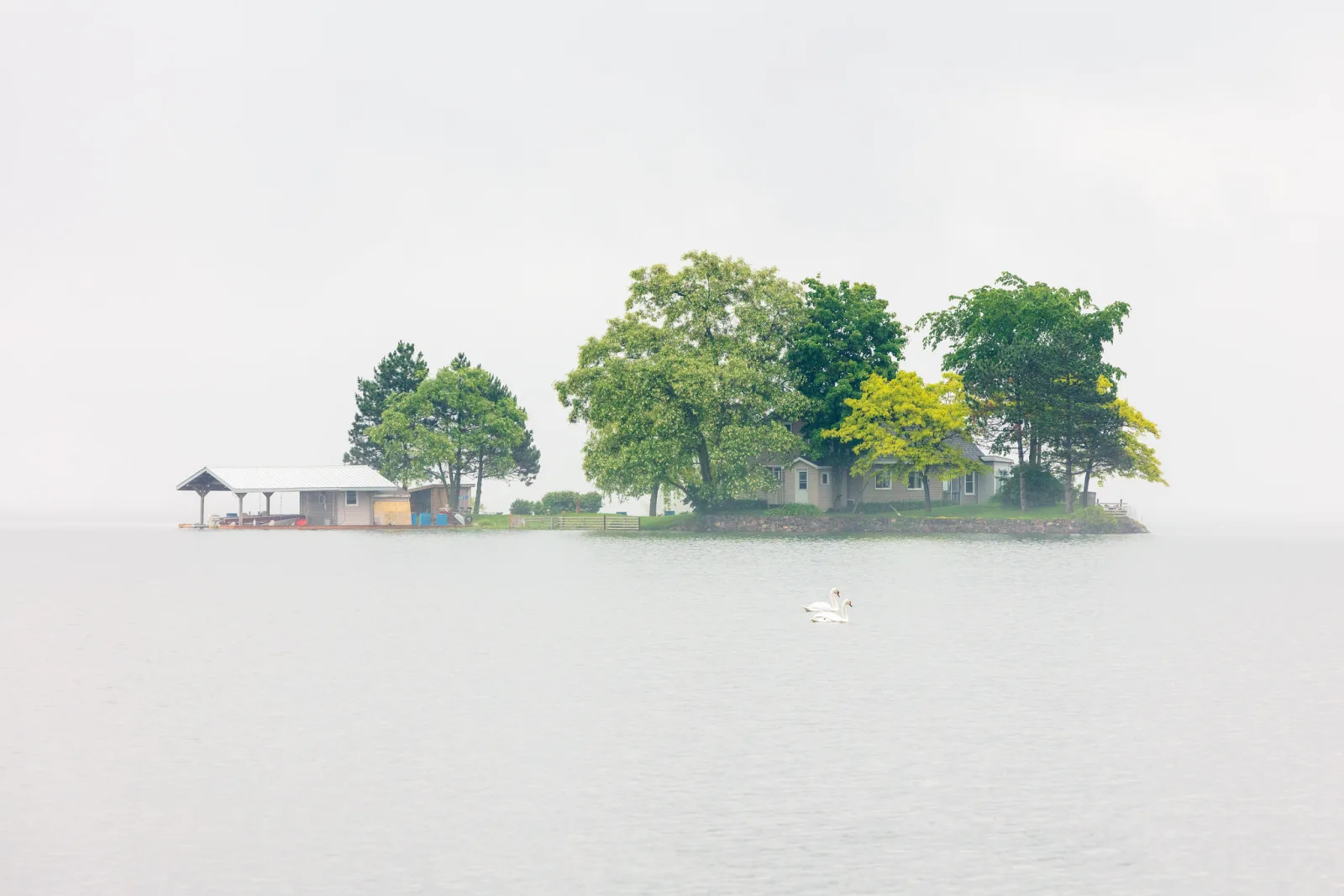
The familiar devices are ways of organizing what remains:
- The rule of thirds divides the frame into nine equal sections with two horizontal and two vertical lines; placing the subject or the horizon on a line, not dead center, often gives a more balanced picture.
- Leading lines such as roads, rivers, fences and walls carry the eye toward the subject.
- Framing uses a window, doorway, branch or arch to surround the subject and hold attention on it.
- Symmetry and repeating patterns give order and rhythm, and a break in a pattern becomes the subject.
- Negative space, the empty area around a subject, makes a picture simpler and gives the subject room.
Treat them as descriptions of pictures that work, not as laws. The composition lesson makes the same point, that composition is arrangement and not rules, and goes through each device in turn.
One thing to try: choose one ordinary subject and make ten frames of it. Each must differ from the last in distance, height or angle, and no two may be taken from the same spot.
Color and white balance
Light sources have different colors. Candles and household bulbs are orange, midday sun is close to neutral, and open shade and overcast skies are blue. The scale used to describe this is color temperature, in kelvin: household bulbs sit around 2,700 to 3,200 K, daylight around 5,500 K, and shade higher still. Your eyes adjust without your noticing. A camera has to be told, or has to guess, and that setting is white balance.
Auto white balance guesses well in ordinary daylight. It struggles when one color fills the frame, and in mixed light such as a room lit by both a window and lamps. The presets (daylight, cloudy, shade, tungsten) simply tell the camera which light you are in.
Correct is not always the aim. Products and skin usually want neutral color. A sunset or a candlelit table wants to stay warm, and auto white balance may quietly remove the very color you came for. If your camera can save raw files, white balance can be changed freely afterward; in a JPEG it is baked in, and large corrections cost quality.
One thing to try: photograph the same scene with the daylight, cloudy and tungsten presets and compare them side by side.
Which way does the Kelvin dial go, and what about mixed light? What is white balance? covers why cameras need it, the Kelvin scale, the presets, custom white balance with a grey card, RAW versus JPEG and mixed light.
Reviewing and editing your own pictures
Most of what you learn comes after the picture is taken, when you compare what you got with what you meant. Every fault traces back to one of the ideas above.
| What you see | Likely cause | Idea to revisit |
|---|---|---|
| Everything slightly smeared | Shutter speed too slow for handholding or for the subject | Exposure controls |
| Subject soft, something else sharp | Focus landed in the wrong place | Focus |
| Bright scene looks gray, or sky is blank white | Meter fooled, or range too great | Exposure |
| Speckled, gritty shadows | High ISO in dim light | Exposure controls, light |
| Orange or blue tint over everything | White balance did not match the light | Color |
| Subject hard to find | Too much in the frame, or a busy background | Composition, where you stand |
| Flat and dull | Front light or featureless light | Light |
Editing follows a sensible order. Crop and straighten first, to improve the composition and remove distractions at the edges. Adjust exposure to brighten or darken the whole picture, then contrast to set the difference between light and dark areas. Correct white balance. Adjust color: saturation changes every color equally, while vibrance acts mostly on the muted ones. Sharpen last and lightly. Work on a copy or in an editor that keeps the original untouched.
Editing cannot restore focus or blank white highlights. Carrying a camera often, trying different subjects (portraits, landscapes, streets, close-ups) and studying pictures you admire all help, provided you keep asking where the light came from and where the photographer stood.
One thing to try: take your last twenty pictures and choose the three best and three worst. For each, write one line naming the idea that made or broke it.
Not sure which sliders to move, or in what order? Photo editing, step by step covers non-destructive editing, RAW versus JPEG, the basic adjustments, cropping and straightening, sharpening and export settings.
Common mistakes
- Trusting the meter on very bright or very dark scenes. Snow comes out gray and night scenes come out washed out. Fix: use exposure compensation and check the histogram.
- Raising ISO before anything else. Fix: open the aperture and slow the shutter as far as the subject allows, then raise ISO.
- Letting the camera choose the focus point. Fix: place the point yourself, on the nearer eye for people and animals.
- Zooming when you should walk. Fix: decide where to stand for the background you want, then pick the focal length.
- Including everything. Fix: name the subject, then move until nothing else competes with it. Check the edges.
Try this
Give yourself twenty minutes and one subject that will stay put: a bicycle, a potted plant, a parked car, a statue. Make seven pictures, one for each idea. First, walk around it and choose the side with the best light. Second, set exposure compensation so its brightest part is not blank white. Third, choose the aperture for the background you want. Fourth, place the focus point on the detail that matters. Fifth, pick your standing position for the background, then the focal length. Sixth, remove one thing from the frame by moving. Seventh, set a white balance preset by hand. At home, crop and adjust the best frame, and note which of the seven decisions changed the picture most.
Frequently asked questions
What are the basics of photography?
Light, exposure, the three exposure controls (aperture, shutter speed and ISO), focus and depth of field, focal length and viewpoint, composition, color, and reviewing and editing. Every technique in any kind of photography is a combination of these.
Do I need an expensive camera to learn photography?
No. Light, viewpoint, composition and reviewing your results work the same on a phone. A camera with manual controls adds direct control of aperture, shutter speed and focus, which makes those ideas easier to see.
Should I always shoot in manual mode?
No. Manual mode is useful when the light is steady and you want every frame to match. Aperture priority or shutter priority with exposure compensation gives the same control over the result and reacts faster when the light changes.
Why are my photos blurry?
Usually one of two causes. Either the shutter speed was too slow for the movement of the camera or subject, or the focus landed on the wrong thing. Look for anything sharp in the frame to tell which.
Related guides
- The exposure triangle: stops, equivalent exposures and how the three settings trade against each other.
- Depth of field: everything that controls how much is sharp.
- Focal length: angle of view, perspective and crop factor.
- Composition: arrangement, the rule of thirds, lines and framing.
- White balance: the Kelvin scale, presets and mixed light.
- How to learn photography: organizing your practice around these ideas.