Shutter speed is how long the sensor is exposed to light for each picture, written in seconds or fractions of a second such as 1/250. It sets two things at once: how bright the picture is, and whether movement is frozen sharp or smeared into blur.
That second job is what makes it the setting to think about first whenever anything moves, including your own hands. A wave, a bird, a child or a passing car looks completely different at 1/1000 and at 1 second, and no amount of editing can turn one into the other afterwards. Every speed you choose is also a trade against aperture and ISO, which share the job of making the picture bright enough.
How shutter speed is written on a camera
Speeds shorter than a second are fractions, and many camera displays drop the “1/”. So 1/250 shows as 250, 1/60 as 60 and 1/4000 as 4000. The bigger the number on its own, the shorter the exposure. This trips up almost everyone at first: 250 is not “more” shutter speed than 60 in the sense of more time. It is about a quarter of the time.
Speeds of a second or longer carry a quotation mark: 2" is two seconds and 30" is thirty seconds. Some cameras also write half a second as 0"5 or 0.5". That mark is the only thing separating 30" (half a minute) from 30 (1/30 of a second), so read it carefully.
B stands for bulb. The shutter stays open for as long as you hold the button, which is how you get exposures longer than the camera’s longest numbered setting, usually 30 seconds. Bulb Mode covers how to use it.
“Fast” and “slow” describe the time, not the number. A fast shutter speed is a short exposure (1/1000). A slow shutter speed is a long one (1/4 or 2 seconds).
What happens while the shutter is open
Think of the exposure as a window of time. Light builds up on the sensor for as long as the window is open, so a longer window gives a brighter picture. Anything that moves across the frame during that window is recorded at every position it passed through, layered on top of each other. That smear is motion blur. A short window catches the subject in one place; a long one draws its path.
A mechanical shutter uses two physical curtains that travel across the sensor: the first uncovers it and the second covers it again, and the time between them is the exposure. An electronic shutter starts and ends the exposure on the sensor itself with no moving parts, which allows very fast top speeds and silent shooting. Most sensors read out row by row, so the top and bottom of the frame are not captured at quite the same instant, and a fast subject can bend or lean in the picture. Rolling shutter explains what that skew looks like, a global shutter avoids it by reading every row at once, and mechanical vs electronic shutter compares the two.
See freeze and blur side by side
The same scene at a fast and a slow speed shows the difference more clearly than words do. Pick the one you think used the faster shutter speed, then read why.
Fast shutter speeds freeze motion into a single crisp instant. Slow shutter speeds record the trajectory of the motion as blur.
Shutter speed chart: what each speed does
These are the standard full-stop speeds, from fastest to slowest. Each row keeps the shutter open twice as long as the row above it, so it lets in twice the light.
- 1/4000: What it does to motion: Freezes almost anything. Typical use: Fast birds, splashes, bright sun with a wide aperture.
- 1/2000: What it does to motion: Freezes very fast action. Typical use: Birds in flight, racing, fast sport.
- 1/1000: What it does to motion: Freezes fast action. Typical use: Running animals, cyclists, jumping.
- 1/500: What it does to motion: Freezes most action. Typical use: Running children, passing cars at a distance, general sport.
- 1/250: What it does to motion: Freezes walking and casual movement. Typical use: Street photography, people moving, kids playing.
- 1/125: What it does to motion: Freezes slow movement. Typical use: Portraits, everyday handheld shots.
- 1/60: What it does to motion: Fine for a still subject; hand shake starts to show with longer lenses. Typical use: Indoor portraits with a short lens, still scenes.
- 1/30: What it does to motion: Moving subjects blur; needs steady hands. Typical use: Panning, dim interiors with stabilization.
- 1/15: What it does to motion: Clear blur on anything moving. Typical use: Panning, deliberate motion blur.
- 1/8: What it does to motion: Strong blur; tripod or bracing needed. Typical use: Slow panning, blurred crowds.
- 1/4: What it does to motion: Heavy blur. Typical use: Moving water at a stream, tripod.
- 1/2: What it does to motion: Moving water turns soft. Typical use: Waterfalls, tripod.
- 1 s: What it does to motion: Smooth water, streaks from lights. Typical use: Waterfalls, waves, tripod.
- 2 s: What it does to motion: Silky water, long streaks. Typical use: Seascapes, city at dusk, tripod.
- 4 s: What it does to motion: Water goes smooth; moving lights draw long streaks. Typical use: Dusk and night scenes, tripod.
- 8 s: What it does to motion: Car lights become lines. Typical use: Traffic trails, tripod.
- 15 s: What it does to motion: Long light trails, glassy water. Typical use: Night cityscapes, tripod.
- 30 s: What it does to motion: Longest numbered setting on most cameras; stars can start to show short trails. Typical use: Night sky, traffic trails, tripod.
From 1/4000 to 30 seconds is 17 stops, a range of 120,000 to 1. A series that halved exactly would run 1/8, 1/16, 1/32, 1/64, 1/128. The labels are rounded to tidier numbers (1/15, 1/30, 1/60, 1/125), which is why the steps look uneven. Each step is still treated as exactly one stop.
Stops: each step doubles or halves the light
A change of one full step in this series is one stop, the same unit used for f-stops and ISO. Going from 1/250 to 1/125 keeps the shutter open twice as long, so twice as much light reaches the sensor. Going from 1/250 to 1/500 halves the light.
Most cameras also offer third-stop steps in between. Between 1/125 and 1/60 they are 1/125, 1/100, 1/80 and 1/60, and between 1/15 and 1/8 they are 1/15, 1/13, 1/10 and 1/8. Three clicks of the dial make one stop.
Stops are also how you plan around a neutral density filter, which cuts light so you can use a slow speed in daylight. Each stop of filter doubles the time. Starting from a metered 1/125:
- 3-stop ND (times 8): about 1/15. Enough to soften a stream.
- 6-stop ND (times 64): about 1/2 second. Water goes smooth.
- 10-stop ND (times 1,024): about 8 seconds. Clouds streak and choppy water flattens, at midday.
The exposure calculator does this sum for any starting speed and filter, and the ND Filter Guide covers choosing and using one.
How fast is fast enough: what each subject needs
Here is the idea most charts skip. The blur in a picture is not set by how fast the subject really moves. It is set by how far its image travels across the sensor while the shutter is open, compared with the size of the frame. Three things change that: the subject’s speed, its direction, and how large it is in the frame. Something coming straight at you crosses the frame slowly. Something close, or seen through a long lens, crosses it quickly.
A worked example. A person walking at an ordinary pace covers about 1.4 metres a second. Photograph them crossing the frame from 10 metres away with a 50mm lens on a full-frame camera, and the frame is about 7.2 metres wide at their distance. On a picture 6,000 pixels wide:
| Shutter speed | Walker moves | Blur in a 6,000 pixel picture |
|---|---|---|
| 1/60 | 23 mm | About 19 pixels: clearly soft |
| 1/250 | 5.6 mm | About 5 pixels: sharp on a screen, soft when you zoom right in |
| 1/1000 | 1.4 mm | About 1 pixel: frozen |
Now double the focal length to 100mm, or walk to 5 metres away, and the walker fills twice as much of the frame. Every blur figure doubles, so 1/250 now gives about 9 pixels. A car at 50 km/h crossing 20 metres away with the same 50mm lens smears about 12 pixels at 1/500 and 6 at 1/1000. Arms and legs swing faster than the body, so they blur first. That is why the starting points below are ranges, and why you check the screen zoomed in.
- Person standing or talking: 1/125 to 1/250.
- Person walking: 1/250 freezes the body. Legs and arms at full swing look sharper at 1/500.
- Running child, jogger or dog: 1/500 to 1/1000.
- Passing car: 1/500 stops a slow one at a distance. Anything fast or close wants 1/1000 to 1/2000.
- Bird in flight: 1/1600 to 1/2000 or shorter to stop the wings. Splashing water can need the same. High-speed photography covers the very fastest subjects.
- Waterfall or stream: 1/2 second to 2 seconds for a soft, silky look. At 1/500 or shorter the water freezes into separate drops. Waterfall photography has settings by flow.
- Traffic light trails: 8 to 30 seconds, on a tripod.
- Night sky: roughly 10 to 25 seconds with a wide lens before stars start to trail, depending on the lens and how closely you look; much less with a long lens. Photographing stars covers the limits, and light painting uses the same long exposures.
- Fireworks: a few seconds on a tripod, so each burst draws its full trail of light.
Try it with your own subject. Pick what is moving, how far away it is and your lens, and see how far it smears at each shutter speed.
Shooting a fast subject and running out of light at the speed you need? The usual price is a higher ISO, and a sharp frame with some noise beats a clean blurred one. ISO shows how far you can push it before the noise matters.
Freeze it, blur it, or both at once
Frozen is not always better. A fully frozen helicopter rotor or propeller makes the aircraft look as if it is about to fall, and a frozen waterfall can look like glass beads. Often the strongest picture freezes the main subject and lets one moving part blur: a sharp cyclist with blurred spokes, a still dancer with a blurred skirt, a sharp aircraft with a soft disc of propeller. The speed sits in the gap between the two: fast enough for the body, slow enough for the fast part to smear.
Slow speeds have their own uses beyond water:
- Panning. Follow a moving subject with the camera at about 1/15 to 1/60. The subject stays fairly sharp while the background streaks. Panning Photography shows how.
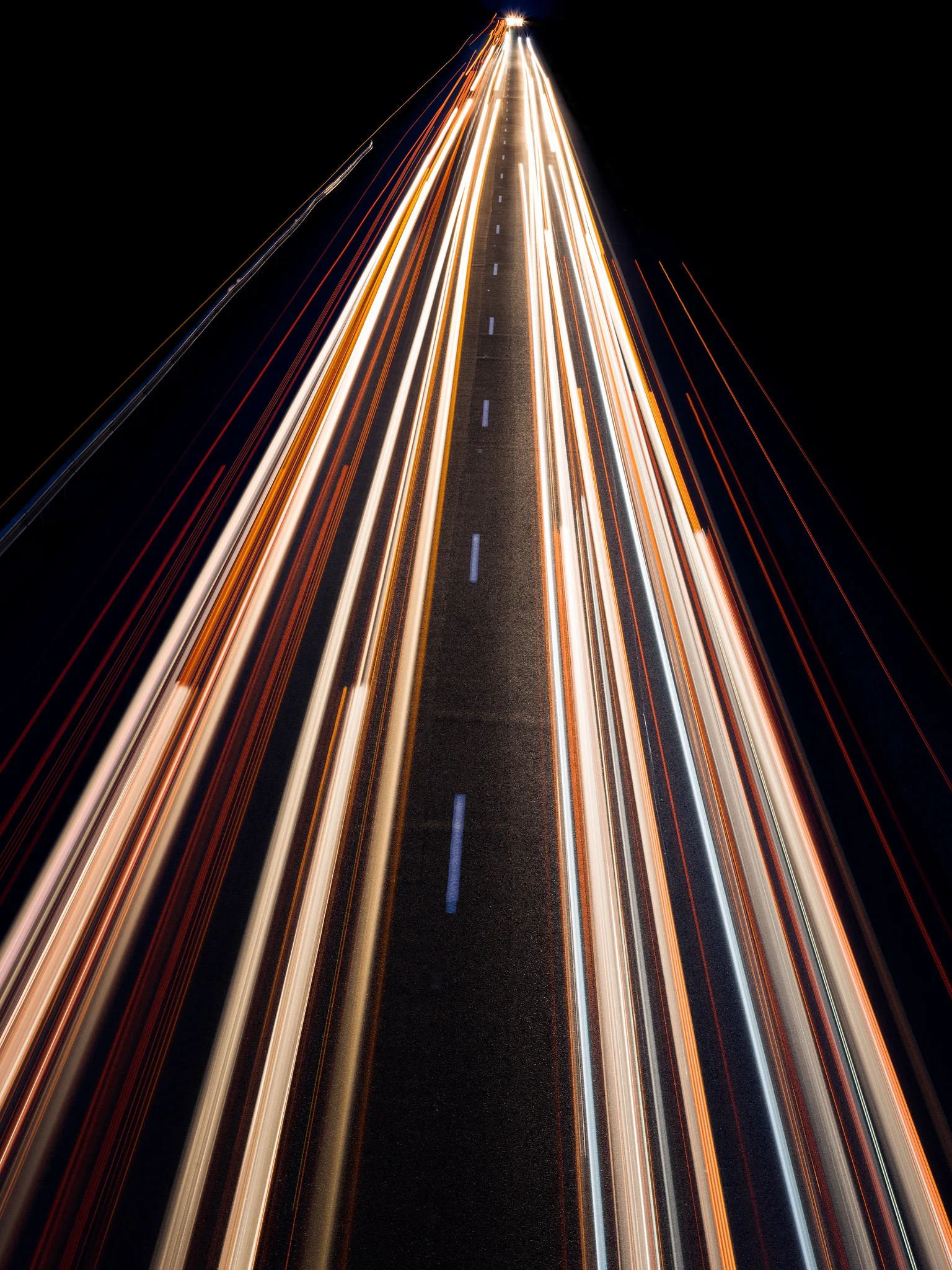
- Light trails. Car lights over several seconds become ribbons of color while everything still stays sharp. Light Trail Photography covers timing and stacking.
- Making people vanish. On a tripod, an exposure of a minute or more with an ND filter records a busy square almost empty, because anyone who keeps walking never stays in one place long enough to register. People who pause leave a faint ghost. A shorter exposure leaves moving people as blurred shapes rather than erasing them. In City of Shadows (1991 to 1994) Alexey Titarenko used long exposures near a St Petersburg metro station, so the crowds dissolve into streaks while the stone around them stays sharp.
- Blurring on purpose. Moving the camera itself during a slow exposure turns trees and lights into painterly strokes. Intentional Camera Movement covers it.
Want to try long exposures without a tripod or a big camera? Phone Long Exposure shows how phones blur water, lights and crowds.
Real photos from 1/1600 to four minutes
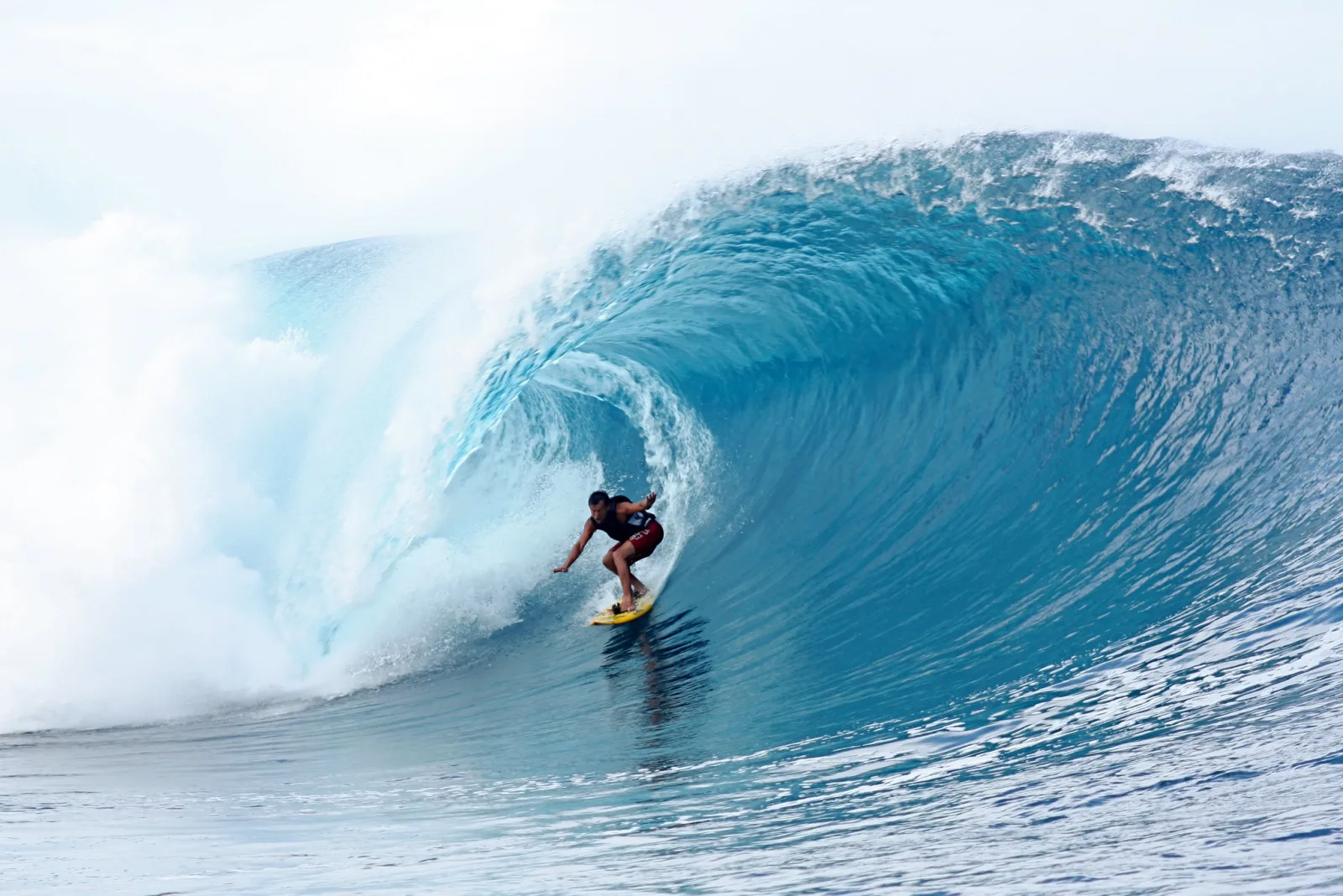
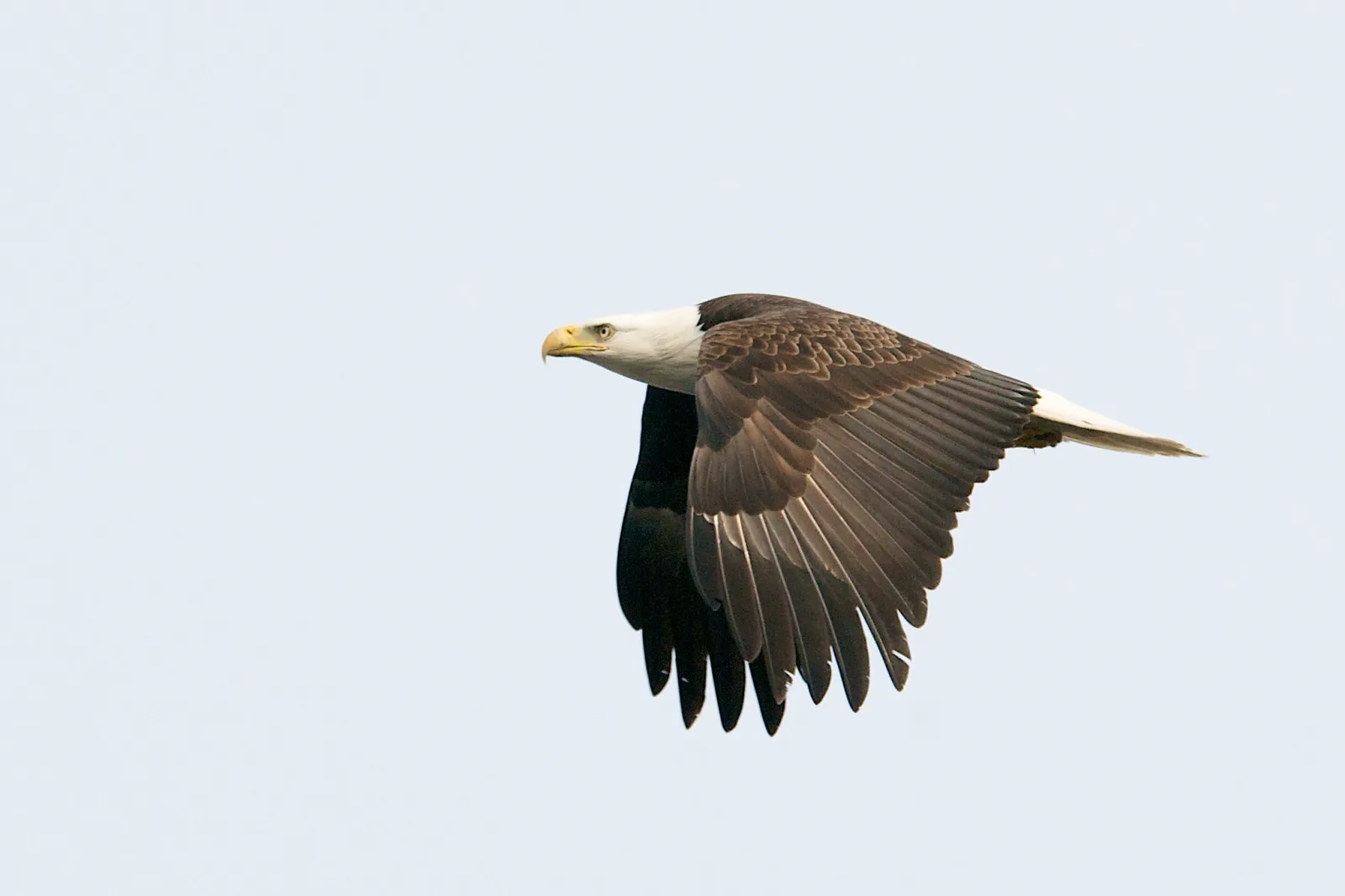
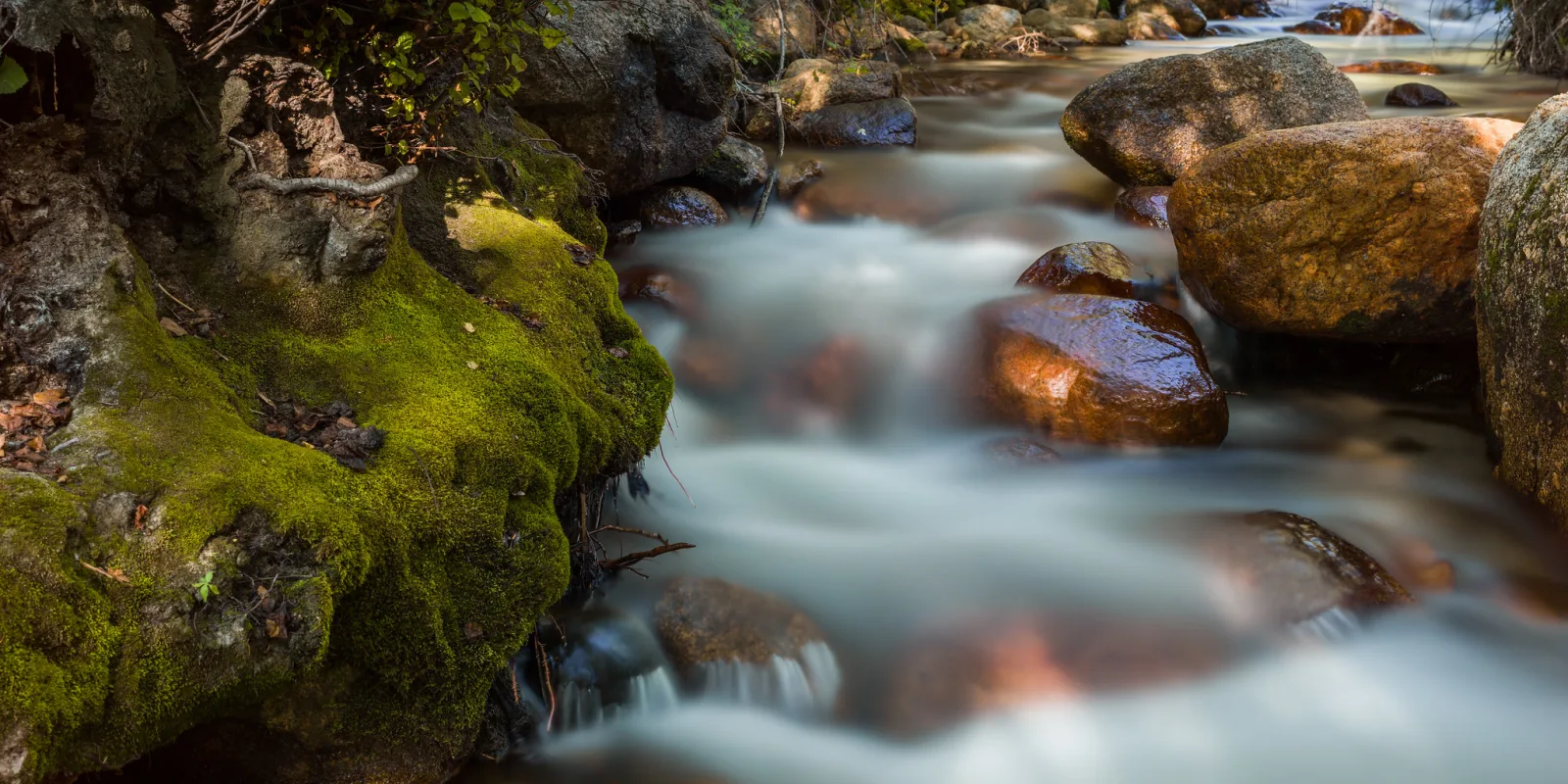
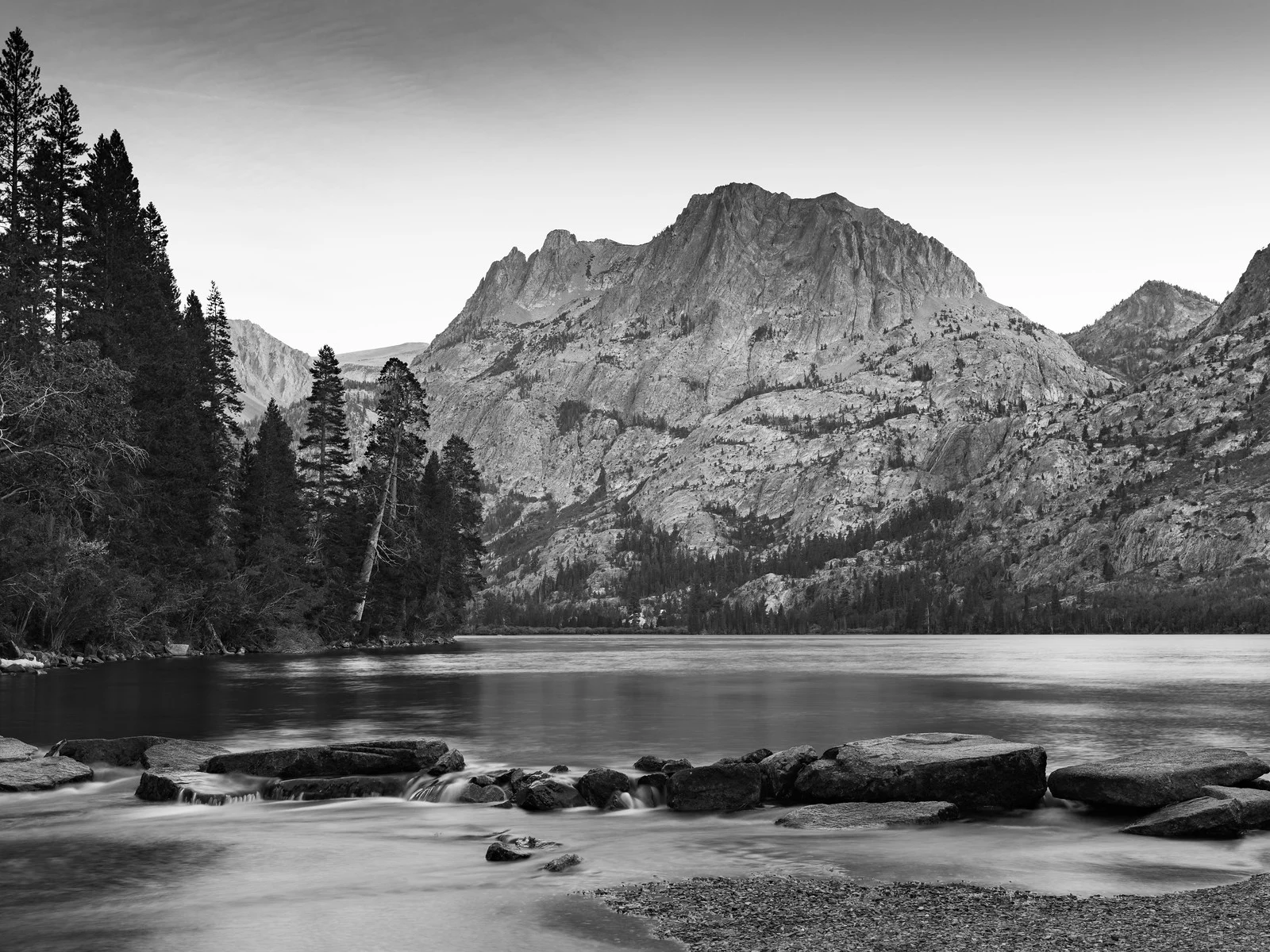
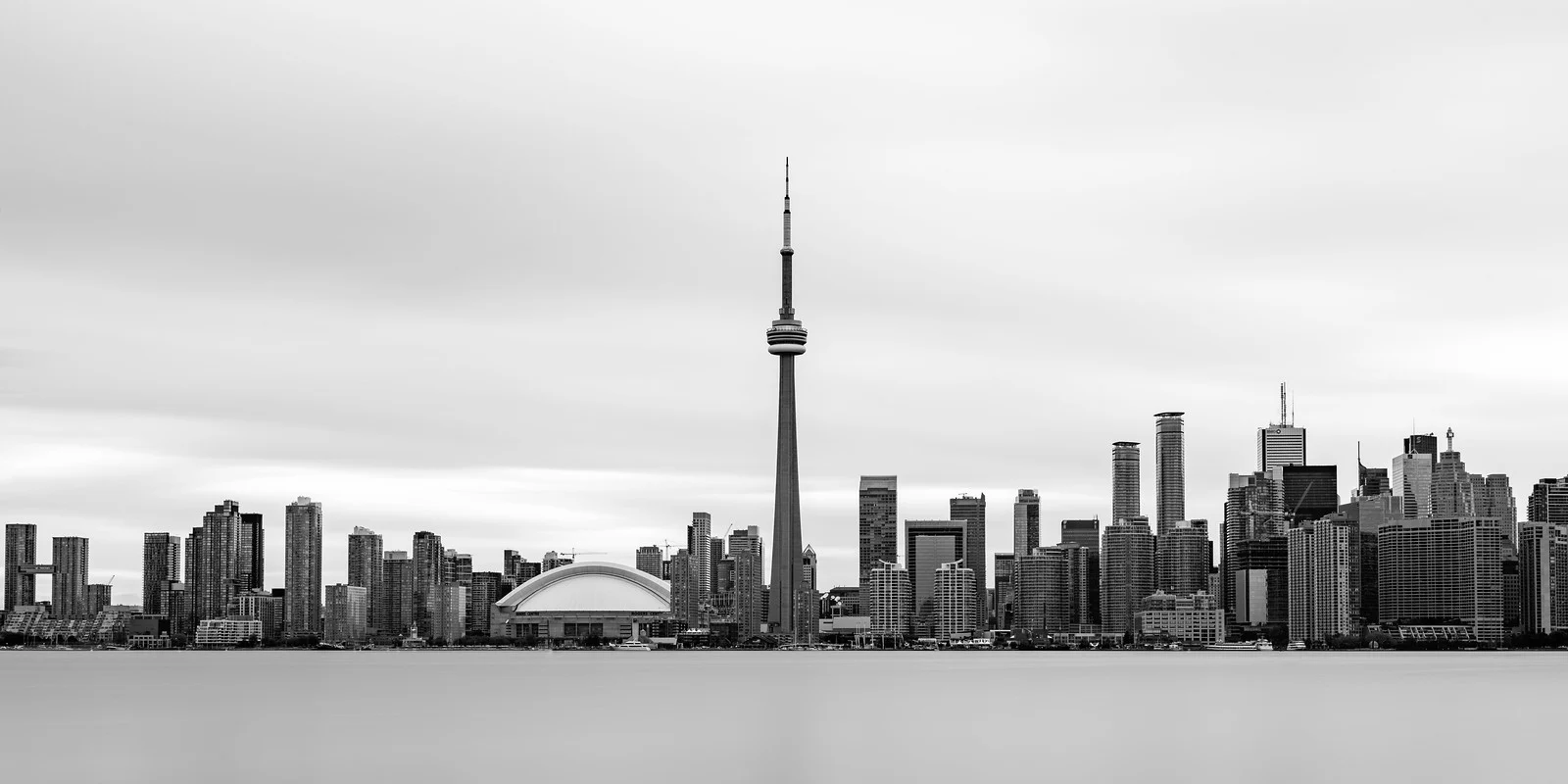
Put the photos on this page in order and they make a ladder down the scale: the eagle at 1/1600, the surfer at 1/250, the stream below at 1 second, the trucks at 10 seconds, the skyline below at 30 seconds and the mossy creek at 240 seconds. That is about 18 and a half stops from the fastest to the slowest. Notice that the still parts (rocks, buildings, the road) are sharp in every one. Only what moved changes.
The hand-holding limit
When you hold the camera, your own small movements blur the picture below a certain speed, even if the subject is perfectly still. A common starting rule is to use a speed of at least 1 over the focal length: about 1/50 with a 50mm lens, about 1/200 with a 200mm lens. Round up to the next standard speed, so 1/60 and 1/250. On a sensor smaller than full frame, use the equivalent focal length instead, which is the lens focal length times the crop factor, because the smaller sensor magnifies the shake as well as the view. A 50mm lens on a 1.5x crop sensor acts like 75mm, so aim for 1/80 or faster.
It is a rough guide, not a guarantee. It comes from the days of small prints; a high-resolution sensor viewed zoomed in shows shake the rule allows, so many people use 2 times the focal length. Stabilization works the other way: a lens or body rated at 4 stops lets you go 16 times slower, so a 200mm lens might hold at about 1/15 instead of 1/250. But image stabilization only cancels your movement. It does nothing for a subject that moves, so a stabilized 1/15 of a walking person is still a blurred person. The hand-holding rule goes into the numbers, and how to hold your camera buys you a stop or so for free.
Why is it blurry? Reading the blur back to its cause
A fast shutter speed fixes one kind of blur, not all of them. Zoom in on the picture and look at what is soft and in which direction. Each cause leaves a different signature.
- The moving subject is smeared in its direction of travel; still things at the same distance are sharp: Cause: Subject motion. Fix: A faster shutter speed, two stops faster to start.
- Everything is smeared or doubled the same way, near and far, including things that cannot move: Cause: Camera shake. Fix: The hand-holding limit, a brace, stabilization or a tripod.
- Something in front of or behind the subject is sharp, and the subject is evenly soft with no direction: Cause: Missed focus. Fix: Focus, not shutter speed; check where the focus point landed.
- Only a thin slice of the scene is sharp and the subject is just outside it: Cause: Depth of field too shallow. Fix: A smaller aperture or more distance; see depth of field.
Handheld shots coming out soft even at a fast speed? Camera Shake shows how to tell shake from missed focus and subject motion in your own files.
How shutter speed trades against aperture and ISO
Aperture, ISO and shutter speed all change the brightness. If one goes brighter, another must go darker to keep the same exposure. This relationship is the exposure triangle.
A worked example: you have a correct exposure at f/8, 1/125, ISO 100. You want 1/500 to freeze a running child. That is two stops faster, so you lose two stops of light and must get them back from somewhere.
- Open the aperture two stops: f/8 to f/5.6 to f/4. Result: f/4, 1/500, ISO 100. The background gets softer.
- Raise ISO two stops: ISO 100 to 200 to 400. Result: f/8, 1/500, ISO 400. You get a little more noise.
- Split it: one stop of each. Result: f/5.6, 1/500, ISO 200.
All three give the same brightness. They differ in depth of field and noise, and shutter speed is the one that decides how motion looks. The reverse is also true: a slow shutter is not a free way to brighten a dim room. Indoors in auto modes, the camera often picks 1/30 or slower without telling you, which is why indoor shots of moving children so often come out soft. Phones mostly have a fixed aperture, so shutter speed and ISO do all the work, and their night modes combine many short frames rather than holding one long one.
Try the trade yourself: lock the exposure, move the shutter speed, and choose whether the aperture or the ISO pays for it. The brightness never changes; the motion, the depth of field and the noise do.
Flash sync speed: the fastest speed flash allows
A flash adds a limit that has nothing to do with motion. A mechanical focal-plane shutter exposes the sensor with two curtains. At fast speeds the second curtain starts to close before the first has finished opening, so only a moving slit of the sensor is exposed at any instant. A normal flash fires once in a brief burst, so it lights the whole frame only when the sensor is fully uncovered at that moment. The fastest speed at which that happens is the sync speed, usually somewhere between 1/160 and 1/250. Leaf shutters, built into some lenses and compact cameras, sync at any speed, and an electronic shutter often syncs slower or not at all.
Go faster with plain flash and part of the frame comes out as a dark band, the shadow of the closing curtain. A flash with high-speed sync pulses through the whole exposure instead, which avoids the band at the cost of some flash power. It is why a bright outdoor portrait with fill flash and no high-speed sync often tops out near 1/200 even though the daylight alone would allow much faster.
Flash can also do the freezing for you. When flash is the main light, the burst itself is so short, often a thousandth of a second or less at lower power, that it freezes the subject even at 1/60. Mix in bright ambient light and the slow shutter adds a blurred ghost around the frozen flash image; rear curtain sync puts that trail behind the subject instead of in front. Flash Duration explains the freezing, and dragging the shutter covers picking the speed for the background you want.
How to set shutter speed
You have two main ways to control it.
- Shutter priority (S or Tv): you pick the speed and the camera picks the aperture to match. Good when motion is what matters. See Shutter Priority Mode.
- Manual (M): you set both speed and aperture and watch the exposure meter. See Manual Mode.
In either mode you change the speed with a dial, often the one near the shutter button. In shutter priority, many cameras blink the aperture value when the light is too low (or too bright) for the speed you picked. Change the ISO, or choose a different speed. Setting ISO to auto in manual mode is a common way to lock both the speed and the aperture and let the camera adjust ISO to keep the brightness right.
Not sure how much to brighten or darken after choosing a speed? Exposure Compensation explains the +/- control that tunes brightness without changing your speed.
Practice freezing motion in the camera simulator
This challenge puts you in a moving scene and asks you to freeze the action. Notice how short the shutter has to be and what you give up elsewhere in the exposure to get it.
Want the other challenges? The full camera simulator has all 21, across eight scenes.
Common mistakes with shutter speed
Reading 30 as 30 seconds. Without the quotation mark it is 1/30 of a second. Fix: look for the mark, and when the camera shows a very long exposure time, check it against your plan.
Using 1/125 for everything. It is fine for still people and wrong for most action. Fix: pick the speed from the subject, using the chart above, then check zoomed in.
Choosing the speed from the subject’s real speed. A distant car needs less than a close cyclist. Fix: think about how fast it crosses your frame, and go faster when you zoom in or move closer.
Going too slow for the lens. A speed that is sharp at 24mm can shake at 200mm. Fix: stay at or above 1 over the equivalent focal length, or brace the camera or use a tripod.
Expecting stabilization to freeze a subject. It only counters your hands. Fix: choose the speed for the subject first, and let stabilization help only with still scenes.
Blaming focus for blur that is motion, or the reverse. Fix: read the direction of the blur, as in the table above, before changing anything.
Using plain flash faster than the sync speed. A dark band covers part of the frame. Fix: drop to the sync speed or below, or turn on high-speed sync.
Trusting the electronic shutter with fast subjects. A propeller, a fast car or a quick pan can bend in the frame. Fix: switch to the mechanical shutter if your camera has one.
Thinking long exposures need darkness. A one second exposure in midday sun overexposes even at the smallest aperture and lowest ISO, but that is a light problem, not a time-of-day one. Fix: add an ND filter, or shoot at dawn or dusk.
Try this: one subject, four speeds
Ten minutes, any camera that has shutter priority or manual mode, and a place with moving people, bikes or cars, such as a pavement or a park path.
- Choose one moving subject crossing in front of you and stand still. Set shutter priority and auto ISO.
- Shoot the same kind of moment at 1/1000, 1/250, 1/60 and 1/15. Take a few frames at each.
- Now try 1/30 again, but swing the camera to follow the subject as you press the button.
- Zoom in on the screen or on a computer.
How to judge it: find the speed where the body goes from sharp to soft, and the speed where hands, feet or wheels do. Check a still object at the subject’s distance in each frame; if that is soft too, the blur was your hands, not the subject. In the panned frame, the background should streak while the subject stays clearer than in the plain 1/30 frame. Write down the subject, its distance and the slowest speed that froze it. That one note will save you guessing next time.
No camera nearby? Move the shutter speed control in the Camera Simulator and watch what the picture does as the number changes.
Want to check you can pick the speed for a subject and read a blur back to its cause? Try the shutter speed quiz.
Frequently asked questions
What is a good shutter speed for portraits?
For a still subject with a normal lens, 1/125 is a safe start. If the person is talking, laughing or moving, use 1/250. With a longer lens, follow the hand-holding limit and raise the speed to match.
What is the best shutter speed for sharp photos?
There is no single best one. For a still subject shot handheld, use at least 1 over your equivalent focal length. For a moving subject, use whatever freezes it at its distance, which is often 1/500 or shorter.
How do I get a long shutter speed for blur?
Lower the speed to a second or more, put the camera on a tripod, and reduce light with a small aperture, low ISO or an ND filter. Long Exposure Photography has settings for water, clouds and night scenes.
Is 1/60 or 1/125 better?
1/125 freezes more movement and tolerates shake better. 1/60 lets in twice the light, so it helps in dim places when the subject is still. Pick 1/125 if anything is moving.
Does shutter speed affect image quality?
Not directly: a frame at 1/1000 is not sharper or cleaner by itself than one at 1/60. What it changes is how much light you have to make up elsewhere, so a very fast speed in dim light means a higher ISO and more noise. Very long exposures can add a little sensor noise, which long exposure noise reduction helps with.
What settings freeze motion in a photo?
Pick the shutter speed for the subject first (about 1/250 for walking, 1/500 to 1/1000 for running, 1/1000 to 1/2000 for fast sport and birds), then open the aperture and raise the ISO until the exposure is right. Shutter priority does the second part for you. Continuous autofocus and burst mode raise the share of frames that come out sharp, and in a dark room a flash at low power freezes motion with a burst far briefer than the shutter speed, because it supplies nearly all the light.
Is 1/500 fast enough to freeze motion?
For running children, pets, cyclists and cars in the middle distance, usually yes. Flying birds, fast sport, close subjects and splashes need 1/1000 to 1/2000 or shorter.
Want the full picture of how speed, aperture and light fit together? A Guide to Exposure in Photography covers it.