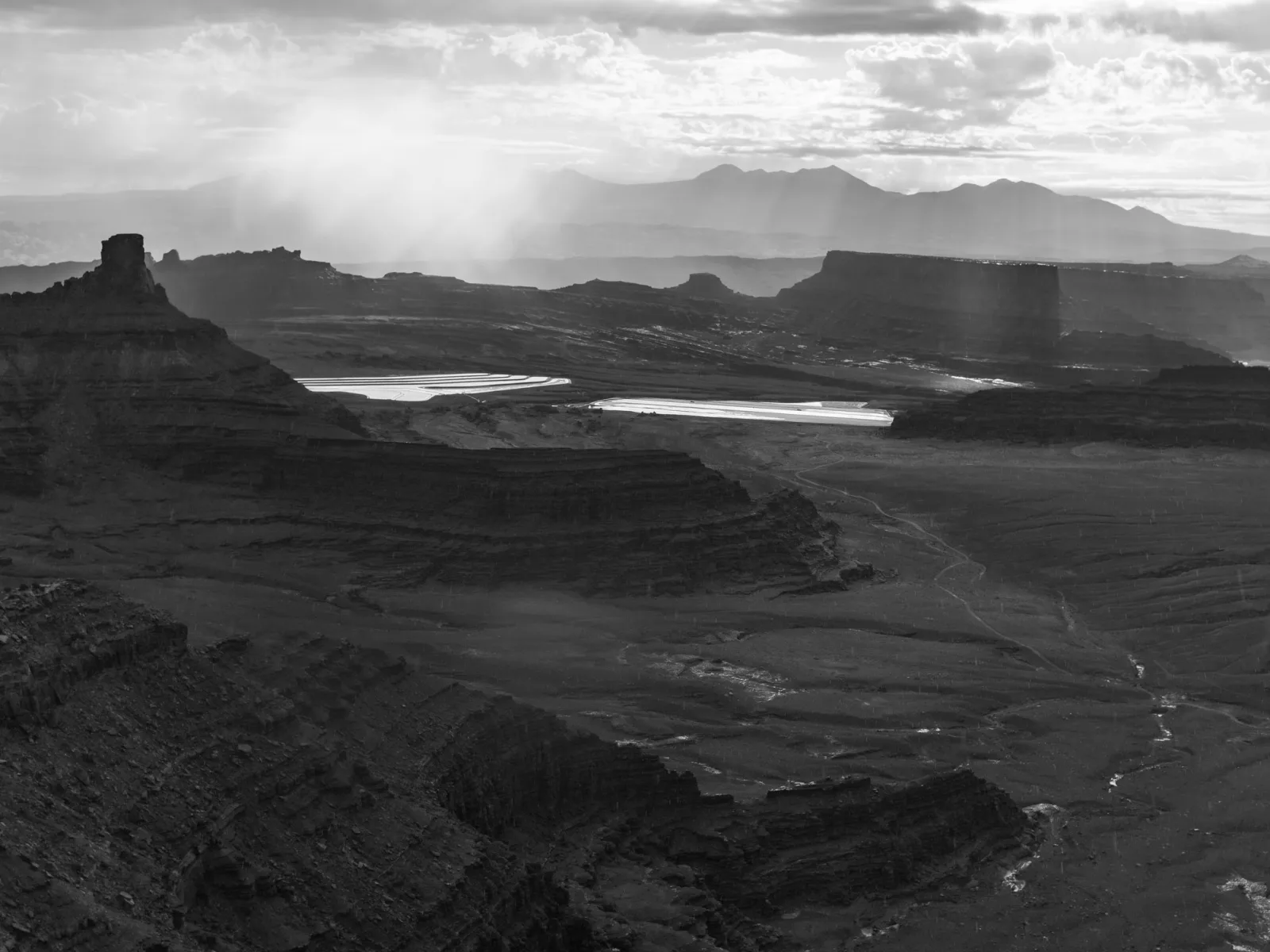
Tonal range is the spread of brightness in a picture, from its darkest tone to its lightest, and the way the tones between them are distributed. In black and white it does the work that color would otherwise do. A full range runs from a clean black to a bright white with detail near both ends. A short range, used on purpose, gives high key, low key or soft gray pictures.
This guide is about choosing and shaping that range. It goes further than the conversion steps in black and white photography and sits beside the zone system, the classic method for planning tones before the exposure. Here the subject is the finished picture: how to read its range, where to put black and white, how color decides which gray a thing becomes, and what paper and screens can show.
Tonal range, dynamic range and contrast are three different things
The three terms are often swapped, and the confusion leads to bad edits. Each describes something different.
| Term | What it describes | What it belongs to |
|---|---|---|
| Dynamic range | The ratio between the brightest and the darkest light, counted in stops | The scene, and separately the sensor |
| Tonal range | The spread from the darkest tone to the lightest | The finished picture |
| Contrast | How large the steps between tones are | Any part of the picture |
Tonal range is set first by exposure and the scene’s dynamic range, then shaped in editing. The two ranges do not have to match. A misty morning has very little dynamic range, yet you can stretch it until it runs from black to white. A backlit landscape has more dynamic range than the sensor can hold, so you protect the highlights, lift the shadows afterwards, or blend exposures to compress that range into something printable. The capture side of that problem is covered in dynamic range explained.
Contrast is different again. A frame that is nearly all middle grays, with one small black doorway and one small white window, uses the full tonal range and is still low in contrast. Full range tells you the ends are in use. Contrast tells you how the tones between are spaced.
Color images have a tonal range too, in each channel, but the idea is easiest to see and most decisive in monochrome.
Reading tonal range on the histogram
The histogram is the direct readout of tonal range. It plots how many pixels fall at each brightness level, from black on the left to white on the right, numbered 0 to 255 in an 8-bit image. The width of the part that holds data is the tonal range. Empty space at either end means that end of the scale is unused.
| What you see | What it means | What to consider |
|---|---|---|
| Data reaches both ends, no spike | Full range, detail kept at both ends | Shape the middle |
| Gap on the left | No true black; shadows are dark gray | Move the black point in, unless a soft look is the aim |
| Gap on the right | No white; highlights are light gray | Move the white point in, unless the picture should stay dark or soft |
| Spike against the left edge | Shadows clipped to black | Fine for empty shadows, a problem for textured darks |
| Spike against the right edge | Highlights clipped to white | Fine for lamps and glints, a problem for snow, cloud and white cloth |
A histogram that reaches both ends without clipping indicates a full range with detail retained throughout, which is usually the goal for a rich print. The danger at both ends is clipping: pushing tones until shadows become featureless black or highlights become paper white, which destroys detail that no editing can recover.
Two limits apply. The histogram counts pixels but not where they are, so a healthy spread can belong to a picture whose subject and background are the same gray. And check the color channels before converting: a saturated red flower can clip in one channel while the combined graph looks safe. If your black and white mix leans on that channel, the flower becomes a flat patch.
Shadows, midtones and highlights: the three tonal values
The three tonal values in a black and white photograph are shadows, midtones and highlights. Each does a different job in the picture.
- Shadows are the darkest tones, near black. They hold weight, mystery and the edges of forms.
- Midtones are the middle grays and usually take up most of the frame. They carry texture, skin and the gradual turn of a surface from light to dark.
- Highlights are the lightest tones, near white. They draw the eye and show where the light falls.
A full range has real content in all three, with smooth steps between them. A narrow range leaves one or two of them thin. Most of the controls in this guide, from the black point to a curve, are ways of moving tones between these three regions.
What tonal range does for a black and white picture
Without color, tone is what makes an image read as three-dimensional and gives it feeling.
- Depth. A wide range with smooth transitions makes surfaces look rounded and space look deep. Compress it and the same scene looks flat.
- Form and texture. Steps from light to dark are how we read a curved surface, so tonal variation is what gives objects volume.
- Mood. Strong contrast between black and white reads as drama or tension. A gentle, close range reads as calm or quiet.
- Attention. The eye tends to go to the brightest area and to the strongest tonal contrast. Placing a light tone against a dark one on your subject steers the viewer there.
Light quality sets much of this before any editing. Hard light, such as direct midday sun, gives a scene a long brightness range with abrupt steps. Soft light, such as an overcast sky, gives a short range with gentle steps. Choosing the light, or the time of day, is the first tonal decision.
Converting to black and white with the fullest range
To turn a color file into a strong black and white picture with deep blacks, rich midtones and clean whites, work in this order.
- Convert, then set the black point and the white point as described below, protecting texture at both ends.
- Use the black and white mix to decide which colors go light and which go dark, so the subject stands apart from its background.
- Shape the midtones with a curve or the midtone slider until the steps between neighboring tones look smooth.
- Finish with local adjustments, dodging and burning the areas that need more or less weight.
Maximum range is a means, not a rule. Push it only as far as the scene supports, as the next section explains.
It also helps to train your eye before you shoot. Look at a scene and ask which colors would become light and which dark, and where the brightest and darkest spots fall.
Full range or deliberately short range
An image with a full tonal range shows clean, detailed blacks, bright whites and smooth midtones between them, which gives depth and richness. It suits most subjects with real light and shadow. A compressed range that sits mostly in the midtones looks flat and muddy when it happens by accident. Neither is right or wrong; the range should be a decision. Three short ranges are worth using on purpose:
- High key. Nearly everything sits in the light tones and the histogram bunches to the right. Small dark accents, such as eyes or a thin branch, anchor the frame.
- Low key. Nearly everything sits in the dark tones, with a few lit edges carrying the subject. The histogram bunches to the left.
- Soft gray. Neither end is used. Fog, rain and overcast seascapes live here, and forcing a black and a white into them destroys the atmosphere.
Want to light and expose a high key or low key picture on purpose? High key and low key photography covers reading the histogram for each key, why the meter fights you, and how to light both setups.
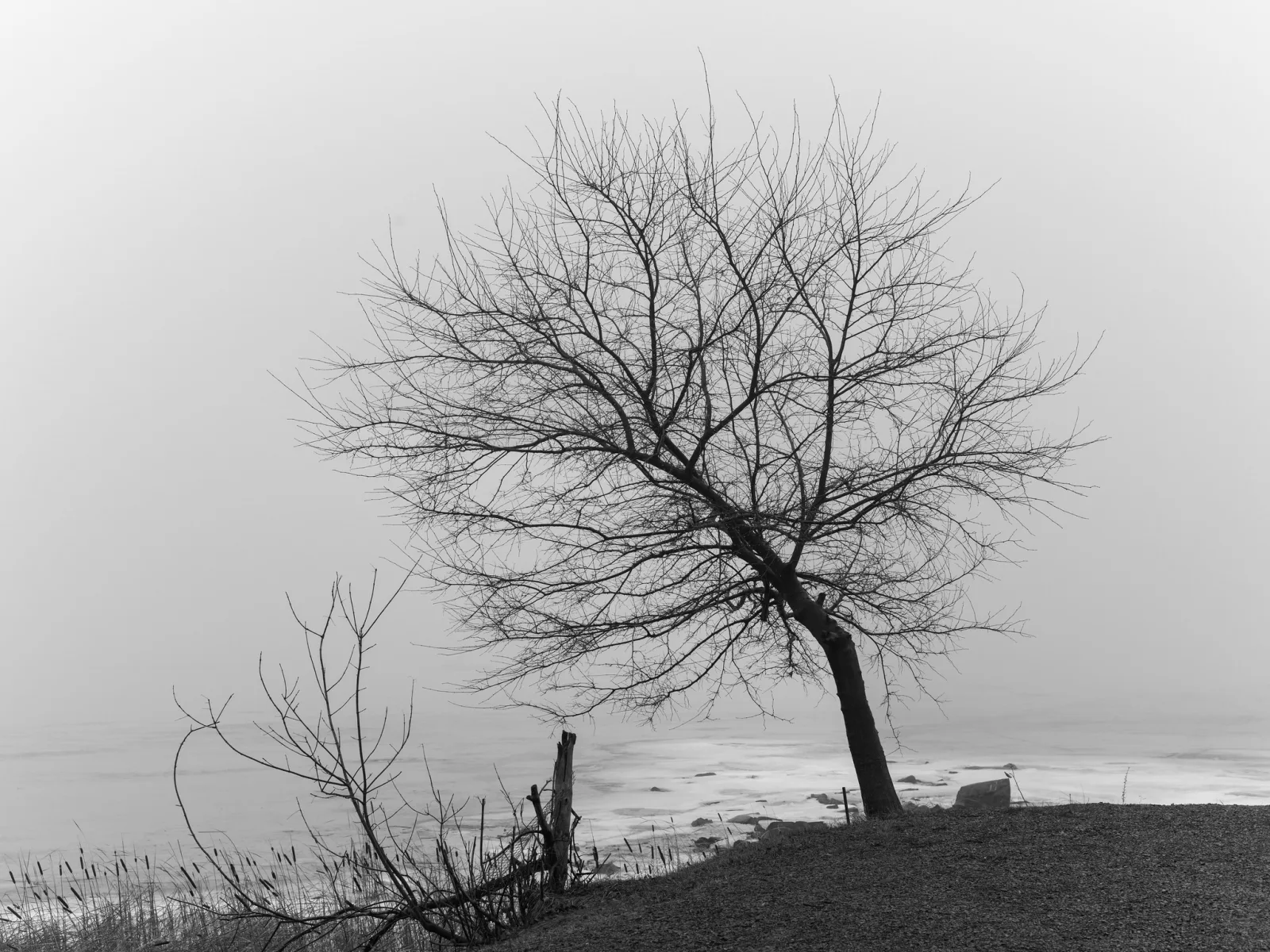
When you keep a range short, decide where the band sits. The same foggy field placed in the light grays feels airy; placed in the middle grays it feels heavy and wet. Then decide how far to stretch it. A low contrast scene such as a misty morning often benefits from gently expanding the tones, but a narrow band pulled all the way to both ends shows noise and stepped gradients in smooth areas. That damage appears much sooner in an 8-bit JPEG than in a raw file, which holds far more tonal steps.
Where to place the black point and the white point
The black point is the tone you allow to become pure black and the white point is the tone you allow to become pure white. Everything else is spaced between them. The slider mechanics belong to curves and levels; the judgment is about what earns each end. Sort the darkest and lightest areas into two kinds:
- Empty areas hold nothing the viewer needs: the inside of a doorway, a light source, a glint of sun on chrome or water. These can go to pure black or pure white.
- Textured areas describe the subject: dark fabric, bark, snow, cloud, a white shirt. These must stay a clear step inside the ends.
- Find the darkest textured area and move the black point until it is very dark but its texture still shows.
- Find the lightest textured area and move the white point until it is bright but still shows its surface. Glints and lamps beyond it clip, which is acceptable.
- Only then adjust the middle. The midtone slider or the tone curve moves the grays without moving the points.
Which Lightroom sliders actually set these points? How to set your black and white points in Lightroom covers the Alt or Option drag method, Blacks and Whites against Shadows and Highlights, and when to clip intentionally.
Not every picture needs both ends. A fog scene may take a black point on the nearest dark object and no white at all; a night street may take a white point on the lamps and leave most of the frame near black.
Deciding where a face, a sky or a shadow should fall on the scale, and exposing and processing to place it there, is what separates a flat gray conversion from a print with real presence. Ansel Adams, working with Fred Archer, formalized this control in the zone system, which maps each important tone to a numbered zone from black to white. The full method, including placing and falling, is in the zone system guide.
How color filters and the black and white mix move tones
A black and white picture is a translation of color into gray, and the translation is adjustable. Which gray a blue sky or a red door becomes depends on how much weight each color is given.
On black and white film the control is a colored filter over the lens. A filter passes light of its own color and holds back the opposite color, so things that match the filter come out lighter and things of the opposite color come out darker. The lens filters guide has a section on color filters for black and white photography.
| Filter | Comes out lighter | Comes out darker |
|---|---|---|
| Yellow | Yellows | Blue sky, slightly |
| Orange | Oranges, brick, skin tones | Blue sky, clearly |
| Red | Reds, brick, red flowers | Blue sky strongly; green foliage |
| Green | Foliage and grass | Reds, including lips and red flowers |
| Blue | Blue sky and haze | Reds, yellows and skin |
In digital editing the same job is done by the black and white mix: sliders, one for each color range, that set how light or dark that color becomes in gray. Pulling the blues down is the red filter effect on a sky. Raising the greens is the green filter effect on foliage. Unlike a filter, the mix lets you choose a value for every color and change it for every picture.
- The mix needs color to work on. Shoot raw. A camera set to a monochrome style while recording raw shows a black and white preview but keeps the full color data. A monochrome JPEG has thrown the color away.
- Skin lives mostly in the reds and oranges. Raising those sliders lightens and smooths skin; lowering them darkens it and brings out freckles and lines.
- Extreme settings break the picture. Dragging blue far down turns a sky black but also brings up noise, stepped gradients and pale halos where sky meets trees or roofs. Check those edges at full size.
Want a walk through the sliders themselves? How to use hue, saturation and luminance in Lightroom covers black and white mixing with the same eight color ranges, the targeted adjustment tool, and the halos, banding and noise to watch for.
Separating tones that would merge in gray
Two things can be completely different in color and identical in brightness. Red flowers against green leaves, red brick behind green ivy, an orange jacket against a blue wall: each pair is obvious in color, and in a plain conversion each can turn into one gray. This is the most common reason a strong color picture makes a weak black and white one.
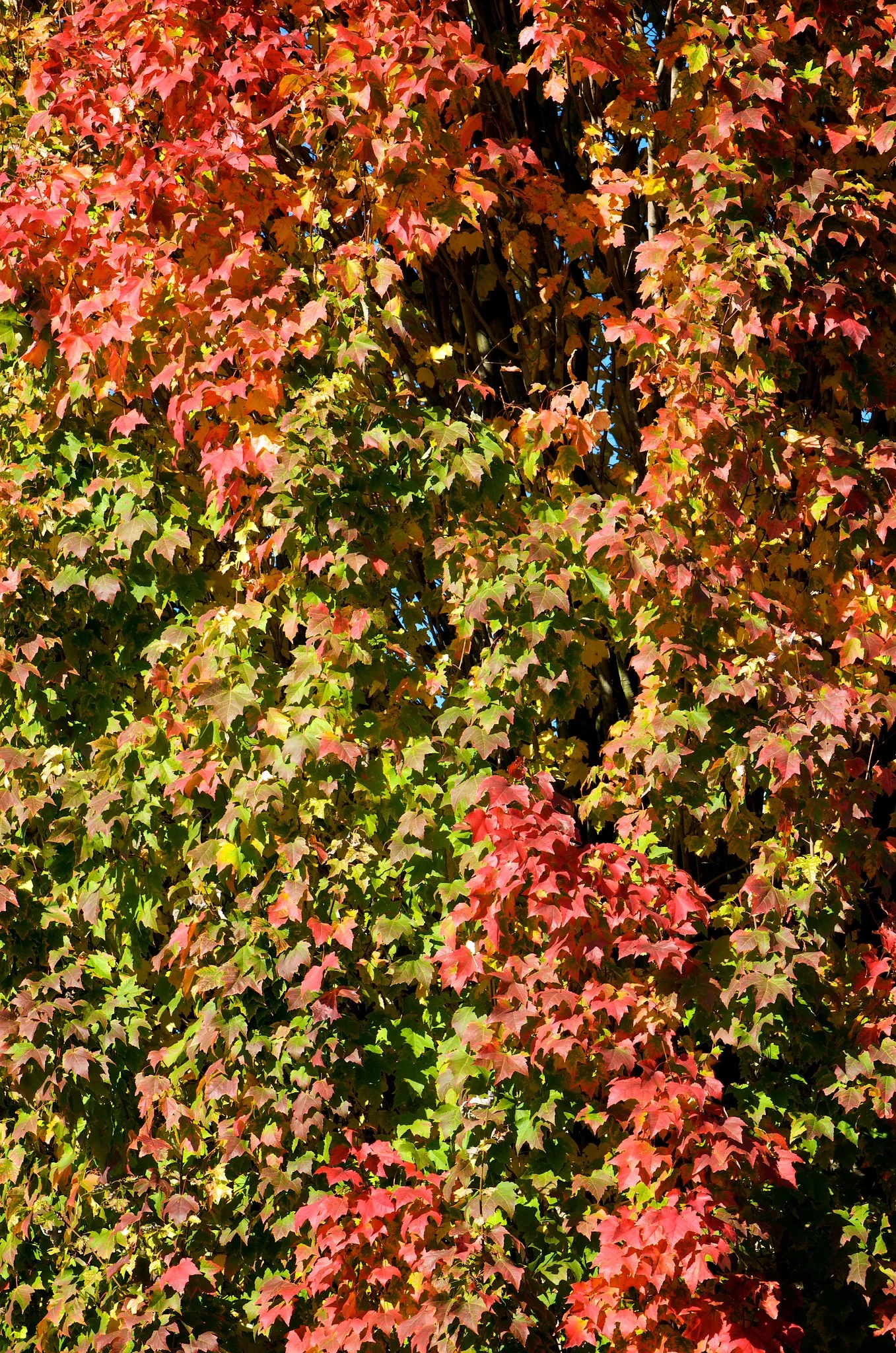
One fact sets the order of the fixes: once two areas have become exactly the same gray, no curve can pull them apart, because a curve gives every pixel of a given tone the same result. Separation by color has to happen before or during the conversion.
- At the scene. Look for brightness differences, not color differences. Move until a light subject sits against a dark background, or the reverse. A monochrome preview on the rear screen or in an electronic viewfinder shows the merge before you shoot.
- In the mix. Push the two colors in opposite directions: raise red and lower green for pale flowers on dark foliage, or reverse both.
- With a curve. If the tones are close but not identical, steepen the curve where they sit. The gap widens, at the cost of flattening another part of the scale.
- By hand. Lighten one area and darken the other locally, the last resort for two objects of the same color.
The compositional side is in how to separate your subject from the background, which has a section on separation in black and white.
Global contrast and local contrast
Global contrast is the relationship between tones across the whole frame. Local contrast is the difference between tones that sit next to each other. The contrast guide defines both; what matters here is that they draw on the same limited supply.
The scale from black to white is fixed, and a curve can only share it out. Make the curve steeper through the midtones and neighboring midtones move apart, but the curve must then be flatter in the shadows and highlights, so tones at the ends crowd together. An S-shaped curve is exactly this trade. A curve cannot add contrast everywhere at once.
Local tools escape that limit, because people judge a tone against what surrounds it far more than against something on the other side of the picture. Two areas far apart can use the same tones without anyone noticing.
- Local contrast sliders (often named clarity, texture or structure) increase the difference between neighboring tones while leaving the overall range about where it was. Used heavily they produce halos along edges and a gritty look.
- Dodging and burning lifts or lowers specific areas. Darkening a sky and lightening a foreground lets both carry strong internal contrast even though their tones overlap.
What paper and screens can show
The range you build on a screen is not the range the viewer receives. A screen makes its own light; a print only reflects the light that falls on it. The brightest thing a print can show is the bare paper, and the darkest is the deepest black the ink and paper surface produce together. That span is smaller than a screen’s and differs between papers: glossy and luster surfaces reach a deeper black than matte and cotton papers. Dark tones that are clearly separate on screen can merge into one black on matte paper.
- Keep important shadow detail well above black. Do not leave the texture of a dark coat in the last few levels of the scale.
- Pure white prints as bare paper. A large clipped area has no ink at all and can look like a hole, so keep big light areas just inside the white point.
- Turn the screen down. A very bright screen makes shadows look open, and a print matched to it comes out dark.
Ready to put a monochrome picture on paper? Black and white printing covers deep blacks and holding shadow detail, making a step wedge before your first real print, and soft proofing.
Common mistakes
- A flat gray conversion. The color was removed and nothing else was done. Fix: set the black and white points, then use the mix to decide which colors go light and which go dark.
- Forcing a full range onto every picture. Fog and soft interiors get a harsh black and white they never had. Fix: keep the range short when the scene was gray.
- Clipping for punch. Textured snow, cloud or dark clothing goes blank. Fix: clip only empty areas.
- Subject and background in the same gray. Fix: move the two colors apart in the mix before reaching for curves.
- Pushing a color slider to the limit. The sky is black, noisy and ringed with halos. Fix: back off until the edges are clean and finish with a local adjustment.
- Recording only monochrome JPEGs. There is no color left to mix. Fix: record raw and use the monochrome style as a preview.
Try this
Take fifteen minutes with one color raw file that contains a blue sky and something green or red, and keep the histogram visible. Version one: remove the color and do nothing else. Version two: set the black point on the darkest textured area and the white point on the lightest. Version three: use the mix to darken the sky and to push the green or red thing away from whatever sits behind it. Put the three side by side. The histogram widened between one and two. Between two and three the picture changed while the histogram’s width barely moved: that change is tonal placement, and the graph cannot show it.
Frequently asked questions
What is tonal range in photography?
It is the spread of tones in a picture from the darkest to the lightest, together with how the tones between are distributed. A wide range uses nearly the whole scale from black to white. A narrow range uses only part of it.
Is tonal range the same as dynamic range?
No. Dynamic range describes the light in a scene or what a sensor can record, measured in stops. Tonal range describes the finished picture. A scene with little dynamic range can be edited to a full tonal range.
Does every black and white photo need pure black and pure white?
No. A full range suits most scenes with real light and shadow, but fog, high key and low key pictures deliberately leave part of the scale unused. The test is whether the range matches what the scene was.
Why does my black and white conversion look flat and gray?
Usually the black and white points were never set, so the picture has no true dark or light, and colors of similar brightness have merged into the same gray. Set the points first, then separate the colors with the black and white mix.
Related guides
- Black and white photography: seeing in monochrome and the conversion methods.
- The zone system: planning where each tone falls before the exposure.
- High key and low key photography: lighting and exposing for a deliberately short range.
- Dynamic range explained: what the sensor can hold and how to capture scenes that exceed it.
- Curves and levels: the tools that set the points and shape the midtones.
- Contrast in photography: tonal, color and texture contrast, and when low contrast is right.
- Black and white printing: neutral grays, paper choice and proofing.