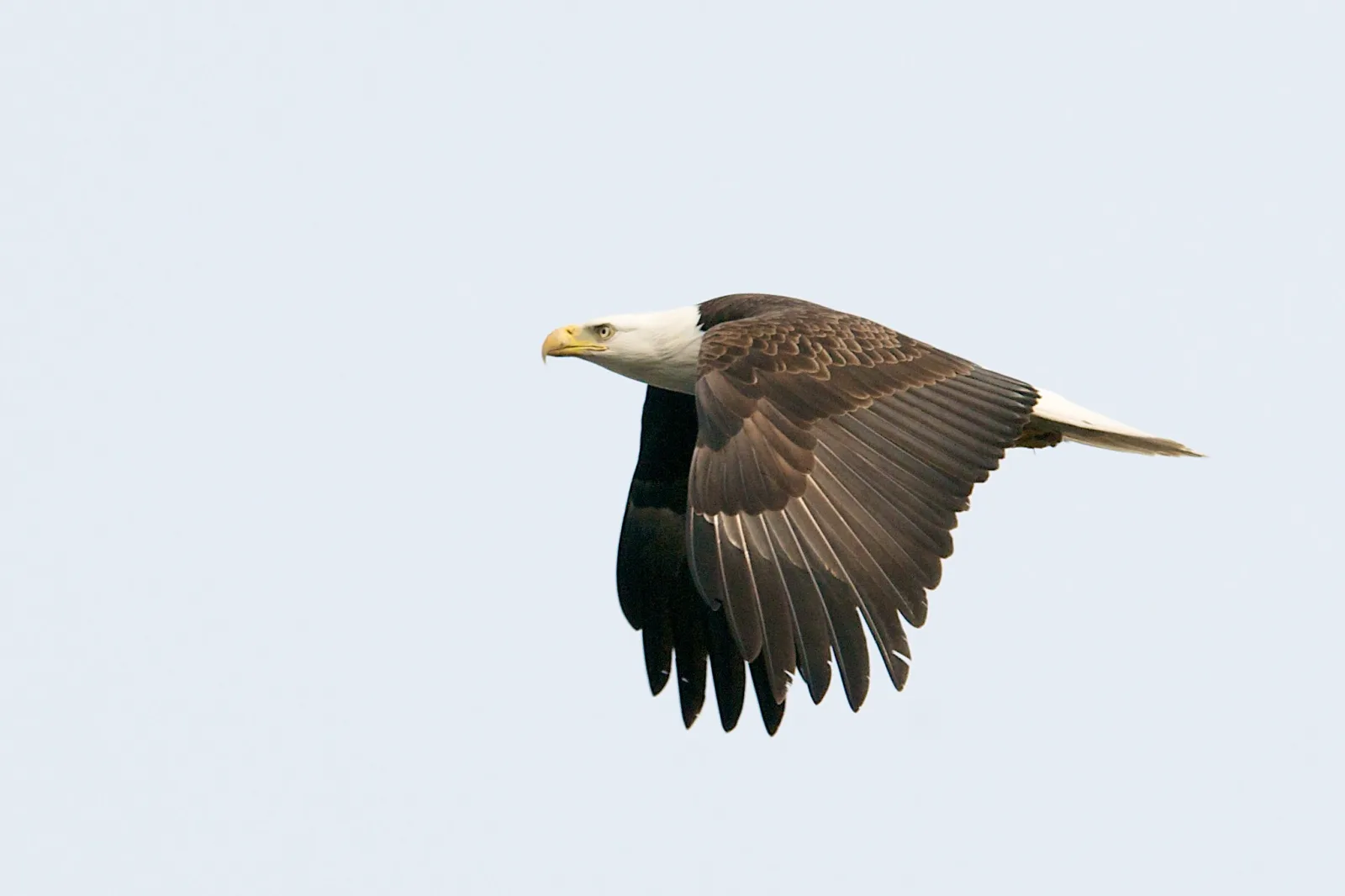
Continuous autofocus (AF-C on most cameras, AI Servo or Servo AF on others) keeps adjusting focus for as long as you half-press the shutter button or hold the AF-ON button. It never locks. The camera measures the subject’s distance again and again, works out how fast it is approaching or receding, and sets the lens for where the subject will be at the instant of exposure. Use it for anything that moves.
The three focus modes are introduced side by side in camera focus modes explained, and following a subject around the frame is defined in AF tracking. This guide goes further into the continuous mode alone: what prediction does, how release priority and focus priority change a burst, which AF area to pair with it, how to set the response to a blocked subject, a table of setups by situation, and the cases where AF-C is the wrong tool.
What continuous autofocus does while you hold the button
In single-shot AF the camera focuses once, confirms, and stops. If the subject then moves half a meter, the lens stays where it was. In continuous AF the camera repeats the measurement many times a second and moves the lens after each one, so focus follows the subject for as long as the button is held.
Following is only half the job. There is always a short delay between the last focus measurement and the moment the picture is recorded: the shutter has to open, and on a camera with a mirror the mirror has to lift, which also blinds the autofocus sensor. A subject moving toward you keeps moving during that gap. So the camera uses its recent measurements to calculate the subject’s speed and direction along the lens axis, then drives the lens to the distance the subject should have reached when the exposure starts. This is predictive autofocus, and it is the reason AF-C can keep an approaching subject sharp.
A worked example shows why it matters. On a full frame camera, a 200mm lens at f/2.8 focused at 10 meters has roughly 40 cm of depth of field in total, about 20 cm either side of the focus distance. A fast runner covers about 8 meters each second, which is 80 cm in a tenth of a second and 40 cm in a twentieth. Focus that was correct a moment ago is already outside the sharp zone.
- Direction matters more than speed. A subject crossing the frame at a constant distance barely changes focus. A subject coming straight at the camera changes it fastest, and the change accelerates as the subject gets close.
- Prediction needs a history. The camera cannot estimate speed from one reading. Start focusing a second or two before the moment you want, and keep the button held. Letting go and pressing again makes the camera start its calculation over.
Continuous AF does nothing about motion blur. A subject can be perfectly focused and still smeared if the shutter speed is too slow for its movement. Focus mode and shutter speed solve two separate problems, and action needs both.

What is happening inside the camera when it measures distance? How autofocus works covers the two fundamental approaches to autofocus, hybrid systems, and eye AF and subject detection.
AF-C compared with single-shot AF and automatic switching
Most cameras offer three autofocus modes. The labels differ between makers but the behavior is the same.
| Mode | Common labels | What it does | Best for |
|---|---|---|---|
| Single-shot | AF-S, One-Shot AF | Focuses once, then holds that distance until you release the button | Still subjects, focus and recompose, dim light |
| Continuous | AF-C, AI Servo, Servo AF | Refocuses constantly and predicts the subject’s position at exposure | Anything that changes distance |
| Automatic switching | AF-A, AI Focus | Starts as single-shot and changes to continuous if it detects movement | Casual shooting with mixed subjects |
The automatic mode sounds like the best of both, but it has to notice movement before it switches, and that takes time. It can be late on a subject that starts suddenly. If you know whether the subject will move, choose the mode yourself. The single-shot mode and its recompose technique are covered in focus modes: AF-S and One Shot.
Release priority or focus priority
A second setting, normally in the autofocus or custom menu, decides what happens when you press the shutter button fully.
- Focus priority. The camera will not take the picture until it judges the subject to be in focus. Single-shot AF normally works this way. You get fewer out-of-focus frames, but the camera can refuse to fire at the moment you wanted.
- Release priority. The camera takes the picture the instant you press, focused or not. Continuous AF often defaults to this, or to a balanced option between the two. You never miss the moment, but some frames will be soft.
Some cameras let you set the first frame of a burst and the later frames separately. A sensible starting point is focus priority, or the balanced option, for the first frame, so the sequence begins sharp, and release priority for the rest, so the frame rate stays steady. With focus priority on every frame, the burst slows and becomes uneven whenever the camera is unsure, which is often exactly when the action peaks.
AF area modes to pair with continuous AF
The focus mode decides when the camera focuses. The AF area mode decides where in the frame it looks. In continuous AF the area choice matters more than it does with a still subject, because you have to keep the active area on something that will not hold still.
- Single point. One small point that you place and keep on the subject. It is the most precise option and the only one that reliably ignores a busy background or foreground, but it demands steady tracking with the camera. Use it for subjects on a predictable path and for anything partly hidden.
- Zone or group. A cluster of points that act together. The camera usually focuses on the nearest thing with detail inside the cluster. It forgives small aiming errors, so it suits erratic subjects against a plain background, such as a bird against the sky. It fails when something closer than the subject enters the zone.
- Tracking. You start with a point on the subject, and the camera follows that subject around the frame by its color, pattern and distance, moving the active point for you. It frees you to compose, and works best when the subject looks clearly different from its surroundings.
- Subject detection. The camera recognizes a type of subject (eyes and faces, bodies, animals, birds or vehicles, depending on the camera) and places focus on it automatically. Eye detection AF is the best-known form. It is very effective when the subject is large enough in the frame to be recognized, and it falls back to ordinary area focusing when it is not.
- Wide or automatic area. The camera chooses from the whole frame. Without subject detection it tends to pick whatever is closest or has the most contrast, which is often not what you meant.
Which focus area suits which kind of subject? How to choose focus points covers focus area modes, the focus and recompose technique, and focus point selection by genre.
Tracking sensitivity: what happens when something blocks the subject
Sooner or later a referee, a branch or another player passes between you and the subject. A menu setting decides how the camera reacts. It goes by names such as tracking sensitivity or blocked shot response, and it is usually a scale with a slow end (labelled locked on or delayed) and a fast end (labelled responsive or quick).
- Slow or locked on. The camera waits before refocusing on something at a very different distance. A brief obstruction is ignored and focus stays where the subject was. The cost is a slower reaction when you deliberately swing to a different subject, or when the point slips onto the background and you bring it back.
- Fast or responsive. The camera refocuses almost at once on whatever is under the active area. Good for switching between subjects at different distances and for subjects that appear suddenly. The cost is that anything crossing in front steals focus.
Leave it in the middle until you have a specific problem. Move toward locked on for team sports and for wildlife in vegetation. Move toward responsive when nothing can get in the way.

Back-button focus and burst shooting with AF-C
One mode for moving and still subjects
By default a half-press of the shutter button starts autofocus. Back-button focus moves that job to a button under your thumb, usually marked AF-ON, and removes it from the shutter button. Combined with continuous AF this gives you both behaviors without visiting a menu:
- Hold the back button and the camera tracks continuously, exactly as AF-C should.
- Press and release it and focus stays at the last distance. You can recompose and shoot as many frames as you like, because the shutter button no longer refocuses.
How do you move focus off the shutter button? Back button focus covers what it is, why separating focus from the shutter matters, and its key advantages.
How focus behaves during a burst
In burst mode with continuous AF, the camera measures and adjusts focus between frames. Each frame is a separate prediction. At 10 frames a second, the runner from the earlier example moves 80 cm between one frame and the next, so every frame needs its own focus distance.
- The fastest frame rate is not always the best. On some cameras the top speed fixes focus at the first frame or limits focusing between frames. The manual states which drive speeds keep full autofocus. Use the fastest one that does.
- Expect some misses. A sequence of an approaching subject will rarely be sharp in every frame. That is normal, and it is the reason to shoot the sequence.
- Short bursts beat long ones. Three to six frames around the peak of the action keep the buffer from filling and leave you ready for the next moment.
Suggested setups by situation
These are starting points. Names and options differ between cameras, so match the idea, not the exact label.
| Situation | Focus mode | AF area | Blocked-subject response | Drive |
|---|---|---|---|---|
| Team sports, players crossing each other | Continuous | Zone, or tracking with face and body detection | Toward locked on | Short bursts |
| Runner, cyclist or car coming straight at you | Continuous | Single point or small zone on the head or front of the vehicle | Middle | Fastest burst with full autofocus |
| Bird in flight against open sky | Continuous | Large zone, or bird detection | Middle to responsive | Burst |
| Bird or animal among branches or grass | Continuous | Single point | Toward locked on | Short bursts |
| Panning with a passing car or cyclist | Continuous | Single point or small zone held on one part of the subject | Toward locked on | Burst |
| Children or pets playing nearby | Continuous | Wide area with eye or animal detection | Middle to responsive | Short bursts |
| Handheld portrait at a wide aperture | Continuous | Eye detection | Middle | Single frame |
| Still subject in a dim room | Single-shot | Single center point on a contrasty edge | Not used | Single frame |
The portrait row can look out of place. A person standing for a portrait is not really still, and neither are you. At a wide aperture and close range the depth of field can be a few centimeters, and continuous AF with eye detection corrects for small sways right up to the exposure.
For panning, the subject’s distance changes less than it does head-on, but it still changes as the subject passes. Continuous AF with a small area held on one spot, such as a helmet or a headlight, keeps that spot sharp while the background streaks. Shutter speeds for field and court sports are listed in best camera settings for sports photography.
When continuous AF is the wrong choice
- Static subjects. With nothing to follow, a continuously working system has nothing to gain and can make small corrections that leave one frame slightly different from the next, especially on low-contrast surfaces. Single-shot AF focuses once, confirms, and holds. On a tripod, manual focus with a magnified view is more exact still.
- Focus and recompose with the shutter button. If a half-press drives autofocus, turning the camera after focusing puts the active point on something else and the camera refocuses on it. Either use single-shot AF, move the AF point to the subject instead of recomposing, or set up back-button focus.
- Very low light. Continuous AF needs a steady stream of usable readings, and in dim light each reading is less certain, so the lens can hunt back and forth. Many cameras also keep the AF-assist lamp off in continuous mode. Single-shot AF on the center point, aimed at a contrasty edge, has a better chance of locking.
A lens that racks through its whole range when it loses the subject wastes time. If the lens has a focus limiter, setting it to the far range for distant action shortens the search.
Is the camera hunting, or locking onto the wrong thing? How to fix common autofocus problems covers a camera that hunts and will not lock, and a camera that locks on the wrong thing.
Common mistakes
- Focusing on a face, then recomposing with the shutter half-pressed in AF-C. The camera refocuses on whatever the point lands on, usually the background. Fix: move the AF point onto the subject, switch to single-shot AF, or use back-button focus and release the button before you recompose.
- Starting autofocus at the moment of the shot. The camera has no motion history, so the first frames are guesses. Fix: pick the subject up early and hold focus on it for a second or two before the action peaks.
- Letting the camera choose from the whole frame against a busy background. It selects the nearest or most contrasty object. Fix: use a single point or a small zone, or turn on a subject detection mode that matches the subject.
- Blaming autofocus for motion blur. If nothing in the frame is sharp, or the subject is smeared in one direction, the shutter speed was too slow. Fix: raise the shutter speed first, then judge the focus.
- Leaving the blocked-subject response at its fastest setting in a crowd. Every passing player takes the focus. Fix: move the setting toward locked on, or, with back-button focus, lift your thumb as the obstruction crosses and press again once it has passed.
Try this
You need a camera with a continuous AF mode and a place where things move toward you at a steady pace: a path used by cyclists and joggers, or a quiet road seen from a safe spot on the sidewalk. Allow fifteen minutes. Use the longest focal length you have, the widest aperture, and a shutter speed of 1/1000 second or faster, with ISO on automatic.
- Set single-shot AF and a single point. As a subject approaches, focus once, hold the half-press, and take five frames as it comes closer. Review them at full magnification. The first should be sharp and the rest progressively softer.
- Switch to continuous AF with the same single point. Pick the next subject up early, hold focus on it for two seconds, then shoot a five-frame burst while keeping the point on it. Compare the sequence with the first one.
- Stand so that a post or tree briefly hides each subject as it passes. Shoot one pass with the blocked-subject response at its fastest setting and one at its slowest. Look at the frames just after the obstruction to see which setting recovered the subject.
Frequently asked questions
Is AF-C the same as AI Servo?
Yes. They are different makers’ names for continuous autofocus. Both keep refocusing while the focus button is held and both predict where a moving subject will be at the moment of exposure.
Should I leave my camera in AF-C all the time?
You can if you use back-button focus, because releasing the button holds focus just as single-shot AF would. If the shutter button controls focus, switch to single-shot AF for still subjects and whenever you focus and recompose.
Why are my AF-C photos blurry?
There are three usual causes. The shutter speed was too slow and the blur is motion, not focus. The active area was on the background or on something in front of the subject. Or the camera is set to release priority and fired before focus had caught up, which is normal for a few frames in any burst.
Why does my camera not beep in AF-C?
The beep signals that focus has been achieved and locked. Continuous AF never locks, so most cameras stay silent in that mode. It does not mean the camera has failed to focus.
What is the difference between AF-C and AF-A?
AF-C is always continuous. AF-A, or AI Focus, begins as single-shot AF and switches to continuous only if the camera decides the subject is moving. That decision can be late, so choosing AF-C directly is more dependable for action.
Related guides
- Camera focus modes explained: all the focus modes side by side, and how they differ from focus areas.
- Focus modes: AF-S and One Shot: the single-shot mode for subjects that stay put.
- AF tracking: how the camera follows a chosen subject around the frame.
- How to choose focus points: area modes and point selection by genre.
- Back button focus: taking autofocus off the shutter button.
- How to fix common autofocus problems: hunting, wrong targets and consistent focus errors.