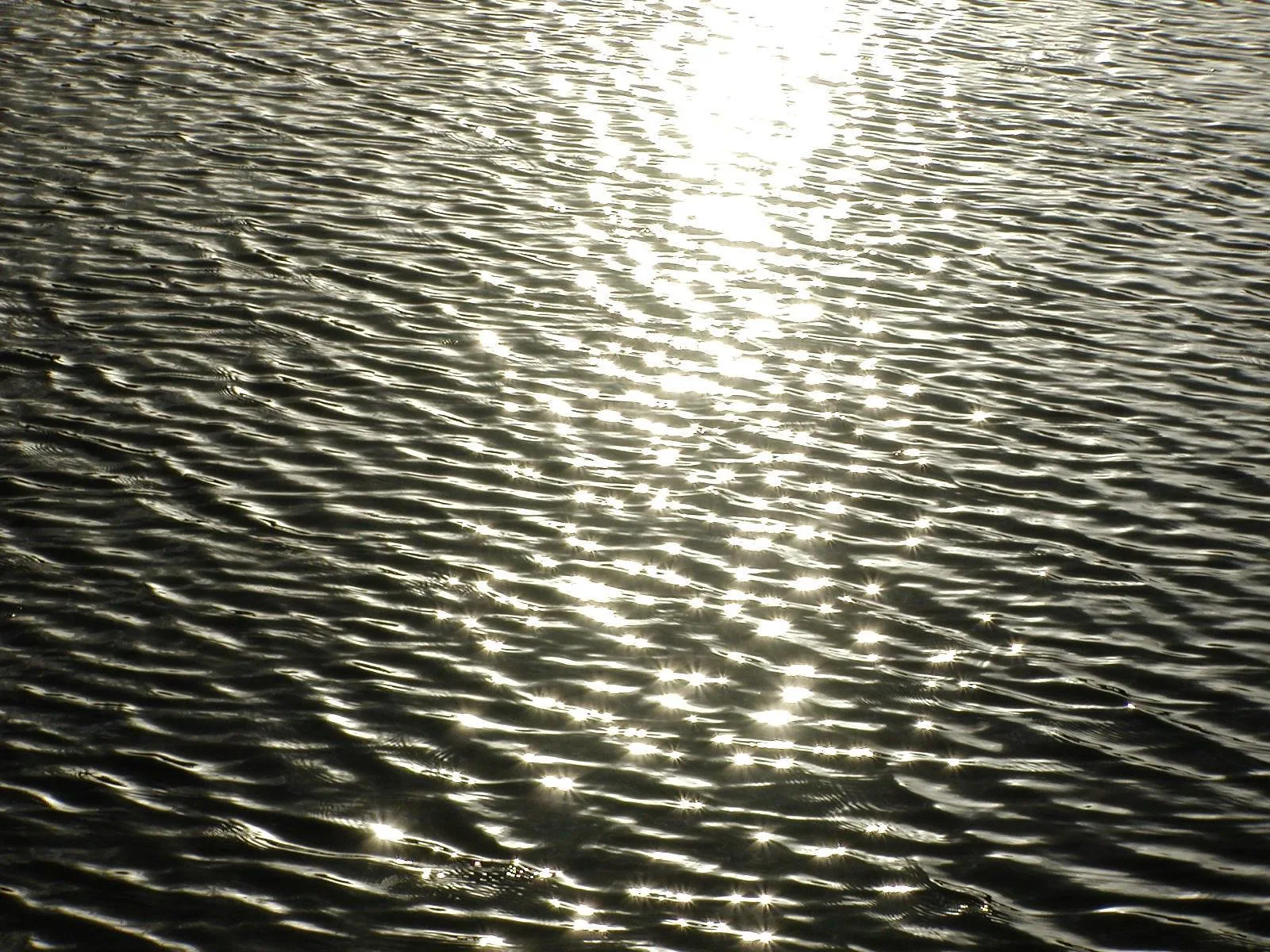
Specular highlights are the small, very bright spots or streaks where light reflects directly off a shiny surface, like the glint in an eye, the sparkle on water, or the shine on a car, a glass or a wet street. They add life, shape and a sense of texture, but too many or too large ones look like glare and lose detail. To control them, change the size of the light, change the angle between the light, the surface and the camera, use a polarizing filter, or expose so the highlights stay bright without swallowing nearby detail.
Look closely at almost any photo that feels alive and you will find specular highlights. They are the sparkle in a portrait’s eyes, the glitter on a lake at sunset, the gleam on a fresh tomato, and the bright line running along a polished table. Without them, shiny things can look flat and dull. With too many, a photo looks greasy, glary or messy.
This guide explains in plain words what specular highlights are, how they differ from ordinary bright areas, why they matter, how to see and control them, how to expose for them, and the common mistakes beginners make. There is a 10-minute exercise and an FAQ at the end.
What specular highlights are
When light hits a surface, two kinds of reflection happen.
- Diffuse reflection is light that bounces off a surface and scatters in all directions. This is how you see the colour and texture of most things, like paper, skin, cloth and wood. It looks similar from any angle.
- Specular reflection is light that bounces off a smooth, shiny surface in one direction, like a mirror. If your eye or camera is in the path of that bounce, you see a bright spot. Move a little, and it moves or disappears.
A specular highlight is that bright spot. In fact, it is often a small reflection of the light source itself. The sparkle in someone’s eye is usually a tiny reflection of a window, lamp or the sky. The guide to catchlights covers the ones in eyes specifically.
The word specular comes from the Latin for mirror, which is a helpful way to remember it: specular highlights behave like little mirrors.
How they differ from ordinary highlights
In photography, highlights simply means the brightest parts of an image. A white cloud or a sunlit wall is a highlight, but it is a diffuse highlight: bright, yet still showing texture and detail.
Specular highlights are different:
- They are much brighter, often brighter than anything else in the photo.
- They are usually small: spots, points or thin lines.
- They often have no detail inside them, just pure white or near white.
- They move when you or the light moves.
- They appear mainly on shiny, wet, smooth or oily surfaces.
Because they are so bright, it is normal and fine for small specular highlights to be pure white with no detail. Trying to keep detail in every sparkle usually makes the rest of the photo too dark.
Why specular highlights matter
- They show material. Highlights tell the viewer what a surface is made of. Sharp, crisp highlights say glass, metal or water. Soft, broad highlights say satin, skin or polished wood. No highlights at all says matte, like paper or cloth.
- They show shape. A highlight curving across a bottle or a tomato tells the eye the surface is round. The way it bends describes the form.
- They add life. A catchlight makes eyes look alive. Sparkle on water makes a scene feel bright and fresh.
- They attract the eye. The brightest part of a photo pulls attention. A well-placed highlight can lead the eye to your subject. A stray one can pull it away.
What controls specular highlights
Size of the light
The size of a highlight depends on the size of the light source compared with the subject. The guide to quality of light explains this in depth.
- Small light sources, like the bare sun, a bare bulb or a small flash, make small, hard, very bright highlights with sharp edges. This is called hard light.
- Large light sources, like a big window, an overcast sky or a softbox, make larger, softer highlights that spread gently across the surface. This is called soft light.
For shiny products and skin, a larger, softer light usually looks more flattering. For sparkle and drama, a small hard light looks better.
Angle
Remember the mirror. Light reflects off a shiny surface at the same angle it arrives, like a ball bouncing. If the camera sits where the light bounces to, you see a strong highlight. If you move the camera or the light, the highlight moves or disappears.
This gives you control:
- To remove a highlight, move the light, the subject or yourself so the bounce goes somewhere else.
- To add or move a highlight, change the angle until the bounce reaches the camera where you want it.
Distance of the light
Moving a light closer makes it effectively larger and softer, so highlights become bigger and gentler. Moving it farther away makes it effectively smaller, so highlights become smaller and harder.
The surface itself
Glossy, wet or polished surfaces show crisp highlights. Satin surfaces show soft highlights. Matte surfaces show almost none. Oily skin shows more highlights than dry skin.
Polarizing filters
A polarizing filter screws onto the front of a lens and can reduce reflections from non-metal surfaces, like water, glass, leaves and wet roads. Turning the filter changes the effect. It works best at certain angles, roughly when the reflection is at an angle to the camera rather than straight on. It does not reduce reflections from bare metal much.
Exposing for specular highlights
Exposure means how bright or dark the photo is. Because specular highlights are so bright, they can trick your camera.
- Let small highlights go white. Tiny sparkles and catchlights can be pure white. That is normal.
- Protect large highlights. If a big area, like a whole window reflection, a shiny forehead or a car bonnet, turns pure white, it looks like a hole in the photo. Reduce exposure a little with exposure compensation.
- Use the blinkies. Many cameras can flash the areas that are pure white on playback. Small flashing spots are fine. Large flashing areas need attention. See highlight warnings.
- Check the histogram. The histogram shows tones from dark on the left to bright on the right. A thin spike at the far right is often just specular highlights. A big pile there means larger areas are too bright.
- Shoot RAW if you can. RAW files hold more information in the brightest tones, so you can recover a little detail later.
The guide to dynamic range explains why cameras struggle with scenes that have very bright highlights and deep shadows at the same time.
Specular highlights in portraits
Eyes
A small highlight in each eye, called a catchlight, makes a portrait look alive. Position the person facing a window or light so it reflects in their eyes, ideally in the upper part of the eye.
Skin shine
Foreheads, noses and cheeks often show shiny spots, especially in heat or under hard light. A little shine looks natural and healthy. Large white patches look greasy. To reduce them:
- Use a larger, softer light, like a window or open shade.
- Change the angle of the face or the light slightly.
- Offer the person a tissue to blot shiny areas.
- Reduce exposure a little so highlights keep some texture.
The guide to photographing skin tones covers skin in more detail.
Glasses
Glasses often show reflections of lights or windows, which can hide the eyes. Ask the person to tilt their head slightly down, or move the light higher or to the side, until the reflection disappears.
Specular highlights in product and still life
Shiny products, like bottles, jewellery, cutlery, phones and glossy packaging, are mostly about controlling highlights. Product photographers often use large soft lights placed to the side, so a clean, smooth highlight runs along the edge of the object and shows its shape. The guide to product photography covers more setups.
- For a bottle or glass, place a large soft light to one side or behind to create a clean line of highlight.
- For metal, use large white cards or a diffuser around the object, because metal reflects everything around it, including you.
- For food, a small backlight creates sparkle on sauces, oils and fresh fruit, making it look fresh.
Specular highlights in landscapes and the street
- Water. Shooting toward the sun when it is low turns ripples into thousands of sparkles, like the photo at the top of this page. Use a fast shutter speed to freeze them or a slow one to blur them into a glow.
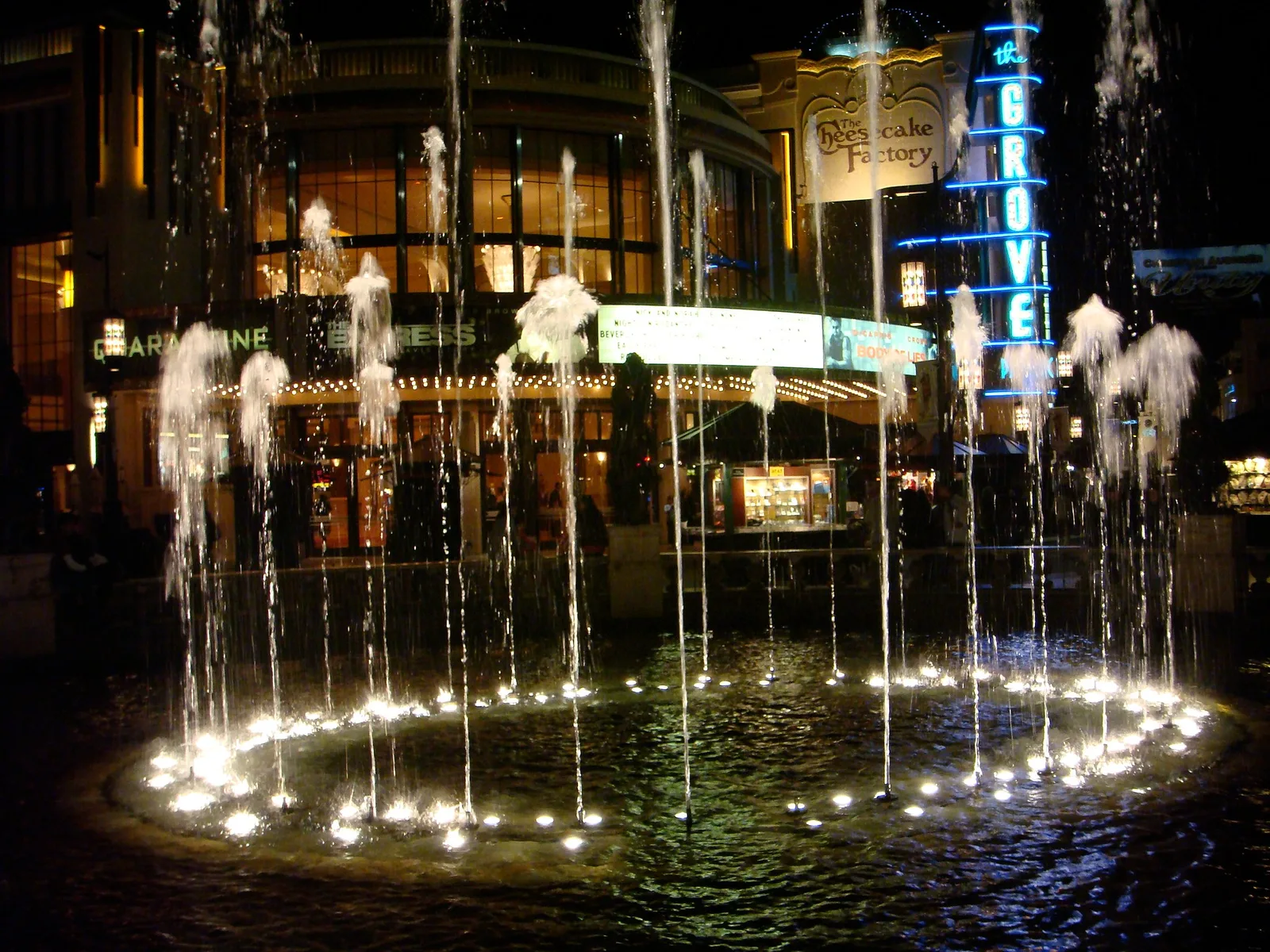
- Wet streets. After rain, roads reflect lights and signs, especially at night. See reflection photography.
- Leaves. Shiny leaves reflect the sky, which can look washed out. A polarizing filter often restores their colour.
- Buildings. Glass and metal buildings catch the sun, creating bright flashes and reflections.
Sparkle and bokeh
When specular highlights are out of focus, they turn into soft circles or shapes of light called bokeh. Sparkles on water or lights behind a subject, blurred with a wide aperture, create those dreamy dots seen in many portraits. Learn more in the guide to bokeh.
When very bright small highlights are in focus and you use a small aperture, they may turn into tiny stars. That is the same effect that makes the sun look like a starburst.
Seeing specular highlights
The best way to understand specular highlights is to watch them move.
- Hold a shiny spoon near a window. Tilt it and watch the bright spot slide around.
- Walk past a parked car and notice how reflections slide across its surface.
- Look at someone’s eyes and find the reflection of the window.
- Look at water and move your head. The sparkles shift with you.
Once you see that highlights depend on your position, you will start moving your camera on purpose to place them.
A useful habit is to ask two quick questions before every shot of something shiny. First, where is the light coming from? Second, where will it bounce? If the answer to the second question is straight into your lens, expect a strong highlight. Decide whether you want it, and if not, take one small step to the side. This simple check takes only a second and saves many photos.
Specular highlights on a phone
Phones handle bright highlights in their own way. Many phones automatically blend several exposures into one photo, which helps keep detail in bright areas. Even so, the same rules apply.
- Tap and slide. Tap on the shiny subject, then slide the brightness control down a little if the highlights look blown out.
- Move around. A phone is light and easy to move, so shift it left, right, up and down to place or remove reflections.
- Turn off the flash for shiny things. A built-in flash sits right next to the lens, so it bounces straight back as a harsh white spot. Window light usually looks far better.
- Clean the lens. Fingerprints smear bright highlights into hazy glows. Wipe the lens with a soft cloth before shooting.
These small habits make shiny subjects look clean and crisp, even without any extra gear.
Editing specular highlights
- Highlights slider. Lowering it can bring back a little detail in bright areas. Use it gently, or the photo looks flat and grey.
- Whites slider. This sets how bright the brightest parts get. Raising it adds sparkle; lowering it tames glare.
- Spot healing. Small distracting highlights on skin or products can be softened with a healing or clone tool.
- Do not remove every highlight. They give life and shape. Keep the ones that help.
Common mistakes
- Trying to keep detail in every sparkle. This darkens the whole photo. Let small highlights go white.
- Ignoring large blown highlights. Big white patches on skin or shiny objects look like holes. Reduce exposure or change the light.
- Using a small hard light on shiny skin. It creates harsh spots. Use a larger, softer light.
- Not moving. A distracting reflection can often be removed by stepping a little to one side.
- Removing all shine. Without highlights, eyes look dead and products look flat.
- Reflections of yourself. Shiny objects can show you and your camera. Change angle or surround the object with white card.
- Expecting a polarizer to fix metal. It mainly reduces reflections from water, glass and leaves.
Try this: a 10-minute highlight hunt
- Minute 1 to 2: Take a shiny object, like a spoon, tomato or glass, to a window. Photograph it.
- Minute 3 to 4: Move yourself to the left and right, taking a photo each time. Watch the highlight move or disappear.
- Minute 5 to 6: Move the object closer to the window and then farther away. Compare the size and softness of the highlights.
- Minute 7: Photograph the same object with a small light, like a phone flashlight, in a dim room. Notice the hard, small highlight.
- Minute 8 to 9: Check your blinkies or histogram. Are the bright spots small or large? Try reducing exposure a little.
- Minute 10: Pick your favourite photo. Which highlight showed the shape of the object best?
Frequently asked questions
What is a specular highlight?
A small, very bright reflection of a light source on a shiny surface, like a glint in an eye or sparkle on water.
Is it okay if specular highlights are pure white?
Yes, small ones. Large pure white areas usually need less exposure or softer light.
How do I reduce shine on skin?
Use a larger, softer light, change the angle, blot the shiny area, or reduce exposure slightly.
How do I get rid of reflections in glasses?
Tilt the person’s head slightly down or move the light higher or to the side until the reflection moves away.
Does a polarizing filter remove specular highlights?
It reduces many reflections from water, glass and leaves, but has little effect on bare metal.
What is the difference between specular and diffuse highlights?
Specular highlights are mirror-like reflections, small and very bright. Diffuse highlights are bright areas that still show texture, like a sunlit wall.
Want to know why some light makes small sharp highlights and other light makes soft ones? Read the guide to quality of light.
Curious how to place a sparkle in someone’s eyes? Try the guide to catchlights.