Seeing Color as a Photographer
Color is one of the most emotionally powerful elements in any photograph, yet many photographers give it remarkably little conscious attention. They let the camera’s automatic white balance decide the color rendering, accept whatever saturation the default JPEG settings produce, and move on. This works well enough most of the time. But “well enough” is not the same as intentional, and learning to see and control color puts a creative tool in your hands that changes the way your images feel.
The challenge with color starts with your own brain. Your visual system is constantly adjusting what you see to match what it expects. A white piece of paper looks white to you whether you are standing in warm incandescent light, cool fluorescent light, or the golden glow of sunset. Your brain “knows” the paper is white and corrects the incoming color information to maintain that perception. This is called chromatic adaptation, and it is incredibly useful for navigating the world. It is also the reason photographers often fail to notice the color of the light around them.
Your camera does not have this adaptation. It records the actual color of the light hitting the sensor. In warm tungsten light, everything has an orange cast. In shade, everything leans blue. Under fluorescent lights, you may see a greenish tint. The camera captures what is really there, and unless you tell it otherwise (through white balance settings or post-processing), that is what your image will look like.
Training yourself to see color temperature consciously is the first step. Walk into a room and ask yourself: what color is the light in here? Is it warm, cool, or neutral? Look at shadows, especially in scenes with mixed light. Shadows often take on the color of the sky (blue) while the lit areas take on the color of the dominant light source. Once you start noticing these differences, you will see color everywhere, and you will start making deliberate decisions about how to handle it rather than leaving everything to automatic settings.
The emotional language of color is universal enough to be useful as a creative tool. Warm tones (reds, oranges, yellows) feel energetic, inviting, and intimate. Cool tones (blues, cyans, blue-greens) feel calm, distant, or melancholic. Vibrant, saturated colors feel bold and intense. Muted, desaturated colors feel quiet and contemplative. These are not rigid rules, but they are reliable enough that you can use them to guide the emotional tone of your images. As discussed in the fundamentals course on color theory, understanding these relationships gives you a vocabulary for creating mood through color.
White Balance Beyond Auto
White balance is your camera’s tool for correcting color casts caused by different light sources. When white balance is set correctly, neutral tones (whites, grays) appear truly neutral in the image, and all other colors are rendered accurately. When it is wrong, the entire image shifts toward a particular color.
Auto white balance works by analyzing the colors in the scene and attempting to neutralize any overall color cast. It does a reasonable job in many situations, particularly in mixed or neutral light. But it has predictable weaknesses. In scenes dominated by a single color (a field of green grass, a room with warm-toned walls), it may overcorrect, trying to remove a color that you actually want in the image. During golden hour, auto white balance often removes some of the warm golden tone because the algorithm interprets it as an unwanted color cast. This can rob your sunset images of the very warmth that makes them beautiful.
Your camera offers several white balance presets, each calibrated for a specific type of light. The Daylight preset is tuned for direct sunlight around midday. The Shade preset adds warmth to compensate for the bluish light found in shaded areas. Cloudy adds a moderate amount of warmth for overcast conditions. Tungsten removes the strong orange cast of incandescent bulbs. Fluorescent corrects the greenish tint of fluorescent lighting. Flash is calibrated for the color temperature of your flash unit.
Using these presets gives you more consistent and predictable results than auto white balance, because you are telling the camera exactly what kind of light you are working in. During golden hour, set the white balance to Daylight or even Shade to preserve the warm tones rather than letting auto white balance cool them down. Under tungsten lights, the Tungsten preset will remove the orange cast accurately. In shade, the Shade preset will warm up the bluish cast without going too far.
For even more control, most cameras allow you to set a specific Kelvin temperature for white balance. Color temperature is measured in Kelvin (K), and it ranges from warm (low numbers, around 2500-3500K for candlelight and tungsten) through neutral (5000-5500K for midday sun) to cool (7000-10000K for shade and overcast sky). Setting a specific Kelvin value gives you precise control. You can dial in exactly the warmth or coolness you want.
Here is a creative technique that experienced photographers use: intentionally “wrong” white balance. Setting a warm white balance (high Kelvin number like 7000K) in already-warm light amplifies the golden tones. Setting a cool white balance (low Kelvin number like 3500K) in blue hour amplifies the cold, blue feeling. These are not mistakes. They are creative choices that push the color in a direction that serves the mood of the image. For more on how white balance affects your images, see the White Balance Photography guide.
One important note: if you shoot in RAW format, white balance can be changed freely in post-processing with no quality loss. This means that technically, white balance at the time of shooting does not permanently affect your image when shooting RAW. However, setting it correctly (or intentionally incorrectly) in-camera gives you a more accurate preview on the LCD, which helps you evaluate your images in the field. It also saves time in editing, because you start with a closer approximation of your desired final look.
Working with Mixed Lighting
In the real world, scenes rarely have just one color of light. A room might be lit by warm tungsten lamps and cool daylight from a window. A restaurant might combine warm candles, cool overhead fluorescents, and the blue cast of twilight coming through the windows. A city street at night might have warm sodium streetlights, cool LED shop signs, and the green tint of traffic lights, all in the same frame.
Mixed lighting is one of the trickiest situations in photography, because there is no single white balance setting that will make everything look “correct.” If you set your white balance for the tungsten lamps, the window light will look very blue. If you set it for the daylight, the lamps will look very orange. No matter what you do, some light source in the scene will have a visible color cast.
The first question to ask yourself is: which light source is illuminating my subject? Set your white balance for that source. If your subject is sitting near a window, set the white balance for daylight and accept that the tungsten lamps in the background will appear warm. If your subject is lit by the overhead fluorescents, set the white balance for fluorescent and accept that the window will appear blue. The viewer’s eye focuses on the subject first, so getting the subject’s color right is the priority.
The second question is whether the color contrast between different light sources is actually a problem or a creative opportunity. Mixed lighting can produce beautiful color contrasts. The warm glow of interior lights against the cool blue of a twilight sky is a classic look in architectural and real estate photography. The orange-and-blue contrast of sodium streetlights against a blue hour sky creates a cinematic feel that many photographers deliberately seek out. Instead of trying to neutralize all the color differences, consider embracing them as part of the image’s visual story.
LED lights deserve special mention because they present unique challenges. Unlike incandescent bulbs (which produce light on a continuous spectrum from warm to cool), many LEDs have gaps in their spectrum. This means they can produce unpredictable color casts that do not correspond neatly to any white balance preset. Some LEDs render skin tones poorly, adding a greenish or magenta tint. Others shift color depending on their dimming level. When working in LED-lit environments, take test shots and check the color carefully. Adjustments may be needed beyond the standard white balance presets, and the HSL tools in post-processing can help correct specific problem colors.
In situations with extreme mixed lighting, sometimes the best approach is to add your own light source. A flash with a color-correction gel can be matched to any ambient light source. Want your flash to match the tungsten lamps? Add an orange gel. Want it to match daylight? Use it bare. This technique is beyond the scope of this lesson, but it is worth knowing that professional photographers regularly “gel” their flashes to blend seamlessly with the existing light.
Color Harmony in Composition
Beyond white balance, color plays a crucial role in composition. The relationships between colors in your frame affect how the image feels, where the viewer looks, and how harmonious or jarring the overall impression is. Understanding basic color harmony gives you a powerful compositional tool.
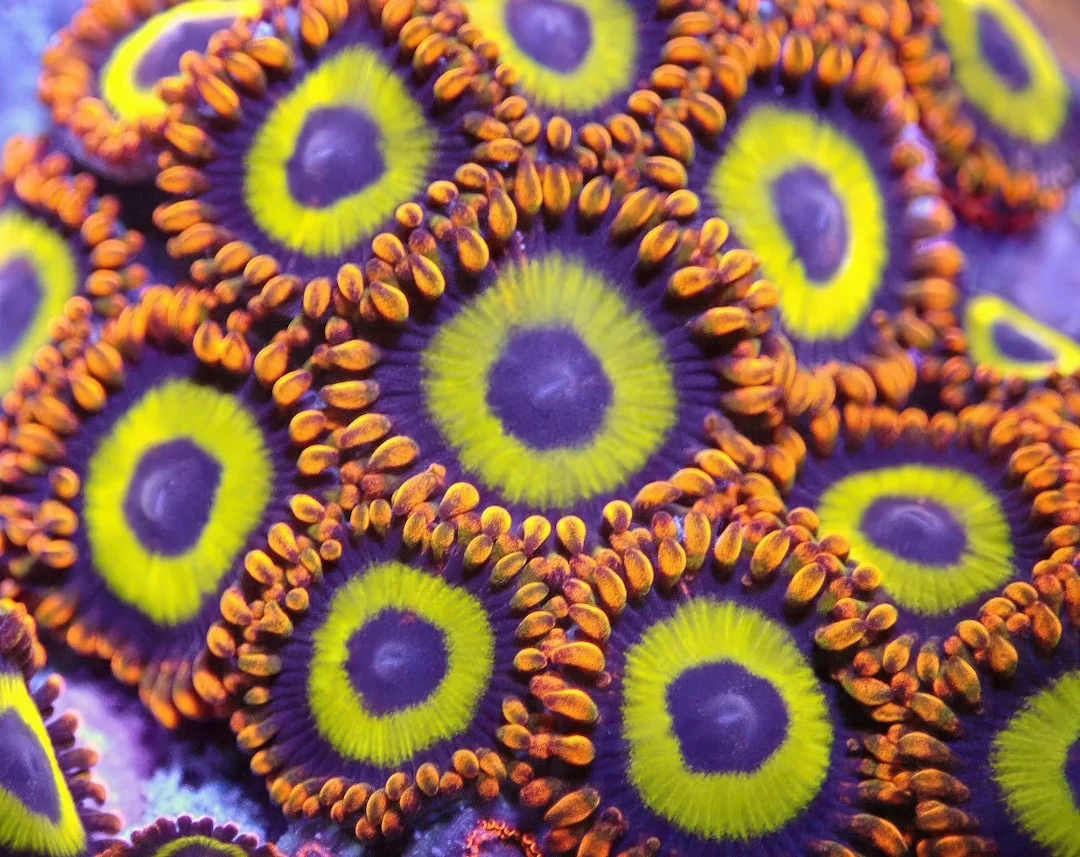
Complementary colors sit opposite each other on the color wheel: blue and orange, red and green, purple and yellow. When complementary colors appear together in a photograph, they create vibrant contrast and visual energy. The blue sky against warm orange sandstone. Red berries against green leaves. A yellow taxi against a purple twilight sky. These combinations feel dynamic and eye-catching because the colors intensify each other. The blue looks bluer next to the orange, and the orange looks warmer next to the blue.
The blue-and-orange combination deserves special attention because it appears naturally in so many photographic situations. Golden hour sunlight is orange. Shade is blue. A warm sunset sky transitions from orange near the horizon to blue overhead. Firelight is orange against a blue-dark night. This natural occurrence of complementary colors is one reason golden hour photographs are so universally appealing. The color harmony is built into the light itself.
Analogous colors sit next to each other on the color wheel: blues and greens, reds and oranges, yellows and greens. These combinations feel harmonious and unified because the colors share underlying tones. A landscape of green forests and blue mountains. An autumn scene of red, orange, and yellow leaves. A sandy beach in warm gold and amber tones. Analogous color palettes tend to feel calm and cohesive, and they work particularly well for creating a sense of mood and atmosphere.
Monochromatic scenes, those dominated by a single color family, have a quiet power. Think of a foggy morning where everything is soft shades of gray and blue. Or a desert scene in endless variations of gold, amber, and brown. Monochromatic palettes strip away the distraction of competing colors and let the viewer focus on light, form, and texture. They often create a contemplative, meditative feeling.
Using a color accent is a technique where a small element of a contrasting color appears within an otherwise monochromatic or analogous scene. A red umbrella in a sea of gray buildings. A yellow flower in a field of green. A blue door on a whitewashed wall. The accent draws the viewer’s eye like a magnet, creating a focal point through color contrast alone. This is one of the simplest and most effective compositional techniques available, and it requires nothing more than the ability to notice contrasting colors in the world around you.
Start training your eye for color by paying attention to what colors are present in a scene before you compose the shot. Ask yourself: what is the dominant color? Are there complementary colors that could create energy? Are there analogous colors that could create harmony? Is there a single accent color that could become a focal point? These questions take just a moment to ask, and the answers can transform a casual snapshot into a deliberately composed image.
Color in Post-Processing
While getting color right in-camera is important, post-processing gives you the ability to refine, adjust, and even transform the color in your images. Understanding the basic color tools available in editing software puts the final piece of the color puzzle in your hands. For a deeper look at these techniques, see the Color Grading Photography guide.
The HSL panel (Hue, Saturation, Luminance) is one of the most powerful color tools in any editing application. It lets you adjust individual colors independently. Want the sky to be a deeper blue without affecting the warm tones in the foreground? Increase the saturation of the blue channel while leaving the others alone. Want the grass to be a warmer yellow-green rather than a cool blue-green? Shift the hue of the green channel. Want a person’s skin tones to be brighter and more luminous? Increase the luminance of the orange channel (skin tones in most ethnicities fall primarily in the orange range). The HSL panel gives you surgical precision over individual colors without affecting the rest of the image.
Color grading (sometimes called color toning or split toning) allows you to add different color tints to the shadows, midtones, and highlights of your image independently. A classic look is adding a slight warm tone (gold or amber) to the highlights and a cool tone (teal or blue) to the shadows. This creates a pleasing color contrast that adds depth and mood. Many popular photographic “looks” or “presets” are built primarily around specific color grading choices. The teal-and-orange look common in cinema, the faded pastel look popular on social media, and the warm, moody look of classic film stocks are all achieved through color grading.
Desaturation is a tool that photographers often overlook. Reducing overall saturation produces a muted, subdued palette that can feel nostalgic, contemplative, or sophisticated. Many fine-art photographers work with significantly desaturated color. The image is not black-and-white, but the colors are quiet and restrained rather than loud and vibrant. This muted approach lets the composition and light speak more loudly than the color, which can be very effective.
The biggest danger in color editing is over-saturation. It is easy to push colors until they look vivid and punchy on your screen, but oversaturated images look artificial and garish. Skin tones turn orange. Skies turn an unnatural electric blue. Green foliage becomes neon. The telltale sign is that colors in the image no longer look like anything you would see in the real world. When in doubt, err on the side of subtlety. You can always add saturation, but the restraint to hold back is what separates polished work from overcooked snapshots.
Perhaps the most important aspect of color editing is consistency. As you develop your editing style, you will find yourself gravitating toward certain color palettes, certain white balance preferences, and certain levels of saturation. This consistency becomes part of your visual identity. When someone scrolls through your portfolio and feels a coherent aesthetic, that coherence is often built as much on color choices as on subject matter or composition. Developing a color palette, and applying it consistently, is one of the most effective ways to give your body of work a unified, professional feel.
Try This: Color Exercises
These exercises will sharpen your awareness of color and help you start using it intentionally in your photographs rather than leaving it to chance.
White Balance Comparison. Find a scene with a mix of colors and photograph it using every white balance preset your camera offers: auto, daylight, shade, cloudy, tungsten, fluorescent, and flash. Also try setting a specific Kelvin temperature at 3000K, 5500K, and 8000K. Lay all the images out in sequence and study how each setting changes the mood of the scene. Which version feels warmest? Coolest? Most accurate? Most emotionally appealing? The “accurate” version and the “best” version may not be the same, and recognizing that is the beginning of creative white balance control.
Color Hunting. Spend an hour photographing scenes dominated by a single color family. Walk through your neighborhood, a market, or a park and look for concentrations of color. A wall of red bricks. A display of orange fruit. A patch of blue sky reflected in a puddle. Green moss on a stone wall. As you search for and photograph these color-dominant scenes, you will begin to notice how certain colors make you feel. Red feels urgent and warm. Blue feels calm and expansive. Green feels fresh and natural. This exercise trains your eye to see color as a compositional element rather than just a property of objects.
Complementary Color Composition. Go out with the specific intention of finding and photographing three scenes where complementary colors create visual tension. Look for blue sky against orange buildings. Green foliage surrounding red flowers or berries. Purple flowers backlit by yellow late-afternoon sun. Once you start looking, you will find complementary pairs everywhere in the world around you. Frame your compositions to emphasize the color contrast. Place the complementary colors in a balanced relationship within the frame. This exercise teaches you to use color as a deliberate compositional tool, creating energy and visual interest through the interaction of hues.
Color is not just something that exists in your photographs. It is something you choose, shape, and control. From the white balance you set in-camera to the color harmony you compose in the viewfinder to the color grading you apply in post-processing, every decision about color affects how your image feels. The photographers whose work has a distinctive, recognizable look have almost always made deliberate decisions about color. These exercises are the beginning of making your own color decisions consciously and intentionally. Once you start seeing color as a creative tool rather than a fixed property of the scene, your images will take on a new dimension of visual and emotional depth.