Levitation photography creates the impossible: subjects floating in mid-air with no visible support. A person hovers above a bench in a park. A book floats above a reader’s hands. A dancer hangs suspended at the peak of a leap that should have ended a second ago. These images catch the eye because they violate our deep intuition about gravity, creating a sense of wonder, surrealism, or magic.
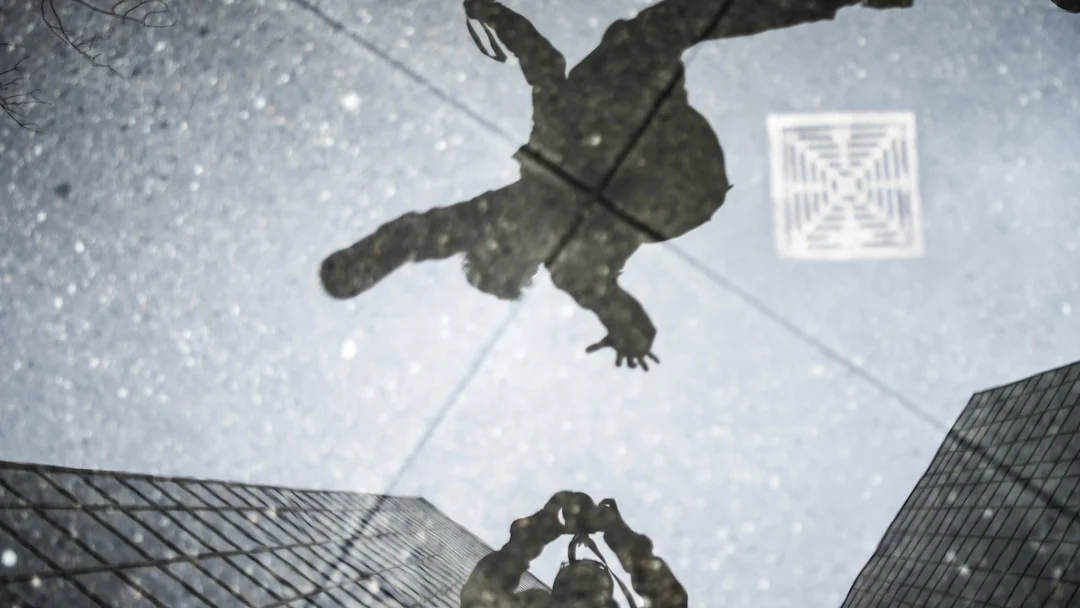
There are two main approaches to levitation photography. The first is a purely photographic technique: capturing real jumps with precise timing to freeze the subject at the peak of their arc. The second is a compositing technique: photographing the subject on a support (stool, ladder, friend’s hands), then removing the support in post-processing. Both methods have strengths, and many photographers use a combination of the two.
This guide covers both methods in detail, including camera settings, lighting considerations, wardrobe tips, and common editing mistakes that make levitation shots look fake rather than magical.
Method 1: The Jumping Technique
The jumping technique captures a real person at the peak of a jump, where for a brief moment they are genuinely weightless. The challenge is timing the shutter to fire at exactly the right instant, freezing the subject in a position that looks like floating rather than jumping.
Making jumps look like floating, not jumping
The difference between a jump photo and a levitation photo is body position. A jumping photo shows tensed muscles, bent knees, and outstretched arms bracing for impact. A levitation photo shows a relaxed body in a natural or graceful position. The key is directing your subject to relax at the peak of the jump.
- Have the subject jump straight up (not forward) so they return to the same spot.
- Direct them to relax their body at the peak. Arms should hang naturally or rest in a casual position, not flail outward.
- Legs should be together and slightly extended, not tucked up or split.
- The head should be level, looking straight ahead or slightly down (looking up reads as ‘jumping’).
- Loose, flowing clothing (dresses, scarves, open jackets) enhances the floating illusion because fabric naturally billows during the jump.
- Practice the jump many times before shooting. Consistency in jump height makes timing easier.
Want more on catching the peak of an action? Dance photography covers anticipation, bursts and timing, and shutter speeds that freeze or show motion.
Camera settings for jumping shots
- Shutter speed: 1/500 or faster. You need a fast Shutter Speed to freeze the subject sharply at the peak of the jump. 1/1000 or faster is even better.
- Burst mode: continuous high. Shoot in burst mode and fire a continuous stream of frames as the subject jumps. You might capture the perfect peak frame out of 8 to 10 shots per jump.
- Aperture: f/4 to f/8. A moderate Aperture gives enough Depth Of Field to keep the subject sharp even if they are not at exactly the pre-focused distance.
- ISO: as needed for fast shutter speed. High Iso is acceptable because motion blur from an insufficiently fast shutter looks far worse than moderate Noise.
- Autofocus: pre-focus on the jump spot. Set Focus Modes to single-point AF, focus on the spot where the subject will jump, then switch to manual focus to lock it. This prevents hunting during the jump.
Method 2: The Composite Technique
Compositing is the more controlled approach. You photograph the subject resting on a support (a stool, step ladder, stack of books, or a friend’s outstretched hands), then take a second photo of the empty scene without the support. In Photoshop For Photographers, you mask out the support by revealing the clean background from the second shot.
Shooting the composite
- Use a tripod. The camera must not move between shots. A sturdy tripod is essential.
- Shoot in manual exposure. Exposure must be identical between frames. Lock your Aperture, Shutter Speed, Iso, and White Balance.
- Frame 1: Subject on the support. Position the subject in their ‘floating’ pose on whatever support you are using. Direct the pose carefully since the subject can hold it for as long as needed, unlike the split-second of a jump.
- Frame 2: Empty scene. Without moving the camera or changing any settings, remove the subject and the support. Photograph the empty scene. This provides the clean background for masking.
- Optional Frame 3: Wardrobe enhancement. For flowing fabric, have the subject jump briefly while wearing the same clothing, and composite the fabric motion onto the supported pose.
Editing the composite
The basic editing workflow uses layer masking. See Photoshop For Photographers for foundational masking skills.
- Open both frames as layers in Photoshop. Put the subject frame on top and the empty scene on the bottom.
- Add a layer mask to the subject layer.
- Paint black on the mask over the support (stool, ladder, hands) to reveal the clean background from the layer below.
- Use a soft brush at the edges to blend naturally.
- Check for shadows. The support will have cast a shadow that needs to be removed. Paint the mask over the support’s shadow as well.
- Add a subtle shadow beneath the floating subject to ground them in the scene. A completely shadowless subject looks pasted in. A faint, diffuse shadow beneath them sells the illusion.
Want the masking steps explained from scratch? Layers and masks in Photoshop for photographers explains layer masks, and how to create a composite covers planning and the basic workflow.
Lighting for Believable Levitation
Lighting makes or breaks the illusion. The most common reason levitation photos look fake is inconsistent lighting between the subject and the environment.
- Match light direction. If the scene has directional Natural Light Photography (sunlight from the left), the subject must also be lit from the left. Mismatched light direction is the fastest way to expose a composite.
- Consider shadows. A floating subject should still cast a shadow, but it will be softer and more diffuse than a grounded subject’s shadow because it is farther from the ground. Add a subtle, soft shadow in post.
- Overcast is forgiving. Cloudy, diffused light minimizes directional shadows and makes compositing easier because there are no harsh shadow edges to match.
- For flash work, keep the Flash Photography setup identical between the subject shot and the empty scene shot. Do not move the flash.
- Golden hour works beautifully. The warm, directional light of Golden Hour Photography creates atmosphere, but you must work quickly because the light changes fast.
The same matching rules apply to any composite portrait. For a deeper look at reading the background plate and matching light height and color, see lighting portraits for a composite.
Wardrobe and Props
What the subject wears dramatically affects the believability of the levitation effect.
- Flowing fabrics sell the illusion. Long dresses, scarves, unbuttoned jackets, and loose hair all react to the brief moment of weightlessness during a jump. For composite shots, you can use a fan to simulate wind or have the subject jump briefly just for the fabric motion.
- Avoid stiff, heavy clothing. Jeans, leather jackets, and heavy coats look exactly the same whether the person is standing or floating. They add no visual cues to support the illusion.
- Props that float with the subject. A book, hat, cup of coffee, or scarf floating alongside the subject reinforces the gravity-defying concept. For composites, photograph each prop on its own support and mask them all.
- Bare feet or pointed toes. Feet in heavy boots planted flat look grounded. Bare feet with pointed toes or shoes dangling loosely look weightless.
Choosing the Right Location
The location contributes enormously to the impact and believability of levitation images. The best locations combine a clean background with contextual interest.
- Open parks and fields. Simple, uncluttered backgrounds let the floating subject command all attention. Grass and sky provide a clear context for the levitation to feel wrong and therefore magical.
- Urban environments. A person floating above a city bench, near a bus stop, or in a crosswalk adds surprise by placing the impossible in the mundane. Street Photography sensibilities apply here.
- Staircases and doorways. Architectural features create natural framing around the floating subject. A person hovering in a doorway or above a staircase leverages familiar spatial relationships that make the levitation more disorienting.
- Beaches and water. A subject hovering above water is particularly striking because the reflective surface shows the gap between subject and ground. The reflection also provides opportunities for creative compositions.
- Avoid busy backgrounds. Too many people, cars, or objects in the background distract from the illusion and make composite editing more complex.
Want to make the most of a reflective surface? Creative reflection photography covers puddles, mirrors and glass, and composing for symmetry and balance.
Levitation Self-Portraits
You do not need a second person to create levitation images. Self-portraits are common in this genre and can be done solo with either the jumping or composite method.
- Use your camera’s self-timer (10 seconds) or a wireless remote shutter release to trigger the camera while you jump or hold a pose on a support.
- For composite self-portraits, mount the camera on a sturdy tripod, set a timer, run to your support, hold the pose, then move out of frame for the empty scene shot.
- Use Focus Modes manual focus, pre-focused on the spot where you will be. Place a stand-in object (backpack, tripod) at the position and focus on it before moving it away.
- Review each frame on the camera’s screen and adjust. The iterative process of shoot, check, adjust is slower without a helper, but the creative control is completely yours.
- Consider shooting tethered to a laptop or tablet so you can see the results large without walking back to the camera each time.
Working alone with nobody to focus on? Self-portrait photography covers setting focus without a subject, and taking photos of yourself compares timer, interval and remote triggers.
Storytelling Through Levitation
The most memorable levitation photographs tell a story. The floating is not the point by itself. It serves a narrative. A reader floating above a park bench while absorbed in a book suggests being transported by literature. A dancer suspended at the peak of a leap conveys transcendence. A person floating face-down above a field suggests vulnerability or surrender.
Think about what emotion or concept you want to communicate before setting up the shoot. The subject’s expression, clothing, body angle, and the surrounding environment should all support the same narrative. A well-told levitation story resonates far more than a technically perfect but emotionally empty floating figure.
Want to plan the story before the shoot? Visual storytelling in photography covers elements and techniques, and capturing emotion looks at light that carries mood.
Common Mistakes
- No shadow at all. A completely shadowless floating subject looks like a cutout pasted onto a background. Even floating objects cast a diffuse shadow. Add one in post.
- Wrong shadow direction. The shadow should match the light direction. If sunlight comes from the right, the shadow falls to the left. Getting this wrong ruins the illusion instantly.
- Stiff body posture. A subject with tensed muscles, bent knees, and clenched fists looks like they are jumping, not floating. Direct relaxation, grace, and natural poses.
- Motion blur from slow shutter speed. For jumping shots, a blurry subject looks like a failed action photo, not a levitation image. Use at least 1/500s.
- Visible support removal artifacts. In composites, sloppy masking leaves ghostly edges, cloned textures that do not match, or obvious repetition patterns. Zoom in to 100% and carefully check every edge.
- Camera movement between composite frames. Even slight tripod bumps between the subject frame and the empty frame cause misalignment that is very difficult to fix.
- Ignoring hair. In jumping shots, hair flies upward dramatically. In real levitation (if it existed), hair would hang normally. Some photographers composite the hair from a static shot onto the jumping body for a more convincing ‘floating’ look.
Try This: Practical Exercises
- Basic jump levitation. Set your camera on a tripod at low angle (knee height). Have a friend jump repeatedly while you shoot at 1/1000s in burst mode. Direct them to relax their body at the peak. Review for the frame where they look most like they are floating. Crop the bottom to hide the fact that they are only inches off the ground.
- Composite stool removal. Place a subject sitting on a small stool or box in the middle of a clean scene. Take the shot. Without moving the camera or changing settings, remove the subject and stool. Photograph the empty scene. In Photoshop For Photographers, mask out the stool to create a floating seated pose.
- Floating object still life. Suspend small objects (an apple, a key, a pencil) on thin fishing line or thread. Photograph them, then remove the thread in post using the clone stamp or healing brush. This simpler exercise teaches the principles of levitation compositing without needing a human subject.
- Fabric flow enhancement. Combine methods. Photograph a subject sitting on a support in a flowing dress. Then have them jump in the same outfit and capture the fabric in motion. Composite the flowing fabric from the jump shot onto the supported sitting pose for a levitation image with natural-looking fabric movement.
Frequently Asked Questions
Which method looks more realistic, jumping or compositing?
Compositing generally looks more realistic because the subject’s pose can be carefully controlled without the constraints of a split-second jump. However, jumping captures natural fabric movement and hair physics that are hard to replicate in a composite. The most convincing results often combine both: a jumping frame for fabric and hair, with a composite-supported frame for the body and face.
How high does the subject need to be off the ground?
Surprisingly little. Even 6 to 12 inches looks convincing from the right camera angle. Shooting from a low angle (camera at ground or knee level) exaggerates the height. From a low angle, a 12-inch jump looks like the subject is 3 feet in the air.
Can I do levitation photography with a phone camera?
For jumping shots, yes. Use burst mode and direct the timing carefully. For composites, it is harder because you need the phone to be perfectly still between frames. A phone tripod mount solves this, and apps like Photoshop Mix or similar tools handle basic layer masking.
How do I make multiple objects float?
Photograph each object separately on its own support (or suspended by thread), keeping the camera locked on a tripod. Take one clean empty-scene frame. In editing, mask out each support individually. Having everything float at slightly different heights and orientations looks more natural than perfect alignment.
What is the best editing software for compositing?
Adobe Photoshop For Photographers is the standard for this type of work. Its layer masks, healing tools, and blending modes make support removal straightforward. GIMP is a free alternative with similar capabilities, though the workflow is slightly different.
Do I need different exposure settings for compositing in different lighting?
You must match exposure exactly between the subject frame and the empty-scene frame. Shoot in Manual Mode with fixed Aperture, Shutter Speed, Iso, and White Balance. If you are shooting outdoors and a cloud passes during your session, wait for matching light conditions before taking the second frame. Even small differences in brightness or color temperature between frames create visible seams at the blend boundary.
What is the ideal camera height for levitation photos?
A low camera angle (knee height or lower) is usually the most effective. Shooting from below exaggerates the subject’s apparent height above the ground. An eye-level camera makes even significant jumps look like the subject is barely off the ground. Experiment with different heights during test shots to find the angle that creates the most dramatic sense of floating for your specific scene and subject. A camera on the ground pointing slightly upward typically produces the most convincing results, as the upward angle places the subject clearly above the ground plane with sky or ceiling behind them.
Can levitation photography be done indoors?
Absolutely. Indoor locations offer controlled lighting and weather-independent shooting. Living rooms, studios, hallways, and staircases all work well. The main limitation is ceiling height, which constrains how high your subject can jump or be supported. Indoor levitation also benefits from easier control of Photography Lighting since you can position artificial lights precisely to match between your subject frame and empty scene frame.