Light and airy and dark and moody are two popular editing styles. Light and airy photos are bright, soft and low in contrast, with gentle colors and lifted shadows, so they feel fresh, happy and calm. Dark and moody photos are darker, richer and more contrasty, with deep shadows and muted or earthy colors, so they feel dramatic, intimate and thoughtful. Choose the style that suits your subject and light, shoot with that style in mind, and edit gently so skin, highlights and shadows still look natural.
If you browse photos online, you will notice two looks again and again. One is bright and dreamy: white backgrounds, pale colors, soft light, as if every photo were taken on a sunny spring morning. The other is dark and atmospheric: deep shadows, rich colors, pools of light, like a candlelit room or a stormy evening. These are often called light and airy and dark and moody.
Both are valid styles, and both can be learned. This guide explains what each style is, how they feel, which subjects suit them, how to shoot for each, how to edit them step by step, and the common mistakes beginners make. There is a 10-minute exercise and an FAQ at the end.
What light and airy means
Light and airy photos have these qualities:
- Bright overall exposure, often a little brighter than a standard edit.
- Lifted shadows, so there are few deep dark areas.
- Low to moderate contrast, so tones blend softly.
- Soft, clean colors, often pastel, slightly warm or neutral.
- Lots of white or light space, such as pale backgrounds, sky or sand.
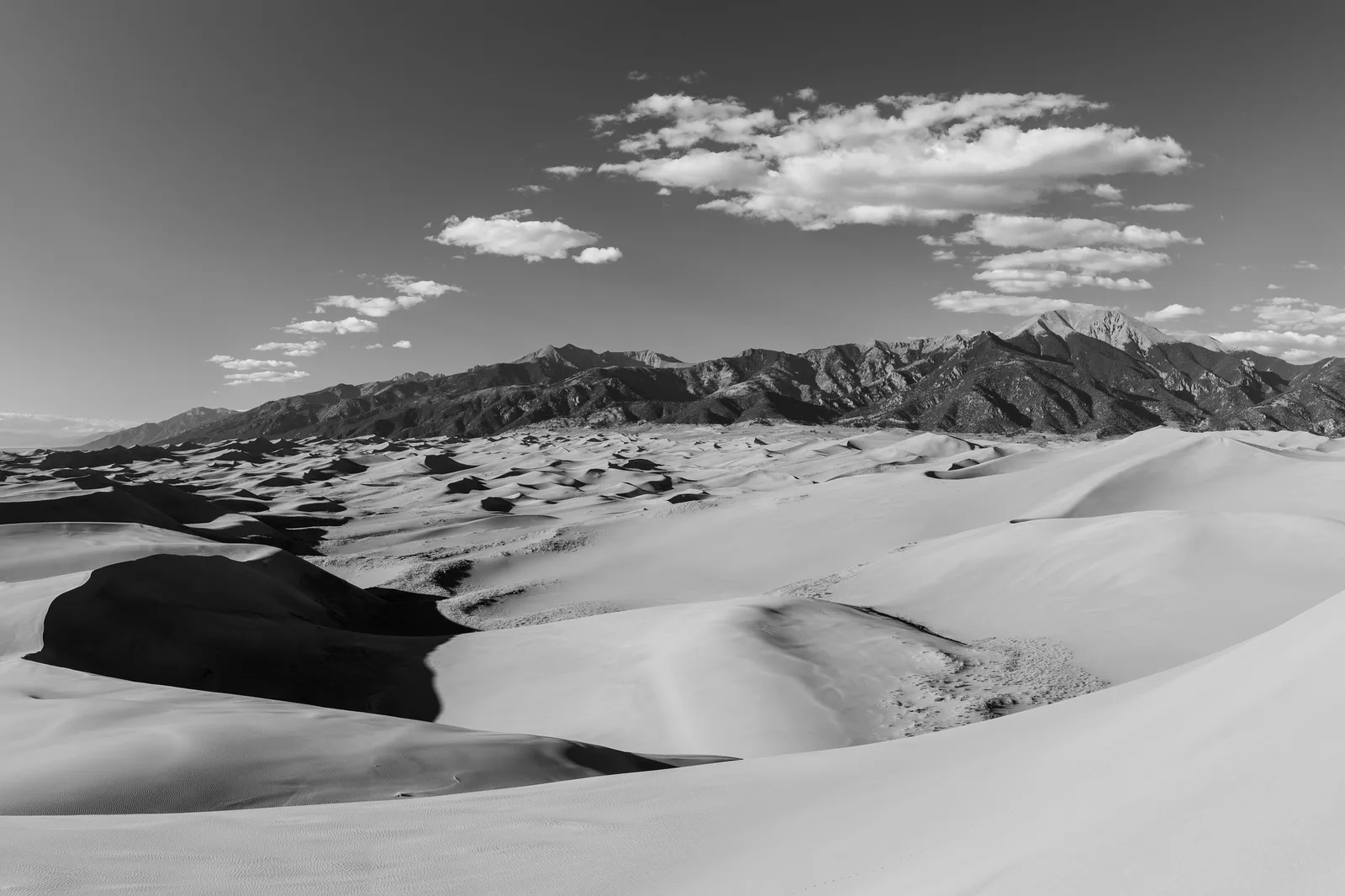
The mood is fresh, cheerful, gentle, innocent and calm. It is popular for weddings, newborn and family photos, spring and summer scenes, beach and coastal images, flowers, and bright food and lifestyle photos. The bright dune photo at the top of this page leans toward this style: mostly pale tones with soft clouds.
What dark and moody means
Dark and moody photos have these qualities:
- Darker overall exposure, with the subject lit and much of the frame in shadow.
- Deep, rich shadows, though not usually pure black.
- Higher contrast, with light falling on the subject and darkness around it.
- Muted or earthy colors, such as deep greens, browns, blues and warm oranges.
- Directional light, such as a single window, a lamp or a break in storm clouds.
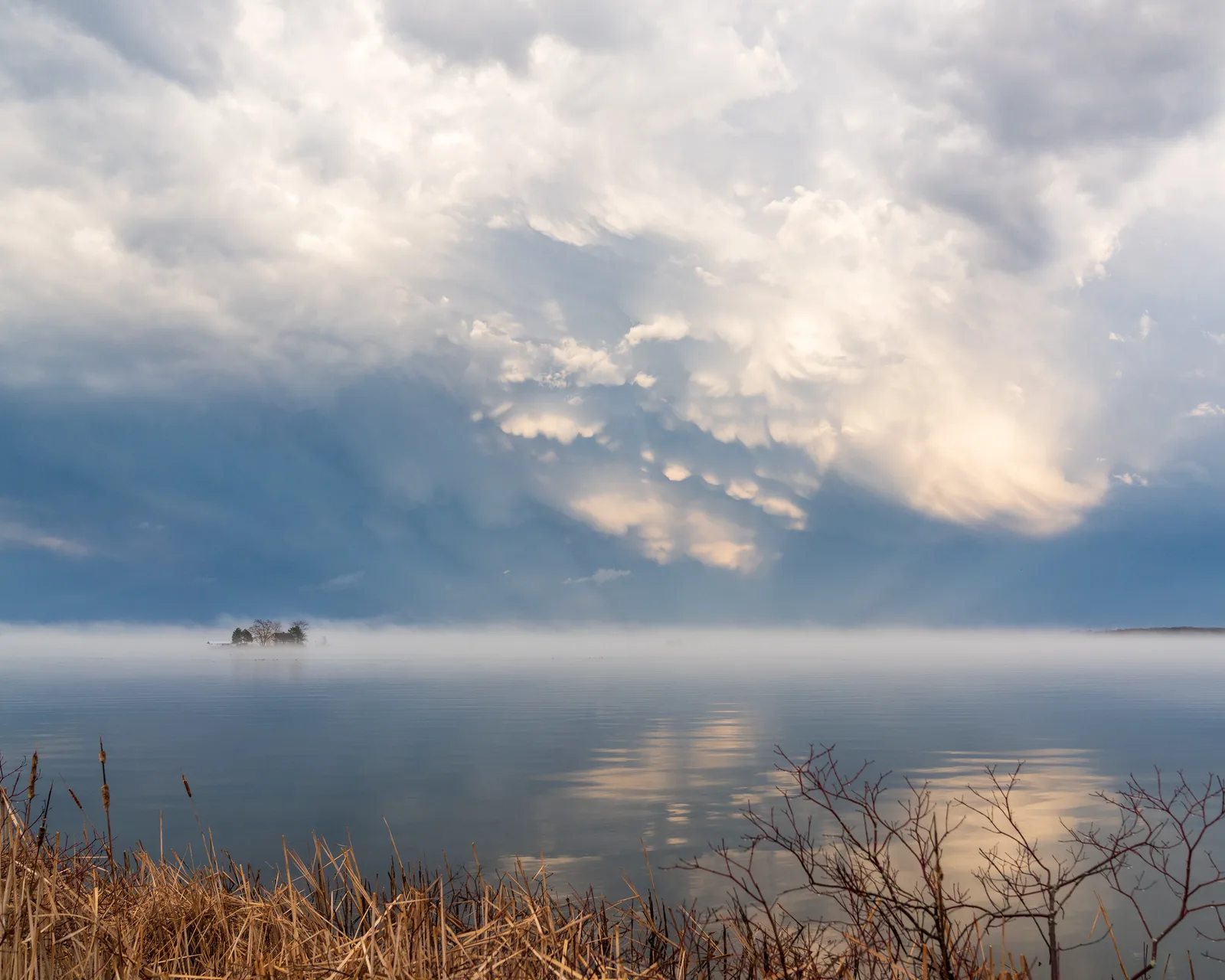
The mood is dramatic, intimate, mysterious, cozy or thoughtful. It is popular for food with dark backgrounds, autumn and winter scenes, stormy landscapes, forests, portraits with strong character, and still life. The storm clouds lower on this page show the kind of heavy sky that suits a moodier edit.
How to choose between them
The best style depends on three things.
The subject
Ask what feeling the subject naturally has. A baby, a wedding dress, a bunch of tulips and a beach suit lightness. A rustic loaf of bread, an old man’s weathered hands, a misty forest and a stormy sea suit darkness. Matching the style to the subject makes the photo feel honest.
The light
Light and airy works best with soft, abundant light: overcast days, open shade, large windows and bright sand or snow. Dark and moody works best with directional, limited light: one window in a darker room, low sun, light breaking through clouds. You can push a photo toward either style in editing, but it is far easier when the light already points that way.
Your taste and purpose
Some photographers love one style and use it across all their work, which builds a recognizable look. Others choose per photo. If you are building a portfolio or a feed, consistency helps. The guide to editing photos consistently explains how.
If you are unsure which style you prefer, spend a few minutes collecting photos you love from books, galleries or online. Put them in two piles: bright and soft, or dark and rich. Most people find one pile is noticeably bigger. That is a strong hint about your natural taste, and a good place to start experimenting.
Remember too that a style is not a promise. Many photographers who mostly edit light and airy still produce a dark and moody photo when a stormy evening or a candlelit dinner calls for it. Your style should serve your photos, not the other way round. Learning both gives you the freedom to choose, and choosing well is a big part of becoming a confident photographer.
Shooting for light and airy
- Find soft, plentiful light. Shoot near a big window, in open shade or on a bright overcast day.
- Use light backgrounds. White walls, pale fabrics, sky, sand or light wood.
- Expose a little brighter. Use exposure compensation to brighten slightly, while keeping detail in the brightest areas.
- Avoid harsh direct sun, which creates deep shadows. Backlight with soft sun can work beautifully.
- Choose pale clothing and props when you can.
Shooting for dark and moody
- Limit the light. Use one window and turn off other lights, or shoot when the sun is low.
- Use dark backgrounds. Dark wood, slate, deep fabric, or simply an unlit area of the room.
- Expose for the highlights. Let the background fall into shadow while the subject stays well exposed. Lowering exposure slightly often helps.
- Light from the side or behind to create shape and shadow.
- Choose rich, earthy colors in props and clothing.
The guide to food photography shows both styles in action, because food photographers use them so often.
Editing for light and airy
Start with your basic edits, then shape the style. These steps work in most editors, on a computer or a phone. The guide to photo editing for beginners explains the basic sliders.
- Raise exposure slightly until the photo feels bright.
- Lower highlights to protect detail in bright areas like sky and white fabric.
- Raise shadows to lift dark areas.
- Lower contrast a little for a soft feel.
- Adjust white balance to neutral or slightly warm, so whites look clean, not yellow or blue.
- Soften colors by lowering saturation slightly, or reducing particular strong colors. See vibrance vs saturation.
- Lift the darkest tones very slightly with the tone curve for a soft, faded finish if you like that look. See the tone curve.
- Check skin, which can look washed out. Keep some warmth and color.
Editing for dark and moody
- Lower exposure slightly, so the overall photo feels darker.
- Protect the subject’s brightness using a local adjustment or by raising the subject’s exposure only.
- Lower shadows and blacks to deepen dark areas, but keep a little detail.
- Raise contrast a little for drama.
- Mute colors by lowering saturation slightly or shifting greens and blues toward earthy tones.
- Add warmth to highlights or coolness to shadows with gentle color grading.
- Add a subtle vignette to darken edges and guide the eye toward the light.
- Check the shadows on several screens, because dark photos can look too black on some displays.
Keeping it natural
Both styles go wrong when pushed too far. A light and airy edit can turn into a washed-out, overexposed photo where skin looks grey and white areas lose all detail. A dark and moody edit can turn into a muddy, underexposed photo where faces are lost in shadow. The guides to overexposure and underexposure explain what happens when exposure goes too far in either direction.
The aim is always a photo that feels like a heightened version of reality, not a broken one. If a viewer notices the editing before they notice the subject, it has gone too far. A few checks help keep things natural:
- Check the brightest areas for detail. A small amount of pure white is fine; large blank areas are not.
- Check the darkest areas for detail. A small amount of deep black is fine; large solid areas usually are not.
- Check skin tones. They should look healthy in both styles.
- Compare before and after, and look again the next day.
The histogram as a guide
A histogram is a graph showing how many dark, middle and bright tones are in a photo, from dark on the left to bright on the right. Light and airy photos usually have most of their tones bunched toward the right. Dark and moody photos usually have most tones toward the left. Neither is wrong. What matters is that tones do not pile up against the very edges, which would mean lost detail. If a photo looks too dark on your screen but the histogram is reasonable, your screen may be the problem; the guide on why photos look dark explains common causes.
Between the two
Many photos do not fit neatly into either style, and that is fine. A balanced, natural edit sits in the middle. You can also mix elements, such as a bright photo with rich colors, or a dark photo with soft contrast. Think of light and airy and dark and moody as two ends of a scale, not two boxes. Moving a photo a little toward one end can add mood without making it a strong style.
Looking closely at the photos on this page
The dune photo at the top is a good example of a naturally light scene. Pale sand and white clouds fill most of the frame, so it already sits toward the airy end of the scale. An airy edit would brighten the sand slightly and keep the shadows open, while making sure the brightest dune tops keep their texture. The dark mountains add contrast, which stops the photo from looking washed out.
The storm photo lower down suits the opposite approach. The heavy clouds already carry drama. A moody edit would darken the sky a little, deepen the blue-grey tones and keep the small bright gaps in the cloud as the main points of light. The calm water and small boat give the eye something quiet to rest on in an otherwise powerful sky.
Both styles on a phone
You can create both looks with a phone editing app. Most apps include exposure, highlights, shadows, contrast, warmth and saturation sliders, which are all you need. For a light and airy look, raise brightness and shadows, lower contrast, and lower saturation a touch. For a dark and moody look, lower brightness, deepen shadows, raise contrast a little and add a vignette. Many apps also offer filters with names that hint at these moods, but check them carefully, because filters often push too far. A small, careful slider adjustment usually looks better than a strong filter.
Phone screens are very bright, which makes dark photos look fine on the phone but too dark elsewhere. Before sharing a moody edit, lower your screen brightness and check again, or look at it on a second device.
How the styles appear in different kinds of photography
In portraits, light and airy suits gentle family photos, babies and weddings, where the mood is joyful and soft. Dark and moody suits character portraits, older faces with stories in their lines, musicians and artists, and portraits lit by a single window. In landscapes, airy edits suit beaches, snow, spring meadows and pale misty mornings, while moody edits suit storms, autumn forests, rugged coasts and mountains under heavy cloud.
Food photographers use both constantly. Fresh salads, pastries and breakfasts often look best light and airy, while rustic breads, stews, wine and chocolate often look best dark and moody. Looking at how food photographers choose between the styles is a great way to learn when each one works.
Saving each style as a preset
Once you have edited a photo in a style you like, save the settings as a preset. Make one preset for light and airy and one for dark and moody. Applying them gives you a quick starting point, but always adjust exposure, white balance and skin afterwards, because every photo starts from a different place. The guide to presets explains how to create and use them.
Common mistakes
- Washed-out light and airy edits. Too much exposure and too little contrast lose detail. Protect highlights and keep some depth.
- Grey or green skin in airy edits. Lowering saturation too far drains life from faces.
- Muddy dark and moody edits. Shadows crushed to solid black lose detail. Keep a little texture.
- Dark faces. In moody edits, the subject should still be lit. Use local adjustments.
- Forcing a style onto the wrong light. Harsh noon sun rarely becomes airy; flat light rarely becomes moody.
- Switching styles constantly in a single set or feed.
- Judging on a very bright or very dim screen. Check on more than one device.
Try this: a 10-minute two-style edit
- Minute 1: Choose a photo with a clear subject in fairly soft light.
- Minute 2: Make two copies, or use a virtual copy if your editor offers one.
- Minute 3 to 5: Edit the first copy light and airy: raise exposure, lower highlights, raise shadows, lower contrast, soften colors.
- Minute 6 to 8: Edit the second copy dark and moody: lower exposure, keep the subject bright, deepen shadows, raise contrast, mute colors, add a slight vignette.
- Minute 9: Put them side by side. Which mood suits the subject?
- Minute 10: Check both for lost highlights, crushed shadows and skin tones.
Frequently asked questions
What is a light and airy editing style?
A bright, soft, low-contrast look with lifted shadows and gentle colors that feels fresh and cheerful.
What is a dark and moody editing style?
A darker, richer, higher-contrast look with deep shadows, muted colors and directional light that feels dramatic or intimate.
Which style is better?
Neither. Choose the one that suits your subject, the light and the mood you want.
Can I make any photo light and airy?
Not easily. Soft, plentiful light and light backgrounds make it much easier. Harsh light and dark scenes resist the style.
Why do my moody photos look muddy?
Shadows are too dark and detail is lost. Lift the blacks slightly and keep the subject well lit.
Should I use one style for all my photos?
Using one style builds a recognizable look, but it is fine to choose per photo if the subjects differ.
Want to make a whole set of photos match one style? Read the guide to editing photos consistently.
Curious how to add color moods to the highlights and shadows? Try color grading in photography.