Photos usually come out too dark for one of five reasons: there is not enough light, something bright in the scene fooled the camera’s light meter, exposure compensation was left turned down, the flash could not reach the subject, or the settings in manual mode did not let in enough light. Each cause has a quick fix, usually turning exposure compensation toward plus, moving closer to the light, or raising the ISO. If the photo is already taken, a few simple edits can brighten it, and shooting in RAW gives you the most room to do that.
A dark photo is one of the most common problems people have when they start out, so do not worry. It does not mean your camera is broken. It just means the camera made a decision about brightness that was not the one you wanted. Once you know how the camera thinks, you can take control of that decision.
This guide covers what “exposure” means, the most common causes of dark photos, how to fix each one on a camera and on a phone, and how to brighten a dark photo afterward without making it look grainy or fake.
First, what does “exposure” mean?
Exposure is the amount of light that reaches your camera’s sensor, the chip that records the picture. More light gives a brighter photo. Less light gives a darker one. A photo that is too dark is called underexposed.
Three settings control exposure. Together they are called the exposure triangle:
- Shutter speed: how long the camera lets light in, such as 1/60 of a second. Slower means brighter, but a higher risk of blur. See shutter speed.
- Aperture: how wide the opening in the lens is, written as an f-number like f/4. A smaller number means a wider opening and a brighter photo. See what aperture is.
- ISO: how much the camera boosts the signal from the sensor. A higher number makes the photo brighter but adds grain. See ISO.
In auto and most semi-automatic modes, the camera chooses some or all of these for you. That is why the camera can make the “wrong” choice, and why knowing the causes below helps so much.
How to tell if a photo is really too dark
Before you change anything, check that the photo really is dark. The screen on the back of a camera can be set very bright or very dim, and a phone screen changes with the room. Two simple checks help:
- Look at the histogram. The histogram is a small graph of brightness, available in playback or on the live screen. The left side is dark tones, the right side bright tones. If the graph is bunched up on the left and the right third is almost empty, the photo is underexposed.
- Look at it on a computer. Open a few photos on a bigger screen. If they all look darker than they did on the camera, turn your camera’s screen brightness down a little in the menu so it tells you the truth.
Remember that some photos are meant to be dark. A night street, a moody portrait or a silhouette can look wonderful with lots of shadow. The question is not “is it dark?” but “is it as dark as I wanted?”
Cause 1: a bright background fooled the camera
This is the number one reason for dark photos. Your camera has a built-in light meter, a sensor that measures how bright the scene is and picks settings to match. The meter is clever, but it assumes most scenes are a medium brightness, somewhere around mid gray.
When there is a big bright area in the frame, like a sky, a sunny window, snow or a white wall, the meter thinks the whole scene is very bright. It darkens the exposure to compensate. Your subject, standing in front of that bright area, ends up dark.
Typical examples:
- A friend standing in front of a bright window comes out almost black.
- People on a beach or in snow look gray and gloomy.
- A building against a bright sky turns into a dark shape.
The fix on a camera: use exposure compensation. It is usually a button or dial marked with a plus and minus sign (+/-). Turn it to +1 and take the photo again. If it is still dark, try +1.5 or +2. This tells the camera “make it brighter than you think it should be.” Remember to set it back to zero afterward.
The fix on a phone: tap your subject on the screen to focus and set the brightness there. Most phones then show a small sun symbol or slider next to the focus box. Slide it up to brighten.
Other options: move so the bright background is not behind your subject, or switch the metering mode. Metering modes change how much of the scene the meter looks at. Spot metering measures only a small area, so if you put that spot on a face, the face will be exposed correctly.
Want to keep a bright sky behind your subject and still see their face? Backlighting shows how to work with light coming from behind.
Cause 2: there just is not enough light
Indoors, in the evening and at night, the light is far dimmer than it seems to your eyes. Your eyes adjust so well that a living room feels bright, but to a camera it can be hundreds of times darker than daylight.
The camera tries to cope by using a slower shutter speed, a wider aperture and a higher ISO. When it reaches the limit of any of those, the photo comes out dark.
The fix:
- Move to the light. Put your subject near a window or under a lamp. This is often the single biggest improvement.
- Turn on more lights. It sounds obvious, but it works.
- Raise the ISO. Or turn on Auto ISO, which lets the camera raise it for you. A bit of grain is much better than a dark, blurry photo.
- Open the aperture. Use the smallest f-number your lens allows, such as f/1.8 or f/4.
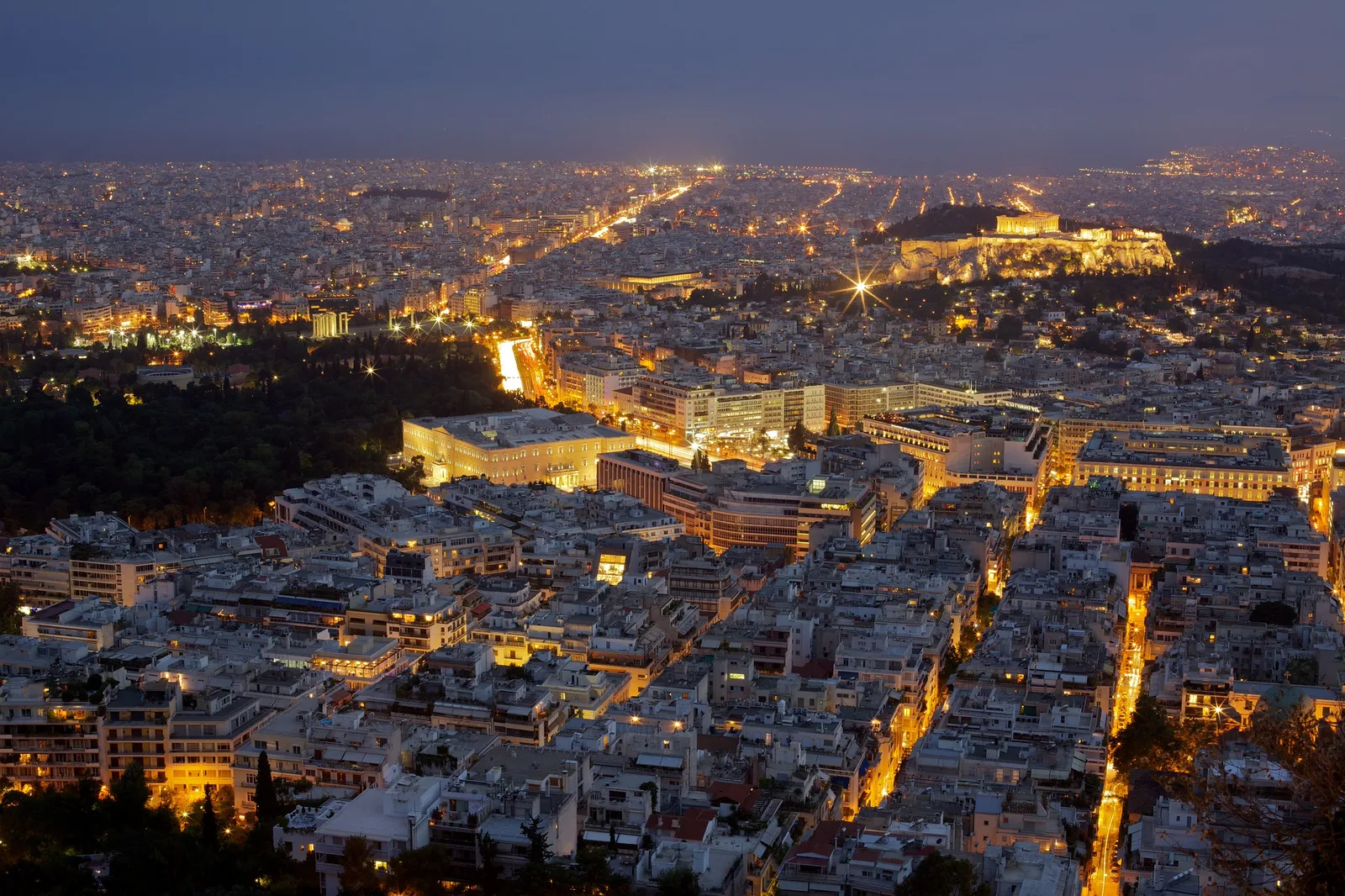
- Use a slower shutter speed with support. With the camera on a tripod or resting on a table, you can use a long shutter speed safely for still subjects. The city photo at the top of this page was taken with a 30-second exposure on a tripod. The guide on how to use a tripod explains the basics.
Shooting a lot indoors? Best camera settings for indoor photography gives starting settings for rooms, events and homes.
Cause 3: exposure compensation was left turned down
This catches out almost everyone at some point. You turned exposure compensation down to -1 for a bright sunset, then forgot about it. The next day every photo is a little dark, and you cannot work out why.
The fix: look at the screen or viewfinder for a number like -0.7 or -1.0 or a small scale with a marker off center. Set it back to zero. Make a habit of checking it whenever you turn the camera on.
On phones, the brightness slider usually resets itself, but some camera apps remember it. If every phone photo looks darker than it should, check the app’s settings.
Cause 4: the flash could not reach
A small built-in flash only lights things that are quite close, usually a few steps away. In a big room, at a concert or when photographing a building at night, the flash lights up nothing useful. Worse, many cameras set a faster shutter speed when the flash is on, so the background turns black.
The fix:
- Get closer to your subject when using flash.
- For distant scenes, turn the flash off and use the low light tips above instead.
- If your camera has a “slow sync” or “night portrait” option, try it. It uses the flash for the person and a slower shutter speed to brighten the background.
The guide to flash photography for beginners explains how flash range works and how to make flash look natural.
Cause 5: manual mode settings let in too little light
In manual mode (M), you set the shutter speed, aperture and ISO yourself, and the camera does not correct you. If you move from a bright place to a darker one without changing settings, your photos go dark.
The fix: watch the exposure meter in the viewfinder or on the screen. It is a little scale from minus to plus. Adjust your settings until the marker sits near zero, then fine tune by eye. If you find manual mode is costing you shots, there is no shame in going back to aperture priority (A or Av) for a while and letting the camera help. The camera modes guide explains each option.
Less common causes
- A dark filter is on the lens. A neutral density filter, which is a dark piece of glass for long exposures, or a polarizing filter, which cuts reflections, both reduce light. Take it off when you do not need it.
- Your finger or the lens cap is in the way. Especially on phones and small cameras, a fingertip can cover part of the lens or the light sensor.
- Highlight-protection settings. Some cameras have a setting that deliberately darkens photos to protect bright areas. If photos are always a bit dark, look for it in the menu.
- A picture style or filter. A “dramatic” or “moody” style can darken shadows. Try the standard or natural style.
- Very fast shutter speeds. If you set a very fast shutter speed to freeze action, there may not be enough light left for a bright photo. Raise the ISO to make up for it.
When dark is the right answer
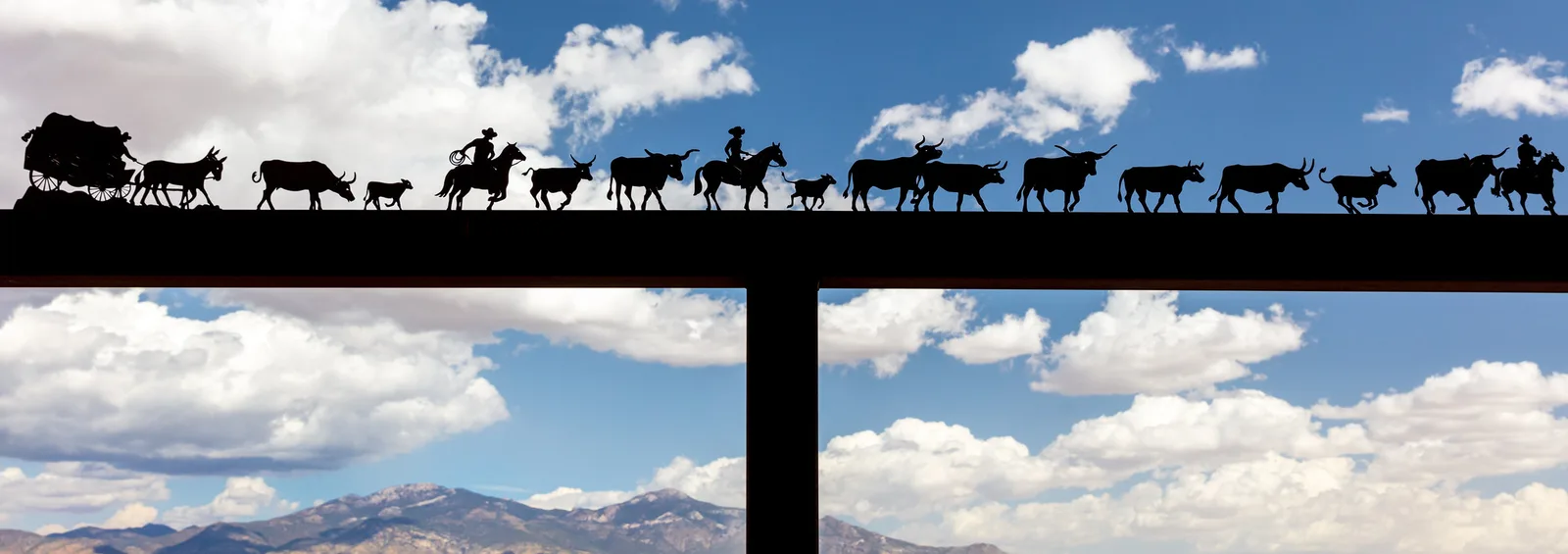
Sometimes the camera is right to keep things dark. The sculpture above was photographed with the exposure set for the bright sky, so the metal turned into a clean silhouette, a dark shape with no detail. That was the goal. If the exposure had been raised to show the metal, the sky would have turned white.
This is the basic trade-off of exposure. A camera can only record a limited range from dark to bright, called dynamic range. When a scene has both very bright and very dark areas, you often have to choose which one to keep. A useful rule for beginners: it is usually easier to brighten a dark area later than to recover a sky that has turned pure white. The page on silhouettes shows how to make the dark version work on purpose.
How to fix a dark photo after you take it
If the photo is already taken, editing can usually rescue it, especially if it is only a little dark. Any basic editing app, including the one on your phone, can do this.
A simple order of edits
- Raise exposure or brightness first. Move it up slowly until the subject looks right. Do not worry if the sky gets too bright yet.
- Bring the highlights down. If the bright parts now look washed out, lower the highlights slider to bring back detail. Highlight recovery explains how far you can go.
- Lift the shadows. Raise the shadows slider to open up dark areas like faces under hats or the inside of a doorway.
- Check the blacks. If the photo now looks flat and gray, lower the blacks slider a little so the darkest parts are truly dark again.
- Check for grain. Zoom in to 100 percent. Brightening a dark photo shows up noise. A little noise reduction helps; see noise reduction.
The curves and levels tools do the same job with more control once you are comfortable with the basic sliders. For a step-by-step first edit, see photo editing for beginners.
Why RAW files brighten better
Most cameras and many phones can save photos in two ways. JPEG is a small, finished file that the camera has already processed. RAW is a larger file that keeps all the information the sensor captured. When you brighten a dark JPEG a lot, it can turn blotchy and grainy. A RAW file can usually be brightened by a couple of stops (a stop is a doubling of light) and still look clean. If you often shoot in tricky light, try RAW, or RAW plus JPEG so you have both.
Common mistakes
- Judging brightness by the screen alone. Use the histogram, especially at night when any screen looks bright.
- Forgetting to reset exposure compensation. Check it each time you turn the camera on.
- Refusing to raise the ISO. A slightly grainy, sharp, bright photo beats a dark, blurry, clean one.
- Using a slow shutter speed handheld to brighten a scene. The photo gets brighter but also blurry. Brace yourself or use a tripod.
- Brightening a JPEG too far in editing. If you need to brighten a lot, get the exposure closer in the camera next time or shoot RAW.
- Making every photo bright. Some scenes are meant to be dark and moody. Keep the mood when it suits the subject.
Try this: a 10-minute dark photo fix
You need a window and a person, a pet or a houseplant.
- Minutes 1 to 2: Put your subject in front of a bright window, with the window behind them. Take a photo in auto. It will likely be dark.
- Minutes 3 to 4: Turn exposure compensation to +1, or slide the phone brightness up, and take the same photo. Then try +2.
- Minutes 5 to 6: Now move your subject so the window is beside them instead of behind. Reset exposure compensation to zero and take the photo again.
- Minutes 7 to 8: Take the darkest photo from step 1 into an editing app and follow the simple order of edits above.
- Minutes 9 to 10: Compare all four. Which looks best: the camera fix, the light fix or the editing fix? Most people find moving the subject wins.
Frequently asked questions
Why are my photos dark even though it looked bright?
Your eyes adjust to dim light much better than a camera. A room that looks bright to you can be very dark for the camera, so it needs more ISO, a wider aperture or a slower shutter speed.
Why are my photos dark in daylight?
Usually because something very bright, like the sky, snow or a white wall, fooled the light meter into darkening the shot. Use exposure compensation to brighten it.
Why are my flash photos dark?
The subject is probably too far from the flash. Small built-in flashes only reach a few steps. Move closer or turn the flash off and use available light.
Why are my phone photos dark?
The phone set the brightness for the brightest part of the scene. Tap your subject on the screen, then slide the brightness control up before you take the shot.
Can I fix a dark photo?
Yes, usually. Raise exposure, lower highlights, lift shadows and add a little noise reduction. RAW files brighten much more cleanly than JPEGs.
Is it better to take photos too dark or too bright?
Slightly dark is usually safer than too bright, because pure white highlights have no detail left to recover. Just do not go so dark that brightening adds heavy grain.
Photos bright enough now but full of speckles? Noise explains where that grain comes from and how to keep it down.