Why Camera Settings Matter for Portrait Photography
Portrait photography is all about your subject, and the right camera settings ensure they look their absolute best. A properly exposed portrait with creamy background blur, sharp eyes, and flattering skin tones separates professional work from amateur snapshots. The good news: once you understand the core settings, you can nail portraits in any lighting condition.
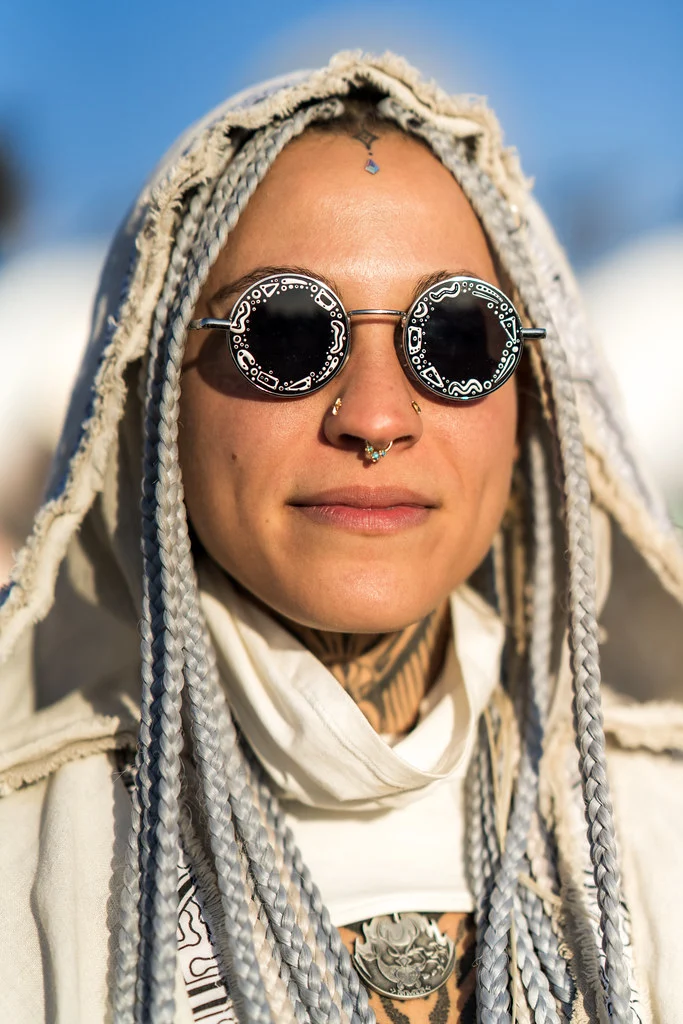
In this guide, you will learn the exact aperture, shutter speed, and ISO settings that professional portrait photographers rely on, whether you are shooting in a studio, outdoors in golden hour, or inside a dimly lit venue. You will also learn the focusing strategies, metering techniques, and creative decisions that make portraits come alive.
Quick Reference: Portrait Photography Settings Cheat Sheet
| Setting | Recommended Value | Why |
|---|---|---|
| Shooting Mode | Aperture Priority (A/Av) or Manual (M) | Control depth of field for background blur |
| Aperture | f/1.4 – f/2.8 (single subject); f/4 – f/5.6 (groups) | Wide aperture isolates subject; narrower keeps groups sharp |
| Shutter Speed | 1/200s or faster | Freeze subtle subject movement and prevent handshake blur |
| ISO | 100 – 400 outdoors; 400 – 1600 indoors | Keep noise low while maintaining fast enough shutter speed |
| White Balance | Auto or Custom (shoot RAW) | Accurate skin tones; fine-tune in post with RAW |
| Focus Mode | Single Shot (AF-S / One-Shot) | Lock focus on the eyes before recomposing |
| Focus Area | Single Point or Eye AF | Eye AF is ideal; single point lets you target the near eye |
| Metering Mode | Spot or Center-Weighted | Meter off the face for accurate skin exposure |
| Drive Mode | Continuous (burst) | Capture natural expressions between poses |
| File Format | RAW | Full control over skin tones and white balance in post |
Aperture: Creating Beautiful Background Blur
The hallmark of professional portrait photography is a soft, creamy background that makes the subject pop. This bokeh effect is controlled primarily by your aperture, along with your distance to the subject and your focal length.
Single Subject Portraits: f/1.4 to f/2.8
For headshots and individual portraits, shoot as wide as your lens allows, typically f/1.4 to f/2.8. This creates maximum background separation. At f/1.4 with an 85mm lens, the background melts into a gorgeous, painterly blur while your subject’s eyes remain tack-sharp.
Caution at f/1.4: The depth of field at f/1.4 is razor-thin, often just an inch or two. If your subject is at a slight angle, one eye may be sharp while the other is soft. For safety, f/1.8 or f/2 gives you slightly more depth of field while maintaining excellent background blur. Many professional portrait photographers shoot at f/2 as their standard because it offers the best balance of background separation and reliable sharpness across the face.
The amount of background blur also depends on two other factors: the distance between your subject and the background, and your focal length. A subject standing 15 feet in front of a background will have much more blur than one standing 3 feet from a wall, even at the same aperture. Longer focal lengths also compress the background and increase apparent blur. An 85mm lens at f/2.8 produces more blur than a 35mm lens at f/2.8 at the same framing.
Couples: f/2.8 to f/4
When photographing two people, you need enough depth of field to keep both faces sharp, even if they are at slightly different distances from the camera. f/2.8 works if they are on the same focal plane (side by side, both the same distance from you). f/4 is safer when one person is slightly in front of the other.
A helpful trick: have the couple press their cheeks together or stand shoulder to shoulder so both faces are on the same plane. This lets you use a wider aperture while keeping both faces sharp.
Group Portraits: f/4 to f/8
For groups of three or more, use f/4 to f/8 depending on how many rows deep the group is. A single row at f/4 is fine. Two or three rows may need f/5.6 to f/8 to keep everyone sharp. The background will still be somewhat blurred at these apertures, especially with a longer focal length and sufficient distance between the group and the background.
For large groups (10 or more people), shoot at f/8 as a safety margin. Focus on the people in the front row, about one-third of the way into the group. At f/8, you should have enough depth of field to cover everyone from front to back. Verify by checking focus on the back row at 100% zoom after your first few test shots.
Photographing a big family or team? How to Photograph Groups and Large Families covers lens and settings, arranging people and managing groups of 20 or more.
Environmental Portraits: f/2.8 to f/5.6
Environmental portraits show the subject in context, a chef in their kitchen, an artist in their studio, a farmer in their field. You want some background blur to separate the subject, but not so much that you lose the environment entirely. f/2.8 to f/4 works for most environmental portraits, giving you a clear subject while keeping the background recognizable.
Shutter Speed: Freezing Expression and Movement
Shutter speed for portraits needs to be fast enough to freeze both your subject’s subtle movements and any camera handshake. People are never perfectly still. They blink, shift weight, tilt their head, and even the smallest motion blur makes a portrait look unprofessional.
Minimum shutter speed: 1/200s. This freezes normal portrait movement. For children or active subjects, use 1/500s or faster. For posed adults who can hold still, you might get away with 1/125s, but 1/200s is the safe standard.
The Priority Chain for Portraits
When setting up your exposure for portraits, follow this priority order:
- Aperture first: Set the aperture for the background blur you want.
- Shutter speed second: Make sure it is at least 1/200s.
- ISO third: Raise ISO as needed to achieve both the aperture and shutter speed you want.
With manual mode, set your aperture first (for desired blur), then check your shutter speed. If it is below 1/200s, raise ISO until it reaches 1/200s or faster. A sharp portrait at ISO 1600 looks far better than a blurry portrait at ISO 100.
When Slower Shutter Speeds Work
There are creative situations where intentional motion blur adds to a portrait. A dancer mid-spin at 1/30s creates beautiful arm and fabric blur while the face (if relatively still) stays sharp. A subject walking through a busy street at 1/15s creates a sense of movement. These are intentional creative choices, not accidents. Master the sharp basics first before experimenting with motion blur.
ISO: Balancing Light and Quality
ISO in portrait photography is a balancing act. You want it low enough for clean skin tones but high enough to maintain your minimum shutter speed.
Outdoors in daylight: ISO 100 to 400. There is plenty of light, so keep it low.
Open shade or overcast: ISO 200 to 800. The reduced light may require a bump.
Indoors with window light: ISO 400 to 1600. Natural indoor light is often dimmer than it appears to your eyes. Your eyes adjust, but the camera does not.
Indoor events or low light: ISO 1600 to 6400. Modern cameras handle these ISOs well. A sharp, slightly noisy portrait is always better than a blurry, noiseless one.
Using Auto ISO for Portraits
Auto ISO is a powerful tool for portrait sessions where light changes frequently, such as outdoor sessions that move between sun and shade. Set your camera to Manual mode, choose your aperture and minimum shutter speed (1/200s), and let Auto ISO adjust to maintain proper exposure. Set a maximum ISO limit (3200 or 6400 depending on your camera’s noise performance) so the camera does not go higher than you are comfortable with.
This “manual with auto ISO” approach gives you control over the two things that matter most in portraits (depth of field and motion freeze) while letting the camera handle the variable (light level).
Where should the minimum shutter speed and ISO ceiling sit? Auto ISO covers setting the minimum shutter speed, choosing a maximum ISO and how it behaves in each exposure mode.
Scenario-Specific Settings
Outdoor Portraits in Bright Sunlight
| Setting | Value |
|---|---|
| Aperture | f/1.8 – f/2.8 |
| ISO | 100 |
| Shutter Speed | 1/1000s – 1/4000s |
| White Balance | Daylight |
| Tip | Position subject with sun behind them (backlit) and expose for their face |
Pro tip: In harsh midday sun, position your subject in open shade, under a tree overhang, next to a building, or beneath an awning, to get soft, even light on their face. Avoid dappled shade, which creates distracting light patterns on the skin. If no shade is available, use a diffuser panel held between the sun and your subject to soften the light.
Backlighting (sun behind the subject) creates a beautiful rim light around hair and shoulders while putting the face in soft shadow. Expose for the face (use spot metering or add +1 to +2 stops of exposure compensation) and let the background blow out slightly. This is a classic portrait look that flatters almost everyone.
Golden Hour Portraits
| Setting | Value |
|---|---|
| Aperture | f/1.4 – f/2.8 |
| ISO | 100 – 400 |
| Shutter Speed | 1/200s – 1/1000s |
| White Balance | Shade or Cloudy (enhances golden tones) |
| Direction | Backlight for rim lighting and sun flare; side light for dimension |
Golden hour produces the most flattering portrait light in nature. The low sun angle eliminates harsh shadows, warms skin tones, and creates beautiful rim light when positioned behind the subject. Side lighting during golden hour adds dimension and warmth without the harsh contrast of midday sun.
Position your subject so the sun is behind them and slightly to one side. You will see a warm glow around their hair and shoulders. This “rim light” separates them from the background and adds a professional, polished look. If sun flare enters your lens, you can either embrace it as a creative element or block it with your hand or a lens hood.
Indoor Natural Light Portraits
| Setting | Value |
|---|---|
| Aperture | f/1.4 – f/2.8 |
| ISO | 400 – 1600 |
| Shutter Speed | 1/200s minimum |
| White Balance | Auto (mixed lighting is common indoors) |
| Position | Subject facing a large window for soft, directional light |
Window light is a portrait photographer’s best friend. Position your subject 2 to 4 feet from a large window, facing it or at a 45-degree angle. The light wraps around their face beautifully, creating gentle shadows that add dimension. The further from the window, the softer the shadows; the closer, the more dramatic the contrast.
Want more on how a window shapes the light? Window Light Portraits covers window light quality and how window orientation changes the result.
For the most flattering window light, choose a window that does not receive direct sunlight (a north-facing window, or any window on an overcast day). Sheer curtains can also soften direct window light effectively. If one side of the face falls too dark, place a white foam board or reflector on the shadow side to bounce light back and fill the shadows.
Studio Flash Portraits
| Setting | Value |
|---|---|
| Aperture | f/5.6 – f/8 (for sharp detail) or f/2.8 (for shallow DOF) |
| ISO | 100 |
| Shutter Speed | 1/125s – 1/250s (flash sync speed) |
| White Balance | Flash (5500K) |
| Flash Power | Adjust flash output to match desired aperture |
In a studio, you control the light completely. Set your camera to manual mode, choose your aperture for the desired depth of field, set your shutter speed to flash sync speed (usually 1/200s or 1/250s), and adjust your flash power to achieve proper exposure. ISO stays at 100 for the cleanest results.
The key insight about studio flash: shutter speed controls how much ambient light appears in the image, while aperture and flash power control the flash exposure. If you want to eliminate all ambient light (for a pure studio look), keep your shutter speed at the flash sync speed and your ISO at 100. The only light in the image will be from your flash.
Event and Reception Portraits
| Setting | Value |
|---|---|
| Aperture | f/2.8 – f/4 |
| ISO | 1600 – 6400 |
| Shutter Speed | 1/200s minimum |
| White Balance | Auto (venues have unpredictable mixed lighting) |
| Flash | Bounce flash off ceiling/wall if possible |
Events and receptions are among the most challenging portrait environments. The light is low, mixed (tungsten overhead lights, daylight from windows, DJ colored lights), and constantly changing. Use Auto ISO with a cap of 6400, keep your shutter speed at 1/200s minimum, and shoot at f/2.8 to f/4. Bounce flash off a white ceiling if the venue allows. If the ceiling is too high or colored, use a flash diffuser or bounce card.
Focusing Tips for Portrait Photography
In portraits, the eyes must be sharp. Period. An out-of-focus eye in a portrait is the fastest way to ruin an otherwise excellent image.
Use Eye AF When Available
If your camera has Eye AF (most mirrorless cameras do), turn it on and let the camera automatically lock onto the nearest eye. This is the single most useful feature for portrait photographers. It works in continuous AF mode, meaning it tracks the eye as your subject moves, tilts, or turns. Modern Eye AF is remarkably accurate and frees you to focus on composition, expression, and connection with your subject rather than worrying about focus point placement.
Does Eye AF suit every shoot? Eye Detection AF explains how it works, its benefits and when to use it.
Focus on the Nearest Eye
When your subject is at an angle, always focus on the eye closest to the camera. At wide apertures like f/1.4, the depth of field is so shallow that focusing on the far eye will leave the near eye soft, and viewers naturally look at the nearest eye first. This is a hard rule in portrait photography. If you have Eye AF, make sure it is set to prioritize the nearest eye.
Focus and Recompose with Caution
The classic “focus and recompose” technique, placing your focus point on the eye, locking focus, then moving the camera to your desired composition, can introduce focus errors at wide apertures. The slight arc of movement shifts the focal plane forward. At f/1.4, even a small shift can move focus off the eye. For the most accurate results at f/1.4 to f/2, move your focus point to the eye position instead of recomposing. Most modern cameras have enough focus points to cover the eye position directly.
Continuous AF for Moving Subjects
For children, pets, dancers, or any subject that moves unpredictably, switch from Single Shot AF to Continuous AF (AF-C on Nikon, AI Servo on Canon). Continuous AF tracks the subject as they move, keeping focus locked on their eyes. Combine this with Eye AF and burst shooting for the highest hit rate. You will take more frames, but the keepers will be sharp.
Understanding Light Direction for Portraits
The direction of light relative to your subject has a massive impact on the mood and quality of a portrait. Natural light is free and beautiful, but you need to position your subject correctly to use it well.
Front Light
Light coming from behind the camera, hitting the subject straight on. This produces flat, even lighting with minimal shadows. It is safe and flattering for most faces but can look boring. Best for: ID photos, catalog shots, and when you need consistent results quickly.
Side Light (45-degree Light)
Light hitting the subject from a 45-degree angle to one side. This creates shadows on one side of the face that add depth, dimension, and a sculpted look. It is the most commonly used lighting angle in professional portraits. Best for: most portrait situations, especially when you want a three-dimensional, dynamic look.
What do the named lighting patterns look like? Portrait Lighting Patterns shows loop, Rembrandt, split and butterfly lighting.
Backlight
Light coming from behind the subject, facing toward the camera. This creates a rim of light around the subject’s hair and shoulders, separating them from the background. The face falls into shadow, so you need to expose for the face (which may overexpose the background). Best for: romantic, dreamy portraits, especially during golden hour.
Open Shade
Positioning your subject in the shade of a building, tree, or overhang while the area in front of them is in sunlight. The shaded area receives soft, reflected light from the sky and surroundings. This produces beautiful, even illumination with soft shadows. Best for: midday outdoor portraits when direct sun is too harsh.
Common Portrait Settings Mistakes
1. Always Shooting Wide Open
Just because your lens opens to f/1.4 does not mean every portrait should be shot at f/1.4. The razor-thin depth of field can leave noses, ears, and even eyelashes out of focus. For environmental portraits where you want some background context, f/2.8 to f/4 is often more appropriate. For group shots, f/5.6 to f/8 is essential.
2. Using Too Slow a Shutter Speed
At 1/60s, your subject’s micro-movements will create subtle blur that softens the entire image. Always maintain at least 1/200s for portraits, even if it means raising ISO. Sharpness from a correct shutter speed matters more than noise reduction from a lower ISO.
3. Metering Off the Background
If your subject is backlit and you use matrix metering, the camera will expose for the bright background, turning your subject into a silhouette. Switch to spot metering and meter off the subject’s face, or use exposure compensation (+1 to +2 stops) to brighten backlit subjects.
4. Ignoring White Balance for Skin Tones
Incorrect white balance makes skin look sickly green, unnaturally orange, or ghostly blue. While shooting RAW gives you flexibility in post, setting a custom white balance or using a gray card produces the most accurate skin tones out of camera. Be especially careful in mixed-light situations (e.g., window light combined with tungsten overhead lights), where Auto White Balance can struggle.
5. Using the Pop-Up Flash
Direct, on-camera flash creates harsh shadows, red-eye, and flat lighting. If you must use flash, bounce it off a ceiling or wall, use a diffuser, or invest in an off-camera flash setup. Better yet, find good natural light.
6. Forgetting to Check the Background
A beautiful portrait is ruined by a tree branch growing out of your subject’s head, a trash can in the background, or a distracting bright spot behind them. Before pressing the shutter, scan the entire frame. Move your subject, change your angle, or adjust your aperture to handle background distractions. This takes two seconds and saves you from culling photos later.
Frequently Asked Questions
What is the best focal length for portraits?
An 85mm lens is the classic portrait focal length because it provides flattering perspective compression (no distortion of facial features) and excellent background blur. A 50mm works well for environmental portraits and tighter spaces. A 35mm is good for full-body and environmental portraits but can distort features at close distances. A 70-200mm zoom gives you flexibility across all these ranges.
Should I shoot portraits in RAW or JPEG?
Always shoot portraits in RAW. Skin tones are difficult to get perfect in-camera, and RAW gives you full control over white balance, exposure, and color grading in post-processing. JPEG compresses the data and limits your editing flexibility, which matters most for the subtle tonal adjustments that portrait editing requires.
How do I avoid unflattering shadows on the face?
Position your light source (sun, window, or flash) at a 45-degree angle to the subject and slightly above eye level. This creates natural, flattering shadows that add dimension without harsh dark patches. For the softest light, use a large light source relative to the subject: a big window, overcast sky, or a large softbox. The larger and closer the light source, the softer the shadows.
What camera mode do professional portrait photographers use?
Most professionals use either Aperture Priority (for sessions where light changes frequently, like outdoor shoots) or full Manual (for studio work and consistent lighting). Aperture Priority lets you set the depth of field and minimum shutter speed while the camera adjusts exposure. Manual gives you complete control and consistency, which is essential in studio environments.
How do I make my subject comfortable during a portrait session?
While this is more about people skills than camera settings, comfort directly affects the quality of your portraits. Talk to your subject before picking up the camera. Give specific, positive direction (“turn your chin slightly left, that looks great”) rather than vague instructions. Show them good shots on the LCD to build confidence. Play music they enjoy. The more relaxed your subject is, the more natural and genuine their expressions will be.
Try This: Practice Exercises
Exercise 1: Aperture and Background Blur
Photograph a willing subject at f/1.8, f/2.8, f/4, and f/8, same pose, same distance. Compare how the background blur changes and how it affects the feel of each image. Notice the point where your subject stays sharp while the background is pleasantly soft. Also compare images where the subject is 5 feet from the background versus 20 feet, and observe how distance affects blur even more than aperture in many cases.
Exercise 2: Window Light Portrait Session
Set up next to a large window on an overcast day. Photograph your subject facing the window, at 45 degrees, at 90 degrees, and with the window behind them. Use f/2, ISO as needed, and 1/200s minimum. Study how the direction of light changes the mood and dimension of the portrait. Then add a white piece of cardboard on the shadow side as a reflector and see how it changes the shadow quality.
Exercise 3: Eye AF Accuracy Test
Turn on Eye AF and shoot 20 portraits at f/1.8 with your subject at a slight angle. Check each image at 100% zoom. How many have the nearest eye perfectly sharp? Compare this to 20 shots using single-point AF on the eye. This reveals your camera’s Eye AF reliability and helps you decide when to trust it versus when to manually select the focus point.
Related Resources
- Aperture in Photography – Deep dive into depth of field for portrait control
- Shutter Speed Guide – Freezing motion in portrait sessions
- Understanding ISO – Managing noise in low-light portraits
- The Exposure Triangle – How all three settings work together
- Portrait Photography Hub – Complete genre guide with posing, lighting, and more
- Photography Lighting Guide – Master natural and artificial light
- Natural Light Photography – Make the most of available light
- Photo Editing for Beginners – Process your portrait RAW files