High dynamic range photography is a technique for capturing scenes where the difference between the brightest highlights and darkest shadows exceeds what a single exposure can record. Rather than choosing between a properly exposed sky and a properly exposed foreground, HDR lets you combine multiple exposures into one image that shows detail across the entire tonal range. When done well, the results look natural, balanced, and true to what your eyes actually saw.
What HDR Is and When You Need It
Every camera sensor has a limited dynamic range, which is the span between the darkest and brightest tones it can capture in a single shot. When a scene’s brightness range exceeds your sensor’s capability, you are forced to sacrifice detail somewhere. Expose for the shadows and the sky blows out to pure white. Expose for the highlights and the foreground falls into featureless black. HDR solves this by capturing multiple exposures at different brightness levels and merging them into a single file that contains detail from highlights to shadows.
Common situations that call for HDR include landscape photography with bright skies and dark foregrounds, interior real estate shots where windows are much brighter than the room, architectural photography mixing indoor and outdoor light, and any scene with extreme contrast between light and shadow.
Curious how much range a single frame can hold? Dynamic range explained covers how sensors capture it, how ISO affects it and what ISO invariance means.
Exposure Bracketing: The Foundation of HDR
Exposure bracketing is the process of taking multiple photos of the same scene at different exposure values. Most cameras have a built-in auto-bracketing feature (often labeled AEB for Auto Exposure Bracketing) that automates this process. You set the number of shots and the exposure spacing, and the camera fires them in rapid succession.
How to Set Up Bracketing
- Switch to aperture priority or manual mode so your aperture stays constant across all frames. Changing the aperture would shift the depth of field between shots.
- Enable your camera’s auto-bracketing feature and choose the number of exposures. Three frames is the standard for most scenes. Five or seven may be needed for extreme contrast situations like shooting directly into the sun.
- Set the exposure spacing. One to two stops between each frame is typical. For a three-shot bracket at two-stop spacing, you get one frame at normal exposure, one at two stops under, and one at two stops over.
- Use a tripod whenever possible. Even though modern software can align handheld brackets, a tripod gives you sharper results and more reliable alignment.
- Use a remote shutter release or your camera’s self-timer to eliminate shake. Continuous shooting mode also works well for keeping the frames tightly timed.
- Set your ISO to a low value (100 or 200) to minimize noise, which becomes more visible when merging exposures.
Setting up the tripod for a bracketed series? How to use a tripod properly covers setting up in the right order, the centre column problem and levelling the legs versus the head.
How Many Brackets Do You Need?
For most outdoor scenes, three exposures spaced two stops apart cover enough range. Check your histogram after the brightest and darkest frames. The brightest frame should show detail in the deepest shadows (the histogram data should extend to the left edge), and the darkest frame should show detail in the brightest highlights (histogram data reaching the right edge without clipping). If either frame still clips, add more brackets or increase the spacing.
HDR Merging: Combining Your Exposures
Once you have your bracketed exposures, you need software to merge them. Several options are available, and most produce excellent results.
Software Options
Adobe Lightroom’s Photo Merge HDR feature is the most accessible option for photographers already using the Adobe ecosystem. It produces a merged DNG file that you can edit with all of Lightroom’s standard tools. Photoshop offers HDR Pro with more control over the merge process. Dedicated HDR applications provide the most options for tone mapping and processing. Capture One, Affinity Photo, and other editing platforms also include HDR merge capabilities.
The Merge Process
Regardless of the software you choose, the basic process is similar. Import your bracketed frames, select them, and run the HDR merge. The software aligns the images (accounting for any slight movement between frames), blends the exposures to create a 32-bit file with expanded tonal data, and produces a result that you can then edit further. Most programs also offer ghost removal to handle moving elements like clouds, water, or people that shifted between frames.
Prefer to blend exposures by hand? Exposure blending covers shooting for a blend, manual blending, luminosity masks and how it compares with HDR.
Tone Mapping vs. Natural HDR
This is where HDR photography splits into two distinct approaches, and understanding the difference will determine whether your images look stunning or overdone.
Tone mapping is the process of converting the 32-bit HDR data into a viewable image. Aggressive tone mapping compresses the entire tonal range into a narrow space, which creates the hyper-detailed, sometimes surreal look that many people associate with HDR. Halos around objects, overly saturated colors, and an almost painterly texture are hallmarks of heavy tone mapping. This style was popular in the early days of HDR and still has its fans, but it has largely fallen out of favor for most professional work.
Natural HDR, by contrast, aims for a result that looks like what your eyes saw in person. The goal is simply to recover highlight and shadow detail while maintaining realistic contrast and color. The viewer should never look at the image and think “that’s an HDR photo.” This approach uses subtle tone mapping combined with standard editing techniques to produce a balanced, believable result. Most professional landscape photographers and virtually all real estate photographers use this natural approach.
Avoiding the Overdone HDR Look
The most common criticism of HDR photography is that it looks fake. Here are the key principles for keeping your HDR images natural.
- Maintain realistic contrast. Real scenes have shadows and highlights. An image with perfectly even tonality across every pixel looks unnatural because it contradicts how we experience light.
- Avoid cranking the clarity, structure, or detail sliders to extreme values. These controls enhance local contrast and texture, and overuse creates the gritty, overdone look.
- Watch for halos. These bright or dark outlines along edges where light and dark areas meet are the most obvious sign of aggressive HDR processing. Reduce the strength of your tone mapping if halos appear.
- Keep saturation in check. HDR merging can intensify colors, and additional saturation on top of that quickly pushes images into unrealistic territory.
- Use your merged HDR file as a starting point, not a finished product. Apply the same editing principles you would use on any photograph: careful white balance, measured contrast adjustments, and selective corrections where needed.
HDR for Specific Genres
Landscape Photography
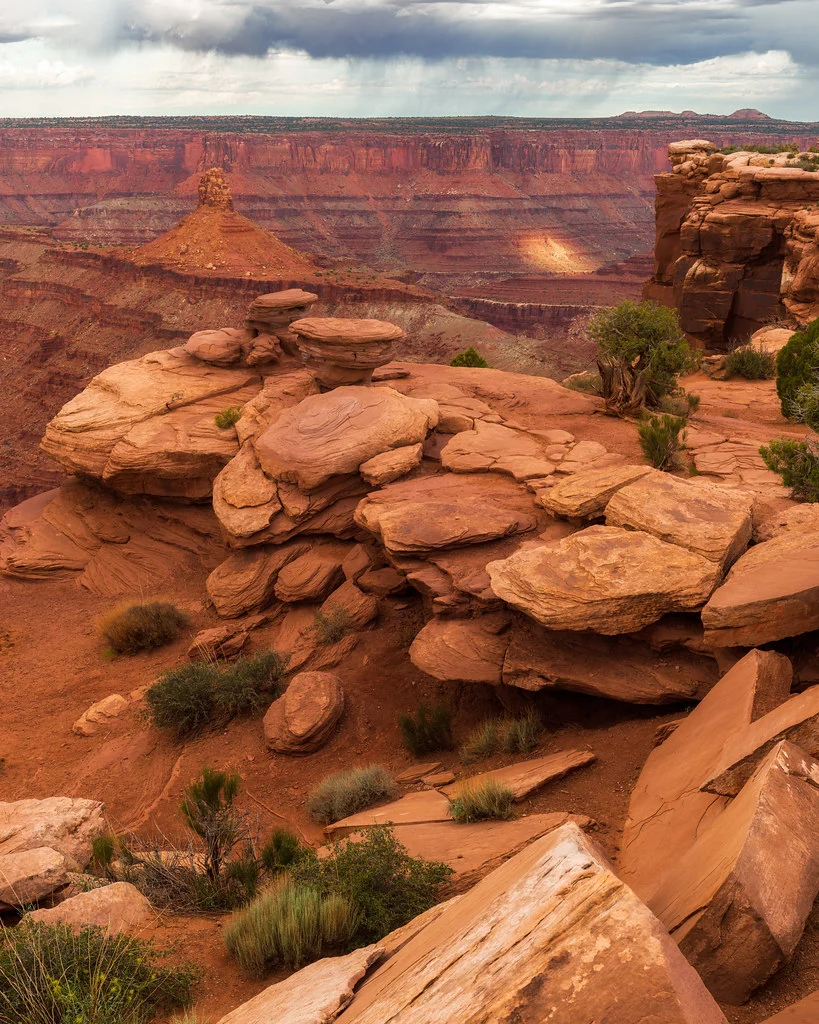
HDR is perhaps most useful in landscape photography, where dramatic skies and shadowed foregrounds are everyday challenges. Sunset and sunrise scenes, forests with bright sky peeking through the canopy, and mountain vistas with deep valleys all benefit from HDR. Use the best camera settings for landscape photography as your foundation, then bracket for the dynamic range you need.
Real Estate and Interior Photography
Real estate photography is where HDR is practically essential. Interior rooms with windows create extreme contrast. The room is relatively dark while the outdoor view through the windows is extremely bright. HDR bracketing with natural processing lets you show both the room interior and the window view with full detail, which is exactly what buyers and agents expect from professional property photos.
Bracketing a room with bright windows? How to photograph real estate covers camera settings for interiors, plus HDR and exposure bracketing.
Architectural Photography
Architectural subjects often combine bright exterior surfaces with deep shadows under overhangs, arches, and recesses. HDR helps you present the full structure with consistent detail. The key is processing with restraint so the building materials look realistic and the lighting feels natural.
Single-Exposure HDR from RAW Files
Modern camera sensors, especially those in full-frame cameras, capture enough dynamic range in a single RAW file that you can often recover significant highlight and shadow detail without bracketing at all. This is sometimes called “single-exposure HDR” or “faux HDR,” and it works surprisingly well in many situations.
To get the most from a single RAW file, expose to preserve the highlights (slightly underexpose if needed), then recover shadow detail in post-processing by lifting the shadows and blacks sliders. The quality of your results depends on your camera sensor’s native dynamic range and how far you need to push the shadows. Modern sensors can often handle three to four stops of shadow recovery with acceptable noise levels. Beyond that, you will start to see noise and color shifts in the recovered shadows, which is where true multi-exposure HDR remains superior.
Want to lift shadows in only part of the frame? Luminosity masks explain how to select by brightness, with separate masks for lights, darks and midtones.
HDR Workflow Tips
- Shoot in RAW. Always. JPEG files have limited tonal data and produce inferior HDR results.
- Keep your aperture constant across all brackets. Use aperture priority mode or manual mode with a fixed aperture.
- Disable in-camera noise reduction for HDR brackets. Let the merging software handle noise across the combined exposures.
- When reviewing images that others have processed, tools like PhotoScanr can help you examine the EXIF data and understand the exposure settings behind HDR images you admire.
- Process your HDR merge first, then apply your creative edits. Trying to tone map and color grade simultaneously makes it difficult to judge either one accurately.
- Compare your final result against the middle (normally exposed) bracket. If the middle bracket already looks better, your HDR processing may be doing more harm than good for that particular scene.
- Not every high-contrast scene needs HDR. A graduated neutral density filter can handle many landscape situations without the complexity of bracketing and merging.
Getting Started with HDR
Start by finding a scene with obvious dynamic range challenges, such as a room with bright windows or a landscape at sunset. Set up your tripod, enable auto-bracketing with three frames at two-stop intervals, and take your first set of brackets. Merge them in your preferred software and experiment with the processing. Compare the merged result with the single middle exposure to see how much detail you recovered. As you practice, you will develop an instinct for which scenes benefit from HDR and how much processing to apply. The goal is always the same: an image that looks natural, balanced, and true to the scene as you experienced it.