Forced perspective is one of photography’s most entertaining techniques. It exploits the fact that a camera compresses three-dimensional space into a two-dimensional image, eliminating depth cues that our eyes normally rely on. By carefully positioning subjects at different distances from the camera and using specific Aperture settings, you can make people appear to hold the sun, stand on someone’s palm, or tower over a building.
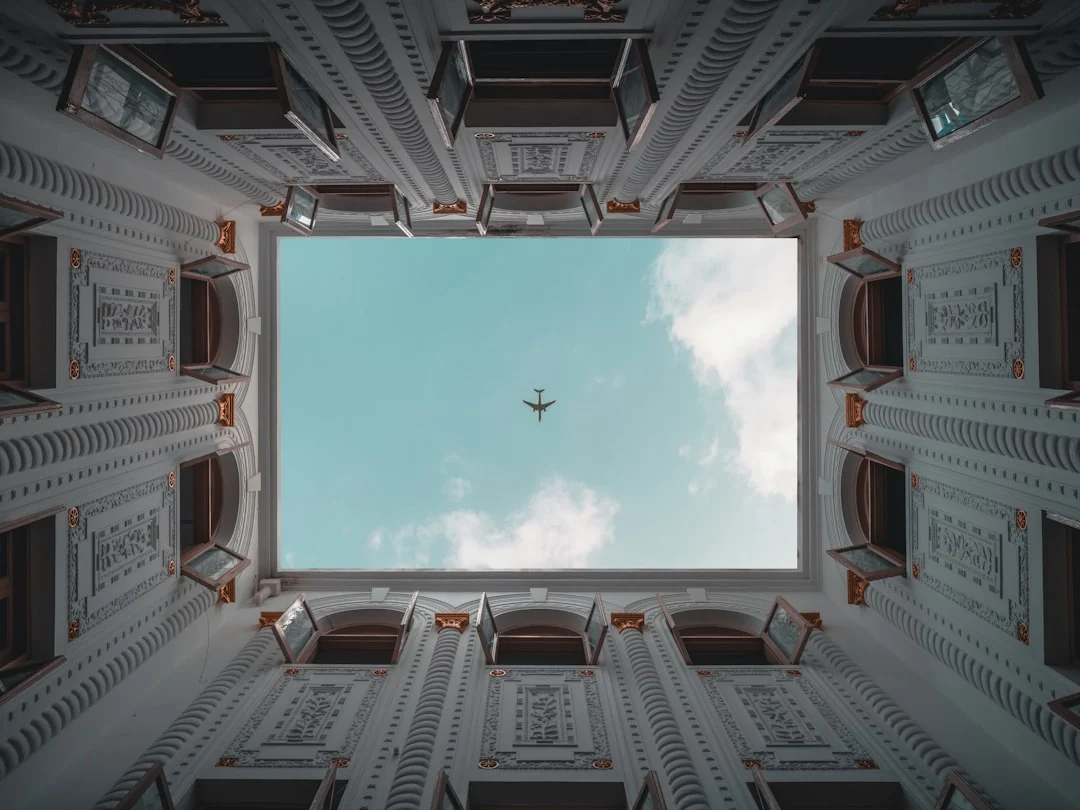
This is not a gimmick reserved for tourist snapshots. Forced perspective has been used in Hollywood filmmaking for over a century, from the massive sets of early fantasy films to Peter Jackson’s use of the technique to make hobbits appear smaller than wizards. It is rooted in real optical principles and, when executed well, produces images that genuinely make viewers do a double-take.
This guide covers the science behind forced perspective, practical techniques for setting up convincing shots, the camera settings that make it work, and creative ideas to get you started.
The Science Behind Forced Perspective
Our perception of object size depends heavily on depth cues. In the real world, we judge how big something is based on its distance, its relationship to surrounding objects, converging lines, atmospheric haze, and binocular vision (the slight difference between what each eye sees). A camera eliminates binocular vision entirely and can minimize other cues with the right settings.
When depth cues are removed or minimized, our brain uses the object’s apparent size in the frame to judge its actual size. A person standing 30 feet away from the camera appears much smaller in the frame than a toy figure held 2 feet away. Without depth cues to tell us otherwise, the brain accepts that the tiny person and the large toy are at the same distance and therefore very different sizes.
Understanding Focal Length is crucial here. Longer focal lengths compress perspective, making objects at different distances appear closer together in size. Wider focal lengths exaggerate distance, making near objects appear much larger than far objects. Both can be used for forced perspective, but they create very different effects.
Curious what each kind of lens does to near and far objects? How to use a wide-angle lens covers building a frame from the foreground back, and telephoto photography covers the compression effect.
Classic Forced Perspective Setups
Before diving into technique, here are the most popular forced perspective concepts to inspire your own shots.
- The Leaning Tower hold. A person appears to hold up or push a distant building or monument. Works with any large distant structure.
- Pinching the sun or moon. A person’s fingers appear to grab the sun at sunrise/sunset or the moon on the horizon.
- Giant vs tiny person. Two people at different distances appear to be dramatically different sizes. The closer person looks like a giant.
- Stepping on objects. A person appears to step on a famous building, mountain, or even another person standing farther away.
- Sitting on the horizon. A person appears to sit on a distant landmark or the edge of a cliff or building.
- Holding a person. One person in the foreground cups their hands while another person in the background appears to stand on their palm.
- Bottle or glass illusion. A person appears to be trapped inside a bottle or glass held in the foreground.
How to Set Up a Forced Perspective Shot
Step 1: Choose Your Concept
Decide what illusion you want to create before setting up. Sketch it out if needed. Consider which element will be close to the camera and which will be far away. Determine the approximate scale ratio you want to achieve.
Step 2: Scout the Location
Forced perspective works best in locations with minimal depth cues. Open, flat terrain is ideal because there are no objects in the middle distance to break the illusion. Deserts, salt flats, beaches, and empty parking lots are classic locations. Cluttered environments with trees, buildings, and people at varying distances make the trick harder to sell.
Step 3: Position Your Subjects
The distance between your near and far subjects determines the size illusion. For a person to appear twice as tall as another person, they need to be roughly half the distance from the camera. The exact ratio depends on your Focal Length and the effect you want.
Communication is key when working with a far-away subject. Have them face the camera and use hand signals or walkie-talkies to direct them. Small adjustments in position make big differences in the illusion.
Step 4: Match the Interaction
The illusion is only convincing if the subjects appear to interact naturally. If someone is ‘standing’ on another person’s palm, the person holding their palm up needs to look at the right spot, their arm angle needs to be correct, and the distant person needs to stand on a surface that aligns with the palm. Misalignment is the most common reason forced perspective shots fail.
Camera Settings for Forced Perspective
The critical camera setting for forced perspective is Aperture. You need both the near and far subjects to be in sharp focus. If one is blurry, the illusion collapses because blur signals different distances.
- Aperture: f/11 to f/16. Small apertures provide deep Depth Of Field, keeping both near and far subjects sharp. Avoid going smaller than f/16 to prevent Diffraction softening.
- Focus point. Focus approximately one-third into the scene or use Focus Modes hyperfocal distance techniques to maximize the depth of sharp focus.
- ISO. Keep Iso as low as possible for the cleanest image. Small apertures in bright daylight typically allow ISO 100 to 400.
- Shutter speed. With a small aperture and low ISO, Shutter Speed may be relatively slow. Use a tripod if speeds drop below your handholding threshold. Image Stabilization helps if shooting handheld.
- Manual focus. Autofocus may hunt between your near and far subjects. Switch to manual focus and carefully set focus using live view magnification.
Wondering where to put focus so near and far both stay sharp? Hyperfocal distance explains how to calculate it, and focus peaking shows what is sharp when you focus by hand.
Understanding Distance Ratios
The apparent size of an object in the frame is inversely proportional to its distance from the camera. An object 10 feet away appears twice as large as the same object at 20 feet. This linear relationship makes planning forced perspective shots straightforward.
| Desired Size Ratio | Distance Ratio | Example |
|---|---|---|
| Person appears 2x taller | 1:2 | Near subject at 10 ft, far subject at 20 ft |
| Person appears 3x taller | 1:3 | Near subject at 10 ft, far subject at 30 ft |
| Person appears 5x taller | 1:5 | Near subject at 10 ft, far subject at 50 ft |
| Person appears 10x taller | 1:10 | Near subject at 5 ft, far subject at 50 ft |
Greater distance ratios create more dramatic illusions but also make communication between subjects harder and require smaller apertures to maintain sharpness. For most outdoor setups, 1:3 to 1:5 ratios offer a good balance of dramatic effect and practical feasibility.
Props, Planning, and Creative Ideas
Props elevate forced perspective from a simple visual trick to a creative composition. Here are ideas organized by complexity.
Simple props
- Hands (open palms, pinching fingers, cupped hands)
- Shoes (for stepping-on illusions)
- Hats (appearing to wear a building as a hat)
- Bottles, jars, cups (person trapped inside)
Intermediate setups
- Picture frames held in the foreground with a person perfectly framed inside
- Toys or figurines interacting with full-sized backgrounds
- Skateboards, surfboards, or other vehicles in the foreground, apparently carrying a distant person
- Balloons on strings with a person appearing to float from them
Want more ideas for using toys and figurines in a frame? Toy photography has a section on forced perspective with toys and covers building scenes and lighting miniatures.
Advanced concepts
- Multiple forced perspective elements in a single frame (requires precise positioning of three or more subjects)
- Time-lapse or stop-motion sequences using forced perspective
- Combining forced perspective with Long Exposure Photography for surreal effects
- Using mirrors or reflective surfaces to double the illusion
Post-Processing Tips
The best forced perspective shots need minimal post-processing because the illusion was created in-camera. However, subtle edits can strengthen the effect.
- Crop to strengthen the composition. Remove any elements that reveal the distance between subjects (middle-ground objects, ground texture that shows scale).
- Match tonality. If one subject is in slightly different light than the other, use localized adjustments to match their brightness, contrast, and color temperature. Use the techniques from Photo Editing For Beginners to fine-tune these adjustments.
- Check sharpness. Both subjects should be equally sharp. If the far subject is slightly soft, a tiny amount of localized sharpening can help.
- Remove distracting elements. Clone out any people, objects, or shadows in the midground that break the illusion.
- Convert to black and white. Sometimes Black And White Photography Guide strengthens forced perspective by removing color-based depth cues.
Need to clone out a car or a shadow in the middle distance? How to remove objects in Photoshop covers content-aware fill, the clone stamp and the healing tools.
Forced Perspective with Multiple People
Some of the most entertaining forced perspective images involve three or more people at different distances, creating a scene where everyone appears to be a different size. These shots require careful planning and patience, but the results are worth the effort.
- Position each person at a specific distance from the camera. Each doubling of distance roughly halves the person’s apparent size in the frame.
- Use walkie-talkies or designated hand signals since verbal communication becomes impractical at the distances involved.
- Have each person perform their part of the interaction simultaneously. Timing is critical when multiple people need to appear to interact.
- The smallest Aperture practical (f/16) is essential to keep all subjects sharp across the full range of distances.
- Consider using Focus Stacking if you cannot achieve sufficient Depth Of Field in a single exposure.
Forced Perspective in Video vs Still Photography
Forced perspective works in both still photography and video, but the challenges differ. In a still image, the viewer has limited depth information. In video, camera movement introduces parallax (objects at different distances move at different apparent speeds), which can reveal the trick. For video, keep the camera stationary or move it very slowly along a path that does not create significant parallax between the near and far subjects.
Want to see why moving the camera gives the trick away? Parallax explains how objects at different distances shift against each other and how to manage it.
For still photography, shoot in Manual Mode so your exposure does not change between test shots. This lets you quickly take multiple frames while directing your subjects into position, without the camera compensating for minor framing changes and shifting the exposure.
Combining Forced Perspective with Other Techniques
Forced perspective pairs well with several other photographic techniques for even more creative results.
- Combine with Silhouette Photography by shooting against a bright sky at sunset. Silhouettes remove texture and color detail, making the size illusion even more convincing.
- Use Long Exposure Photography to add motion blur to clouds or water while keeping both forced perspective subjects frozen.
- Try forced perspective during Night Photography sessions using light painting. A tiny flashlight in the foreground can appear the same size as a distant streetlight.
- Incorporate Panorama Photography techniques to create wide-format forced perspective scenes that include more of the environment.
Common Mistakes
- Shallow depth of field. Using a wide aperture causes the far subject to be blurry, immediately revealing that the subjects are at different distances.
- Misaligned interaction. The near and far subjects do not appear to touch, sit on, or interact with each other convincingly. Spend extra time getting the alignment right from the camera’s viewpoint.
- Inconsistent lighting. If one subject is in bright sun and the other is in shade, the lighting difference reveals the spatial separation. Shoot when both subjects are in similar light.
- Scale references in the frame. Objects at known sizes between the two subjects break the illusion. A car between a ‘giant’ and a ‘tiny’ person immediately reveals the trick.
- Wrong camera height. The camera height affects alignment. For most forced perspective shots, the camera should be at the height where the interaction appears natural. This often means getting low to the ground.
- Not checking the viewfinder carefully. What looks right to the naked eye may not look right through the camera. Always compose through the viewfinder and take test shots to check alignment.
Try This: Practical Exercises
- Palm standing. Position a friend 30 to 50 feet away on flat terrain. Hold your hand palm-up toward the camera. Set aperture to f/14, use a tripod, and direct your friend to stand at the exact spot where they appear to stand on your palm. Practice the alignment.
- Sun or moon grab. During sunset, position yourself so a friend can ‘hold’ or ‘pinch’ the sun between their fingers. Use a telephoto lens (70-200mm) to compress the perspective and make the sun appear larger relative to your friend.
- Toy in the landscape. Place a toy figure on a rock or ledge in the foreground, 1 to 2 feet from the camera. Set f/16 and focus one-third into the scene. The toy should appear life-sized against the landscape behind it.
- Stepping on a landmark. Visit a local monument or distinctive building. Position one person close to the camera with their foot raised, while the building is in the background directly under their foot. Experiment with distance and camera angle until the illusion looks natural.
Frequently Asked Questions
What lens is best for forced perspective?
Both wide and telephoto lenses work, but they create different effects. Wide lenses (24-35mm) exaggerate size differences but show more environment, which can include depth cues that break the illusion. Telephoto lenses (70-200mm) compress perspective, making objects at different distances appear closer in size, which is great for sun/moon interaction shots. A 50mm lens is a good starting point.
Does forced perspective work with phone cameras?
Absolutely. Phone cameras have very small sensors with inherently deep Depth Of Field, which is actually an advantage for forced perspective. The main challenge is the wide Focal Length of most phone lenses, which exaggerates distances. Get the near and far subjects closer together than you would with a DSLR or mirrorless camera.
How do I get both subjects in focus?
Use a small Aperture (f/11 to f/16) and focus approximately one-third into the scene. If possible, increase the distance between the camera and the near subject, which increases Depth Of Field. In challenging cases, Focus Stacking can be used by taking two shots with different focus points and blending them in post-processing.
Can I create forced perspective in post-processing?
You can composite subjects from different photos, but that is really photomanipulation, not forced perspective. True forced perspective is an in-camera technique. The magic is that the optical illusion exists in a single, unmanipulated exposure.
What weather or time of day works best?
Overcast days are ideal for most forced perspective because the even lighting minimizes shadow-based depth cues. For sun and moon interaction shots, shoot during Golden Hour Photography when the sun is large on the horizon. Avoid harsh midday light where strong shadows reveal spatial depth.
How do I plan a forced perspective shot in advance?
Start by sketching the final image you want to create. Determine which element will be near the camera and which will be far away. Visit the location ahead of time to find flat, open areas with clean backgrounds and minimal objects at middle distances. Calculate the approximate distance ratios you need based on the size illusion you want. Bring walkie-talkies or plan hand signals for communicating with distant subjects. Check the sun position for the time you plan to shoot so you can predict shadows and lighting angles. The more you plan, the less time you spend adjusting on location.
Can I practice forced perspective indoors?
Yes, though indoor spaces limit the distance between subjects. Use small objects (toys, household items) to practice the alignment and camera settings. A figurine placed close to the camera next to a person sitting across a large room creates a simple indoor forced perspective setup. Indoor practice teaches you to see the two-dimensional frame rather than the three-dimensional reality, which is the fundamental skill of forced perspective.