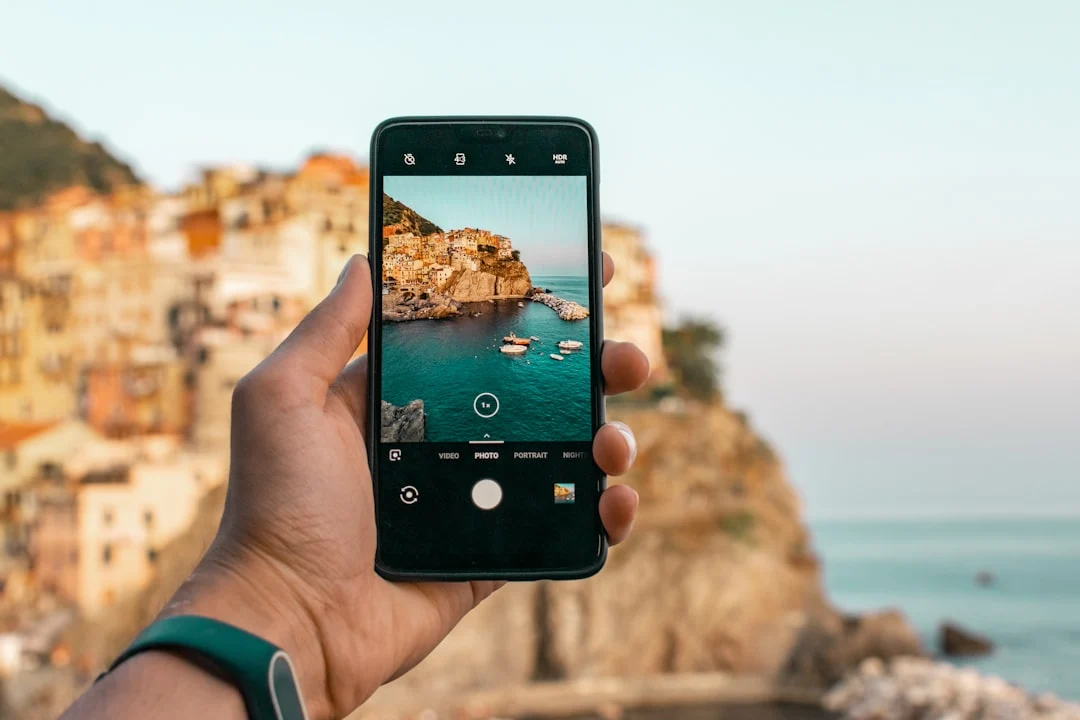
The best camera is the one you have with you, and for most people, that camera is a smartphone. Modern phone cameras produce genuinely impressive images, and understanding how to get the most out of them transforms casual snapshots into photographs worth sharing, printing, and keeping. This guide covers the principles and techniques that make smartphone photography better, from composition fundamentals that apply to any camera to the specific strengths and limitations of phone cameras. Check out our Snapseed editing guide for more details. Check out our Lightroom Mobile for more details.
Composition: The Foundation of Every Good Photo
Composition is what separates a compelling photograph from a forgettable snapshot, and it has nothing to do with the camera you use. A well-composed image from a phone will always be more engaging than a poorly composed image from an expensive camera. These principles work with any device.
The Rule of Thirds
The rule of thirds divides your frame into a 3×3 grid using two horizontal and two vertical lines. Placing your subject along these lines or at their intersections creates a more dynamic, visually interesting composition than centering the subject. Most phone cameras can display a grid overlay on screen. Turn it on and leave it on. Over time, you will internalize the grid and compose naturally.
Place a person’s eyes on the upper third line. Position a horizon along the lower or upper third rather than cutting the frame in half. Let a subject moving through the frame have space to “move into” by placing them on the third opposite to their direction of travel.
Leading Lines
Leading lines are visual paths that guide the viewer’s eye through the image toward the subject or into the depth of the scene. Roads, fences, shorelines, shadows, architectural edges, and rows of trees all create leading lines. Phone cameras with their wide-angle default lenses are particularly effective at emphasizing leading lines because the wide perspective stretches and exaggerates foreground elements.
Look for lines in your environment and position yourself so they draw the viewer’s attention where you want it. Diagonal lines are especially dynamic. Converging lines (like railroad tracks receding into the distance) create a strong sense of depth.
Framing and Layering
Use elements in the scene to create a frame within the frame. Doorways, windows, archways, tree branches, and gaps between buildings can all serve as natural frames that draw attention to your subject and add depth. Layering foreground, midground, and background elements creates dimension in what is otherwise a flat, two-dimensional image.
Simplicity
The most common compositional mistake is including too much in the frame. A cluttered image with no clear subject is confusing to look at. Identify what you want the photograph to be about and remove everything that does not contribute to that story. Move closer. Change your angle. Wait for a distraction to leave the frame. Simplicity is powerful.
Perspective and Angle
Most phone photos are taken from standing height, which is the least interesting perspective for many subjects. Try shooting from a low angle to make subjects appear more imposing or to include interesting ground textures. Shoot from directly above for flat-lay compositions of food, objects, or patterns. Get close and shoot at eye level with children and pets instead of looking down at them. Changing your perspective changes the story your image tells.
Understanding Your Phone Camera
To get the most out of smartphone photography, it helps to understand what your phone camera does well and where it has inherent limitations.
The Small Sensor Reality
Phone camera sensors are physically tiny compared to dedicated cameras. This small sensor size affects image quality in several important ways:
- Less light gathering. Smaller pixels collect fewer photons, which means more noise in low-light conditions. Phone manufacturers compensate with computational photography (stacking multiple exposures, noise reduction algorithms), but physics still imposes limits.
- Greater depth of field. Small sensors produce images with extensive depth of field, meaning more of the scene is in focus from front to back. This is an advantage for landscapes and street photography but makes it difficult to achieve natural background blur (bokeh) without computational help.
- Less dynamic range. The range between the darkest shadows and brightest highlights that a small sensor can capture simultaneously is narrower than what a larger sensor achieves. This means high-contrast scenes (bright sky, dark foreground) are more challenging.
Understanding these limitations helps you work within them rather than fighting against them. Shoot in good light, avoid extreme contrast when possible, and lean into the strengths (wide depth of field, always in your pocket) rather than trying to make your phone do things it was not designed for.
Wondering how a phone fakes a blurred background? Portrait mode explained covers why phones cannot make real bokeh naturally and how portrait mode creates computational bokeh.
Multiple Lenses
Most modern phones include multiple camera lenses, typically an ultra-wide, a standard wide, and a telephoto. Each has different characteristics:
- Ultra-wide (0.5x or similar). Great for architecture, interiors, landscapes, and creative perspective effects. Distortion at the edges can be used creatively or can be a drawback depending on the subject. Keep people away from the edges of ultra-wide shots unless you want comedic distortion.
- Standard wide (1x). The primary camera with the best image quality in most lighting conditions. This is your go-to for the majority of situations. It has the largest sensor and the best lens of the array.
- Telephoto (2x, 3x, 5x, or more). Useful for portraits, distant subjects, and compression effects that make backgrounds appear closer to the subject. On phones, the telephoto lens may switch to a digital crop from the main sensor in low light, which reduces quality. Check if your phone does this and be aware of it.
Digital Zoom vs. Optical Zoom
Switching between the phone’s built-in lenses is essentially optical zoom. Each lens captures light through its own physical optics, producing clean, full-resolution images. Digital zoom, however, crops into the image from one of these lenses and enlarges the crop, which progressively degrades quality.
Stick to the optical zoom steps (0.5x, 1x, 2x, 3x, etc.) whenever possible. If you need to zoom beyond your longest lens, consider moving closer to the subject instead. When digital zoom is unavoidable, keep it modest. A 1.5x digital crop from a high-resolution sensor may look fine, but 10x digital zoom will produce a noticeably soft, noisy image.
Using Manual (Pro) Mode
Most phone cameras offer a manual or pro mode that gives you direct control over settings that the automatic mode handles for you. Learning to use these controls opens up creative possibilities that auto mode cannot achieve.
Which settings are worth changing? Best phone camera settings covers what the phone controls automatically, the settings that matter most and pro mode.
Shutter Speed
Manual shutter speed control lets you freeze motion (fast shutter speeds) or introduce intentional motion blur (slow shutter speeds). Want to freeze a splash of water? Set a fast shutter speed. Want to create silky-smooth waterfall images? Use a slow shutter speed and stabilize the phone on a surface or tripod.
ISO
ISO controls the sensor’s sensitivity to light. Lower ISO values (50-200) produce cleaner images with less noise. Higher ISO values (800+) brighten the image but introduce noise and reduce detail. In well-lit conditions, keep ISO as low as possible. In low light, raise ISO only as much as necessary and accept that some noise is better than a blurry image from too slow a shutter speed.
White Balance
Auto white balance on phones is generally good, but it can be fooled by unusual lighting conditions. Manual white balance lets you set the color temperature precisely, ensuring warm golden hour light stays warm instead of being “corrected” to neutral, or that artificial lighting does not produce an unwanted color cast.
Focus and Exposure Lock
Tapping and holding on most phone camera screens locks both focus and exposure at that point. This is invaluable when the auto system keeps refocusing or readjusting exposure between frames. Lock focus and exposure, then recompose your shot without the camera changing its mind.
RAW Capture
Many phone cameras now support RAW capture in pro mode. RAW files preserve much more data than JPEG or HEIF, giving you greater flexibility in editing. Shadows can be recovered, highlights can be pulled back, and white balance can be adjusted without quality loss. If you plan to edit your phone photos seriously, shooting RAW is worth the extra storage space.
Lighting: The Most Important Variable
Lighting matters more than any other single factor in photography, and this is especially true for phone cameras. Small sensors struggle in difficult lighting conditions, so working with good light produces disproportionately better results.
Golden Hour
The hour after sunrise and the hour before sunset produce warm, directional light that flatters subjects and creates beautiful contrast. Phone cameras perform exceptionally well in golden hour light because the illumination is strong enough for clean captures while the color and direction add natural beauty that requires no editing.
Overcast Days
Cloud cover acts as a giant diffuser, producing soft, even light with no harsh shadows. This is ideal for portraits, product shots, and any subject where you want detail without drama. Many photographers consider overcast light the most universally flattering natural light.
Harsh Midday Sun
Direct overhead sun creates unflattering shadows under eyes, strong highlight-shadow contrast that exceeds the sensor’s dynamic range, and squinting subjects. If you must shoot at midday, find open shade (the shadow side of a building, under a tree canopy, or in a covered walkway). The light in open shade is soft and even while the surroundings remain brightly lit, giving you the best of both worlds.
Indoor and Low Light
Low light is where phone cameras are most challenged. Night modes use computational techniques (long exposures, frame stacking) to brighten scenes, and the results have improved dramatically. But physics still matters. To get the best low-light results:
- Hold the phone steady and brace it against something solid when using night mode
- Move toward available light sources rather than relying entirely on computational tricks
- Avoid the phone’s LED flash when possible. It produces flat, harsh light. Use it only as a last resort
- In extremely dark conditions, accept the limitations and focus on capturing the moment rather than chasing technical perfection
Shooting after dark? Night photography with a smartphone covers how night mode works and techniques for sharper night photos.
Editing on Mobile
One of the great advantages of phone photography is that you can capture, edit, and share without ever touching a computer. Check out our social media photo sizes for more details. Mobile editing has become remarkably capable, and a thoughtful editing workflow can elevate your phone photos significantly.
A Simple, Effective Editing Workflow
- Straighten and crop. Level the horizon. Remove distracting elements from the edges. Tighten the composition.
- Exposure and contrast. Adjust overall brightness and contrast. If the image is too dark, bring up exposure and shadows. If it is too flat, add contrast or bring down the blacks.
- White balance. Correct any color casts. Warm up images shot in shade. Cool down images shot under tungsten lighting. Or push the white balance creatively to enhance a mood.
- Highlights and shadows. Recover blown highlights by pulling them down. Open up crushed shadows by bringing them up. This is where shooting RAW really pays off, as you have much more data to work with.
- Saturation and vibrance. Boost or reduce color intensity. Vibrance is usually a better choice than saturation because it targets muted colors while protecting already-saturated tones from clipping.
- Sharpening and noise reduction. Apply a light touch. Over-sharpening creates ugly halos, and aggressive noise reduction turns skin and textures into plastic-looking mush.
- Selective adjustments. Many mobile editors support brush-based or gradient-based local adjustments. Brighten a face. Darken a distracting background. Add clarity to a textured area. Selective edits refine the image without affecting everything equally.
Editing Principles That Last
- Edit to enhance, not to transform. The goal is to bring out what was already there in the scene, not to create something artificial. If your edit looks “filtered,” you have probably gone too far.
- Less is usually more. Subtle adjustments that the viewer does not consciously notice are usually better than dramatic edits that call attention to themselves.
- Develop a consistent style. Whether you prefer warm tones, moody shadows, bright and airy aesthetics, or high contrast black and white, consistency gives your work a cohesive identity.
- Edit on a calibrated screen at moderate brightness. If your phone screen is at maximum brightness, your edits will look too dark on other devices. Edit at a comfortable mid-range brightness.
When Phones Genuinely Beat Dedicated Cameras
In some situations, a phone is not just “good enough.” It is genuinely the better tool for the job.
- Always available. The most important advantage. You cannot take a photo with a camera you left at home. Phones are with you at all times, ready to capture unexpected moments, spontaneous compositions, and fleeting light.
- Discreet shooting. A phone draws far less attention than a dedicated camera with a large lens. For street photography, candid moments, and situations where a visible camera changes the subject’s behavior, a phone is less intrusive.
- Computational photography. Night mode, HDR processing, portrait mode with computational bokeh, panorama stitching, and photosphere capture are all areas where phones apply significant processing power to produce results that would require specialized equipment or post-processing with a dedicated camera.
- Video and photo integration. Phones switch seamlessly between photo and video, making them ideal for hybrid shooters who want both stills and clips from the same moment.
- Immediate sharing. The capture-to-share pipeline is instantaneous. For social media, messaging, and quick documentation, the phone’s integrated workflow is unbeatable.
- Macro and close-up photography. Many phones include dedicated macro lenses or have very short minimum focusing distances. Getting sharp, detailed close-ups of small subjects is often easier with a phone than with a camera that requires a specialized macro lens.
Limitations to Understand and Work Around
Acknowledging where phone cameras fall short helps you make better decisions about when to reach for a dedicated camera and how to compensate when a phone is your only option.
Deciding which to carry? Smartphone vs camera compares image quality, creative control, convenience and speed.
- Low-light performance. Despite impressive computational night modes, phones still produce noisier, softer images in low light than cameras with larger sensors. Shoot in the best available light, use night mode, and brace the phone for stability.
- Dynamic range. High-contrast scenes (bright sky, dark foreground) can challenge phone sensors. Use HDR mode, expose for highlights, or plan to recover shadows in editing.
- Shallow depth of field. Natural background blur is limited by the small sensor. Portrait modes use computational depth estimation, which works well on simple backgrounds but can produce artifacts around hair, glasses, and complex edges. Check the edges of your subject after shooting in portrait mode.
- Telephoto reach. Even phones with telephoto lenses have limited reach compared to a dedicated camera with a long lens. Digital zoom degrades quality quickly. For wildlife, sports, and distant subjects, a dedicated camera with an appropriate lens is dramatically better.
- Fast action. Phone shutter lag and autofocus speed have improved but still lag behind dedicated cameras with phase-detect autofocus arrays designed for action tracking. For fast-moving subjects, a dedicated camera gives you better hit rates.
- Print size. Phone images can produce good prints at moderate sizes (up to about 8×10 or 11×14 from the latest high-resolution phone sensors), but they cannot match the pixel count and per-pixel quality needed for very large prints.
Accessories Worth Considering
A few accessories can meaningfully expand your phone camera’s capabilities without adding much bulk or cost.
- A small tripod or phone mount. Essential for night photography, long exposures, time-lapses, and any situation where stability matters. A pocket-sized tripod that fits in your bag opens up creative possibilities that handheld shooting cannot achieve.
- Clip-on lenses. External lens attachments can add wider angles, macro magnification, or specialized effects. Quality varies enormously. Look for multi-element glass lenses from reputable manufacturers rather than cheap plastic options that degrade image quality.
- A portable light. A small, battery-powered LED light gives you control over lighting for portraits, product shots, and close-ups. Even a simple light dramatically improves indoor and low-light photography.
- A phone case with a grip or strap. A secure grip reduces camera shake and makes one-handed shooting more stable. This is one of the simplest and most effective improvements you can make.
- Lens cleaning cloth. Phone camera lenses get fingerprints, smudges, and pocket lint on them constantly. A quick wipe before shooting eliminates the haze and flare that a dirty lens introduces. Keep a small microfiber cloth with your phone.
Building a Smartphone Photography Practice
The best way to improve at smartphone photography is to practice deliberately. Here are approaches that accelerate your growth:
- Shoot every day. Commit to taking at least one intentional photograph per day. Not a casual snapshot, but a photograph where you think about composition, light, and subject before pressing the shutter.
- Study light. Spend a week paying attention to nothing but light. Notice how it changes throughout the day, how it interacts with surfaces, and how it creates mood. This awareness transforms your photography more than any technical skill.
- Review and critique your work. Look at your photos from a week or month ago with fresh eyes. Which ones work? Why? Which ones fall flat? What would you do differently? Honest self-assessment is the fastest path to improvement.
- Set constraints. Shoot only in black and white for a week. Use only the ultra-wide lens. Photograph only textures. Constraints force creative problem-solving and help you see possibilities you would otherwise overlook.
- Learn from others. Study photographs you admire and analyze what makes them effective. Pay attention to composition, light, timing, and perspective. Then try to apply those principles in your own work.
Conclusion
Smartphone photography is real photography. The principles that make images compelling, including strong composition, beautiful light, decisive timing, and a clear subject, have nothing to do with sensor size or lens quality. Your phone is a capable photographic tool that benefits enormously from the same intentional approach that makes dedicated camera work great. Learn the principles, understand the strengths and limitations of your phone, practice deliberately, and your smartphone images will consistently surprise people who assume good photography requires expensive equipment.
Frequently Asked Questions
Is phone photography “real” photography?
Absolutely. Photography is about seeing, composing, timing, and communicating through images. The camera is a tool. Some of the most impactful and widely shared photographs in recent years were taken on phones. What matters is the photograph, not the device that captured it.
Should I shoot in RAW mode on my phone?
If you plan to edit your photos beyond basic adjustments, RAW capture is worthwhile. RAW files give you much more flexibility in editing, particularly for recovering highlights, opening shadows, and adjusting white balance. The trade-off is larger file sizes and the need for a capable editing app. For casual shooting or quick sharing, the phone’s processed JPEG or HEIF output is perfectly fine.
How can I take better portraits with a phone?
Good light is the most important factor. Position your subject near a window for soft, directional light. Shoot at the telephoto focal length rather than the wide angle, which distorts facial features at close range. Use portrait mode for background blur, but check the edges for computational artifacts. Make eye contact with your subject, direct them with simple instructions, and capture genuine expressions rather than forced smiles.
Do I need a phone with multiple cameras?
Multiple lenses are genuinely useful because they give you optical zoom steps without quality loss from digital zoom. A telephoto lens is particularly valuable for portraits and distant subjects. That said, a single-lens phone in the hands of someone who understands composition and light will outperform a multi-lens phone used carelessly. Skills matter more than specs.
Can I print phone photos?
Yes. Modern phone cameras produce images with enough resolution for high-quality prints up to about 11×14 inches, and acceptable quality at 16×20 or even larger depending on the specific phone and viewing distance. For the best print results, shoot in good light (which maximizes sharpness and minimizes noise), use RAW if available, and follow proper print preparation practices including appropriate sharpening and color space conversion.
How do you get a phone photo ready to print? Preparing photos for print covers resolution, color spaces for print, soft proofing and sharpening for print.
For a film-inspired phone-editing workflow built around recipes and consistency, see our VSCO editing guide.
Most flagship phones now capture DNG. For when to use it, how computational DNG differs from single-frame DNG, and how to edit it without falling into the noise trap, see our mobile RAW workflow guide.
Presets give a feed visual consistency. See our mobile presets guide for building, syncing, and sharing them across mobile editors.
Selective adjustments are what separate beginner edits from professional-feeling work, and modern phones can handle most of it. See our mobile masking guide for brush, gradient, and AI-subject masking.