Shutter speed is how long the sensor is exposed to light for each picture, written in seconds or fractions of a second such as 1/250. It sets two things at once: how bright the picture is, and whether movement is frozen sharp or smeared into blur.
Fast speeds (1/500 and shorter) stop most motion. Slow speeds (1/30 and longer) let it blur. This page covers how the number is written, a chart of the common speeds, what each one is for, and how speed trades against aperture and ISO. It also covers how the shutter itself works, the speed limit that comes with flash, and the longest speed a hand can hold.
How shutter speed is written on a camera
Speeds shorter than a second are fractions, and many camera displays drop the “1/”. So 1/250 shows as 250, 1/60 as 60 and 1/4000 as 4000. The bigger the number on its own, the shorter the exposure.
Speeds of a second or longer carry a quotation mark: 2" is two seconds and 30" is thirty seconds. That mark is the only thing separating 30" (half a minute) from 30 (1/30 of a second), so read it carefully.
B stands for bulb. The shutter stays open for as long as you hold the button, which is how you get exposures longer than the camera’s longest numbered setting. Bulb Mode covers how to use it.
How the shutter makes the exposure
When you press the button, a shutter controls how long light is allowed to build up on the sensor before the exposure ends. A fast speed such as 1/2000 lets light in for a very brief window. A slow speed such as 1/4 lets it build up for far longer, and anything that moved during that window is recorded as blur.
A mechanical shutter uses two physical curtains that travel across the sensor, and the gap between them sets the exposure time. An electronic shutter reads the sensor row by row with no moving parts, which allows very fast top speeds and silent shooting. Because the top and bottom of the frame are not read at the same instant, a fast subject can bend or lean in the picture. Rolling shutter explains what that skew looks like and how to prevent it, and mechanical vs electronic shutter compares the two.
Shutter speed chart: what each speed does
These are the standard speeds, from fastest to slowest. Each row lets in twice as much light as the row above it.
| Speed | What it does to motion | Typical use |
|---|---|---|
| 1/4000 | Freezes almost anything | Fast birds, splashes, bright sun with a wide aperture |
| 1/2000 | Freezes very fast action | Birds in flight, racing, fast sport |
| 1/1000 | Freezes fast action | Running animals, cyclists, jumping |
| 1/500 | Freezes most action | Running children, passing cars, general sport |
| 1/250 | Freezes walking and casual movement | Street photography, people moving, kids playing |
| 1/125 | Freezes slow movement | Portraits, everyday handheld shots |
| 1/60 | Fine for a still subject; hand shake starts to show | Indoor portraits with a short lens, still scenes |
| 1/30 | Moving subjects blur; needs steady hands | Panning, dim interiors with stabilization |
| 1/15 | Clear blur on anything moving | Panning, deliberate motion blur |
| 1/8 | Strong blur; tripod or bracing needed | Panning slowly, blurred crowds |
| 1/4 | Heavy blur | Moving water at a stream, tripod |
| 1/2 | Moving water turns soft | Waterfalls, tripod |
| 1 s | Smooth water, streaks from lights | Waterfalls, waves, tripod |
| 2 s | Silky water, long streaks | Seascapes, city at dusk, tripod |
| 4 s | Water goes smooth; moving lights draw long streaks | Dusk and night scenes, tripod |
| 8 s | Car lights become lines | Traffic trails, tripod |
| 15 s | Long light trails, glassy water | Night cityscapes, tripod |
| 30 s | Longest numbered setting on most cameras; stars can start to show short trails | Night sky, traffic trails, tripod |
A series that halves exactly would run 1/8, 1/16, 1/32, 1/64, 1/128. The labels are rounded to tidier numbers (1/15, 1/30, 1/60, 1/125), which is why the steps look uneven. Each step is still treated as exactly one stop.
Stops: each step doubles or halves the light
A change of one full step in this series is one stop, the same unit used for f-stops. Going from 1/250 to 1/125 keeps the shutter open twice as long, so twice as much light reaches the sensor. Going from 1/250 to 1/500 halves the light.
The full series is 1/4000, 1/2000, 1/1000, 1/500, 1/250, 1/125, 1/60, 1/30, 1/15, 1/8, 1/4, 1/2, 1, 2, 4, 8, 15, 30. Most cameras also offer third-stop steps in between, such as 1/200 and 1/320. Between 1/125 and 1/60 the third-stop steps are 1/125, 1/100, 1/80 and 1/60, and between 1/15 and 1/8 they are 1/15, 1/13, 1/10 and 1/8. They work the same way with smaller changes.
Past 1 second, times are written in seconds with the quotation mark. For anything longer than the camera’s longest numbered setting, use bulb and time the exposure with a stopwatch or a remote timer.
Freezing and blurring: what speed each subject needs
The speed you need depends on how fast the subject moves across your frame, not just how fast it moves. Something coming straight at you needs less speed than something crossing in front of you, and a distant subject needs less than a close one. These figures are starting points for a subject crossing the frame.
- Person walking: 1/250 freezes the body. Legs and arms at full swing look sharper at 1/500.
- Running child or jogger: 1/500 to 1/1000.
- Passing car: 1/500 stops a slow one. Anything fast wants 1/1000 or shorter.
- Bird in flight: 1/2000 or shorter to stop the wings. Splashing water and bursting balloons can need 1/2000 or shorter too. High-speed photography covers stopping the very fastest subjects.
- Waterfall or stream (see waterfall photography): 1/2 second to 2 seconds for a soft, silky look. At 1/500 or shorter the water freezes into separate droplets.
- Traffic light trails: 8 to 30 seconds, on a tripod.
- Fireworks: a few seconds on a tripod, so each burst draws its full trail of light.
Try it with your own subject. Pick what is moving, how far away it is and your lens, and see how far it smears at each shutter speed.
Want to keep a subject sharp while the background streaks? Panning Photography shows how to follow a moving subject at slow speeds.
Shooting a fast subject and not sure which setting to change? Freeze Motion covers the exposure trade-off of a fast shutter and what to do when the shutter alone is not enough.

Which speed for which situation
Here is what each common speed is good for and where it lets you down.
1/8 shutter speed
Good for deliberate blur: panning with a walking subject, blurred crowds, or the first hint of softness in flowing water. It fails for anything you want sharp. Even a still subject is likely to blur handheld unless the camera is on a tripod, braced firmly or well stabilized.
1/30 shutter speed
Good for the first clear motion blur on a walking person, and for panning: the usual range for a pan is about 1/15 to 1/60, depending on how fast the subject moves and how smoothly you follow it. It also works handheld on a still subject with a wide lens if you brace the camera or have stabilization. It fails for anything you want frozen, and a normal or long lens will show shake at this speed.
1/60 shutter speed
A workable handheld speed for still subjects with a normal or wide lens, such as a room interior or a seated portrait. It fails for anything that is moving more than slowly, and a long lens will show shake at this speed.
1/125 shutter speed
A common choice for everyday handheld shots of people who are standing or talking. It handles a normal lens comfortably. It fails with walking subjects (you may catch blur in the limbs) and with long lenses.
1/250 shutter speed
Good for people walking, children playing and most street scenes, and fast enough for a mid-length lens handheld. It fails for running, sport and birds, where 1/250 still leaves blurred limbs or wings.
1/500 shutter speed
The usual starting point for action: running children, pets, cyclists and cars in the middle distance. It also gives you margin when shooting with a longer lens handheld. It fails for fast sport and flying birds, which want shorter speeds, and it can force a wide aperture or high ISO in dim light.
1/1000 shutter speed
Good for fast action, such as running dogs, jumping, and fast cycling. It also helps you use a wider aperture in bright sun, though the widest apertures need shorter speeds still. It fails in low light, where holding it means a high ISO.
1 second shutter speed
Good for smooth water and soft motion in the scene, and for light streaks at dusk. It needs a tripod, and it fails in bright daylight, where one second overexposes unless you stop the lens down hard or add a filter. ND Filter Guide covers the filter route.
30 second shutter speed
Good for night scenes: traffic trails, star fields and calm water that turns to glass. It needs a tripod and a still night. Wind is the risk: branches, grass and a light tripod all move during the exposure. With a long lens, stars trail within a few seconds. A long exposure is also what light painting relies on, and exposures longer than 30 seconds are set with the bulb setting or a timer. Even pressing the button by hand can shake the camera, so use a remote release or the self-timer.
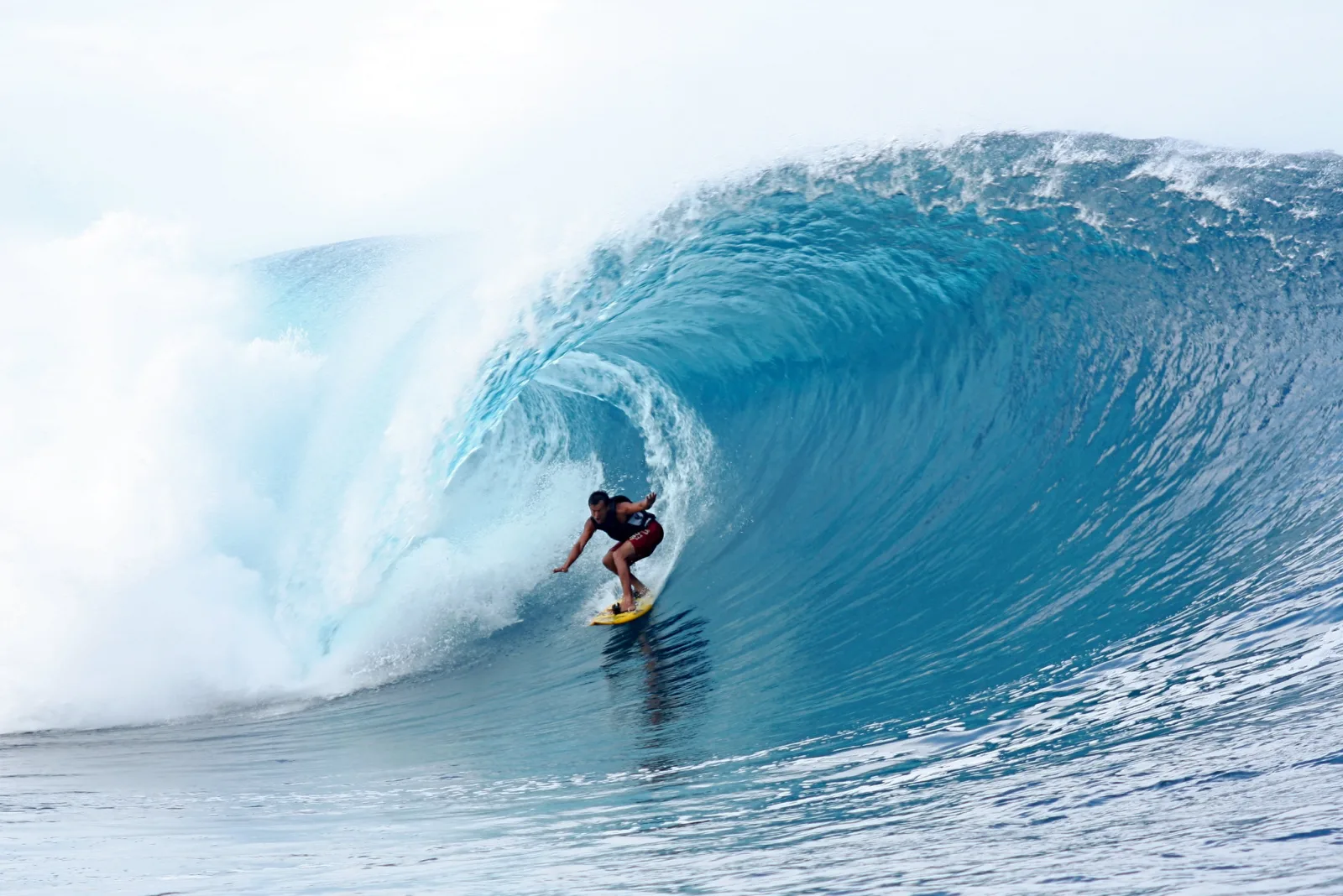
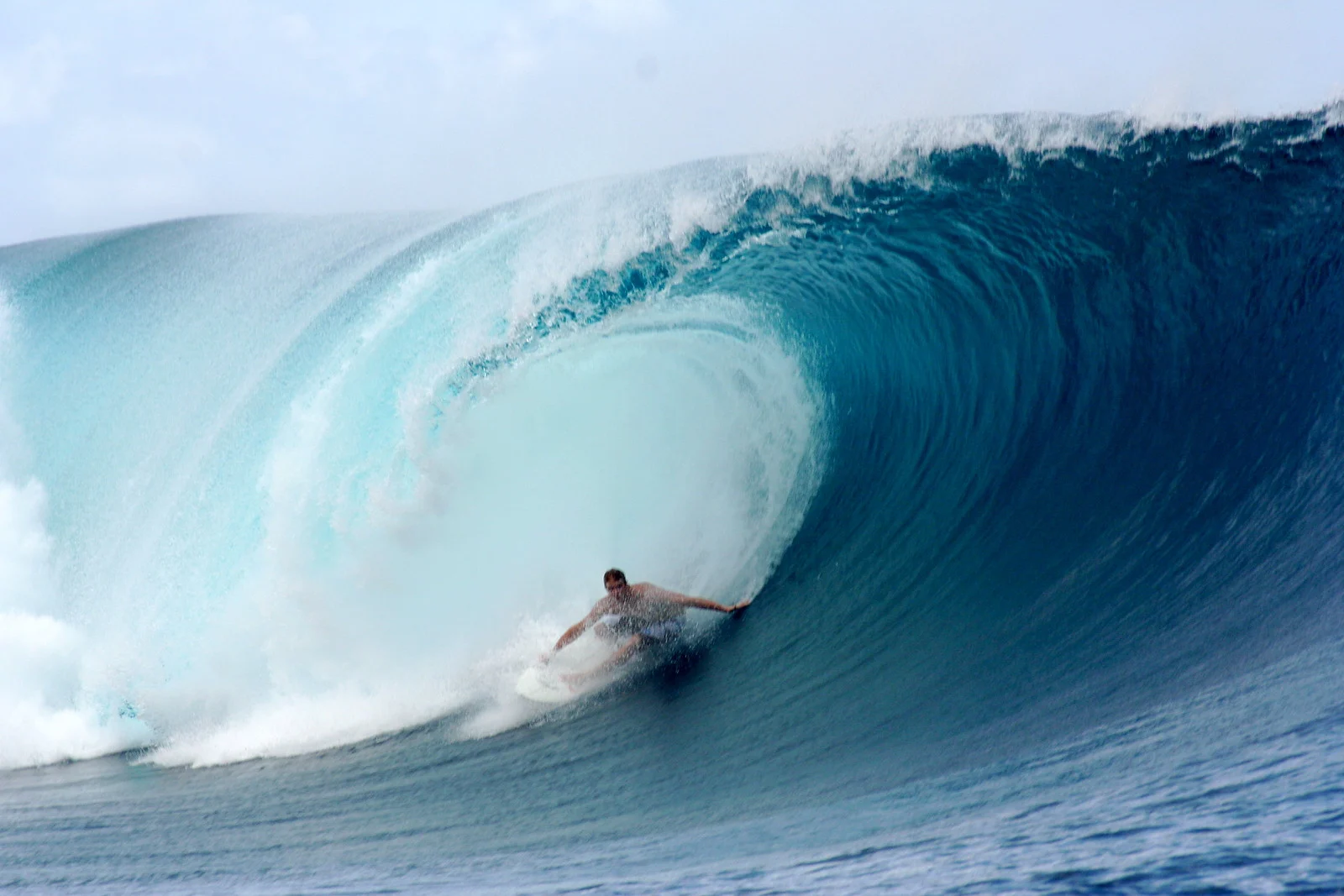
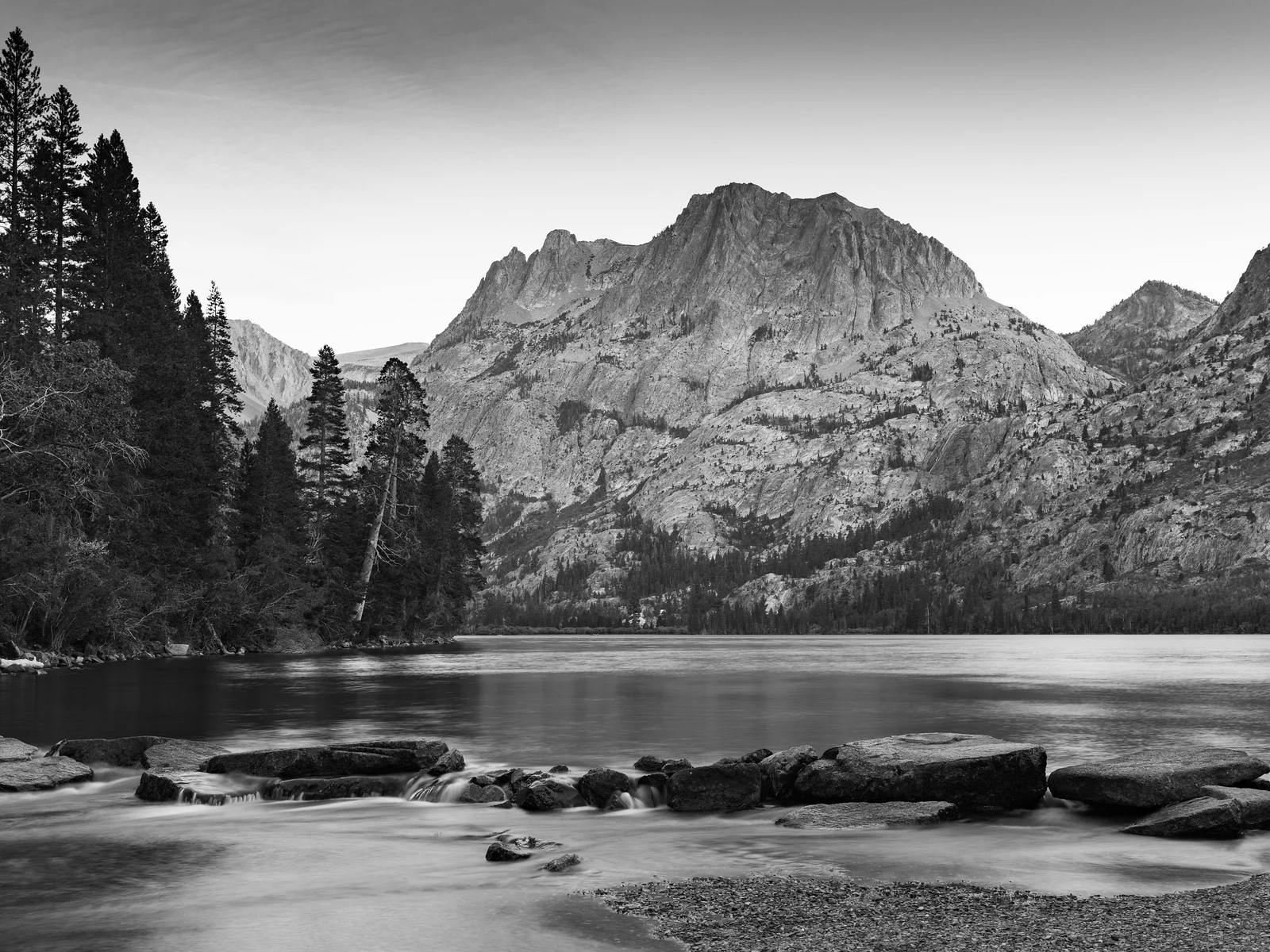
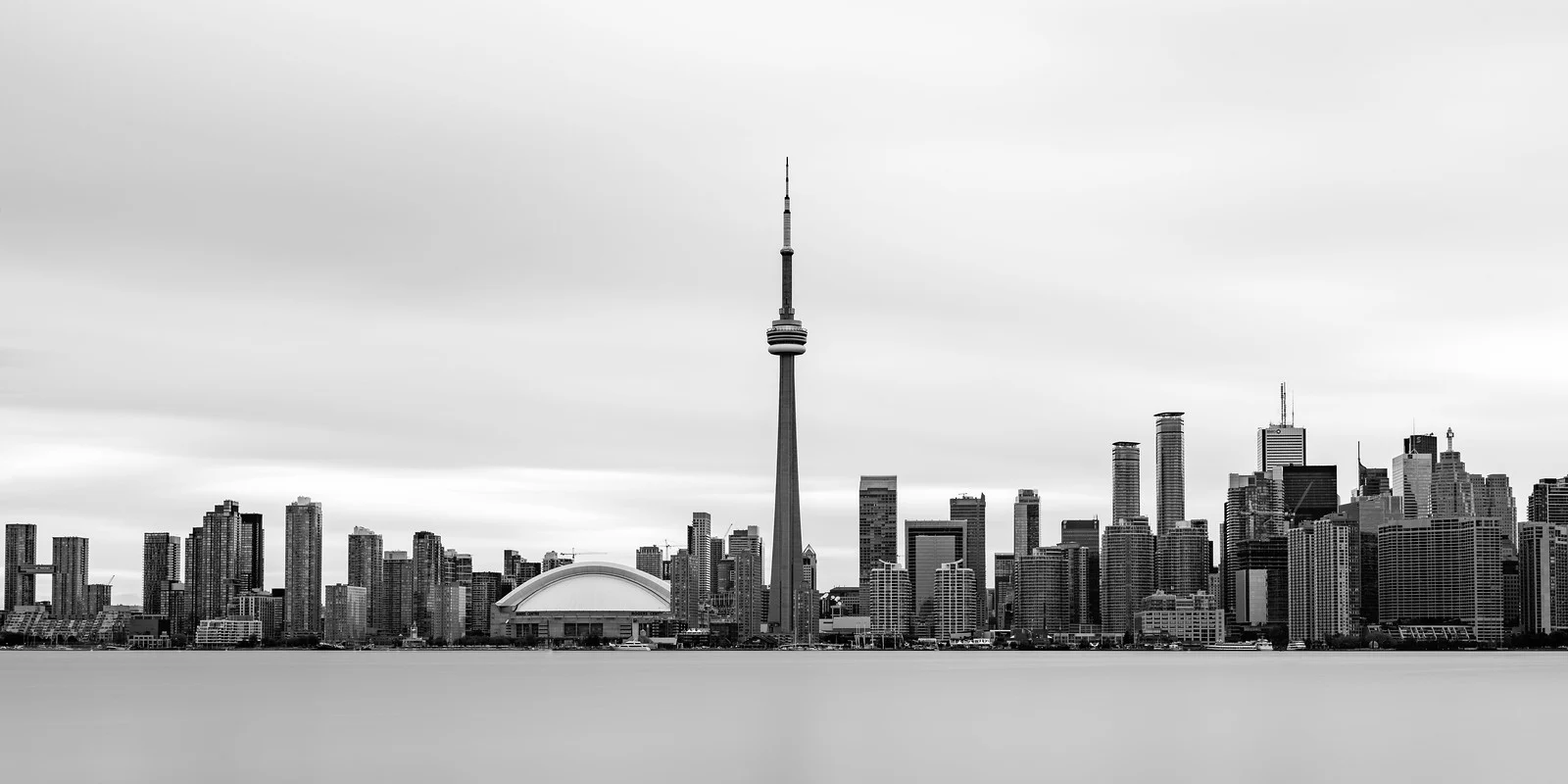
Real photos at 1/500, 1 second and 30 seconds
These three photographs from different parts of the scale show what the numbers in the chart look like.
The hand-holding limit
When you hold the camera, your own shake blurs the picture below a certain speed. A common starting rule is to use a speed of at least 1 over the focal length: about 1/50 with a 50mm lens, about 1/200 with a 200mm lens. Round up to the next standard speed, so 1/60 and 1/250. On a sensor smaller than full frame, use the equivalent focal length instead, which is the lens focal length multiplied by the crop factor, because the smaller sensor magnifies the shake as well as the view.
It is a rough guide. Stabilization can let you go several stops slower, and a high resolution sensor can demand a faster speed than the rule says, so many people use 1.5 to 2 times the focal length. Image stabilization explains how far it can help. Focal Length explains what the number measures and how it sets the angle of view.
Handheld shots coming out soft even at a fast speed? Camera Shake covers the reciprocal rule and how to tell shake from missed focus and subject motion.
How shutter speed trades against aperture and ISO
Aperture, ISO and shutter speed all change the brightness. If one goes brighter, another must go darker to keep the same exposure. This relationship is the exposure triangle.
A worked example: you have a correct exposure at f/8, 1/125, ISO 100. You want 1/500 to freeze a running child. That is two stops faster, so you lose two stops of light and must get them back from somewhere.
- Open the aperture two stops: f/8 to f/5.6 to f/4. Result: f/4, 1/500, ISO 100. The background gets softer.
- Raise ISO two stops: ISO 100 to 200 to 400. Result: f/8, 1/500, ISO 400. You get more noise.
- Split it: one stop of each, f/5.6, 1/500, ISO 200.
All three give the same brightness. They differ in depth of field and noise, and shutter speed is the one that decides how motion looks.
Flash sync speed: the fastest speed flash allows
A flash adds a limit that has nothing to do with motion. A mechanical shutter exposes the sensor with two curtains. At fast speeds the second curtain starts to close before the first has finished opening, so only a moving slit of the sensor is exposed at any instant. A normal flash fires once in a brief burst, so it lights the whole frame only when the sensor is fully uncovered at that moment. The fastest speed at which that happens is the sync speed, usually somewhere between 1/160 and 1/250.
Go faster with plain flash and part of the frame comes out as a dark band, the shadow of the closing curtain. A flash with high-speed sync pulses through the whole exposure instead, which avoids the band at the cost of some flash power. It is why a bright outdoor portrait with fill flash often tops out near 1/200 even though the daylight alone would allow much faster. To mix a slow shutter with flash, dragging the shutter covers how to pick the speed for the background you want.
See freeze and blur side by side
The same scene at a fast and a slow speed shows the difference more clearly than words do.
Fast shutter speeds freeze motion into a single crisp instant. Slow shutter speeds record the trajectory of the motion as blur.
How to set shutter speed
You have two main ways to control it.
- Shutter priority (S or Tv): you pick the speed and the camera picks the aperture to match. Good when motion is what matters. See Shutter Priority Mode.
- Manual (M): you set both speed and aperture and watch the exposure meter. See How to Shoot in Manual Mode.
In either mode you change the speed with a dial, often the one near the shutter button. In shutter priority, many cameras blink the aperture value when the light is too low (or too bright) for the speed you picked. Raise ISO, or choose a different speed.
Not sure how much to brighten or darken after choosing a speed? Exposure Compensation explains the +/- control that tunes brightness without changing your speed.
Try it in the camera simulator
This challenge puts you in a moving scene and asks you to freeze the action. Notice how short the shutter has to be and what you give up elsewhere in the exposure to get it.
Want the other challenges? The full camera simulator has all 21, across eight scenes.
Common mistakes
Reading 30 as 30 seconds. Without the quotation mark it is 1/30 of a second. Fix: look for the mark, and when the camera shows a very long exposure time, check it against your plan.
Using 1/125 for everything. It is fine for still people and wrong for most action. Fix: pick the speed from the subject, using the chart above.
Going slow without support. Below about 1/30, a handheld shot of a still subject can still blur. Fix: brace the camera or use a tripod.
Blaming focus for blur that is motion. A subject smeared in one direction while still things at the same distance are sharp means the speed was too slow for the subject. Fix: go two stops faster and check again.
Using plain flash faster than the sync speed. A dark band covers part of the frame. Fix: drop to the sync speed or below, or turn on high-speed sync.
Trusting the electronic shutter with fast subjects. A propeller, a fast car or a quick pan can bend in the frame. Fix: switch to the mechanical shutter if your camera has one.
Long exposures in bright light. A one second exposure in midday sun overexposes even at the smallest aperture and lowest ISO. Fix: add an ND filter, or shoot at dawn or dusk.
Try this
Ten minutes, any camera that has shutter priority or manual mode, and a place with moving people or cars, such as a pavement or a park path.
- Choose one moving subject and stand still. Set shutter priority.
- Shoot the same subject at 1/1000, 1/250, 1/60 and 1/15. Take a few frames at each.
- Zoom in on the screen or on a computer. Note where the legs, arms and wheels go from sharp to blurred.
- Pick the speed you like best and note it with the subject.
No camera nearby? Move the shutter speed control in the Camera Simulator and watch what the picture does as the number changes.
Frequently asked questions
What is shutter speed?
It is the length of time the sensor is exposed to light when you take a picture. It is written as a fraction of a second, such as 1/250, or in whole seconds for long exposures.
What is a good shutter speed for portraits?
For a still subject with a normal lens, 1/125 is a safe start. If the person is talking, laughing or moving, use 1/250. With a longer lens, follow the hand-holding limit above and raise the speed to match.
What is the best shutter speed for sharp photos?
There is no single best one. For a still subject shot handheld, use at least 1 over your focal length. For a moving subject, use whatever freezes it, which is often 1/500 or shorter.
How do I get a long shutter speed for blur?
Lower the speed to a second or more, put the camera on a tripod, and reduce light with a small aperture, low ISO or an ND filter. See Long Exposure Photography for settings.
Is 1/60 or 1/125 better?
1/125 freezes more movement and tolerates shake better. 1/60 lets in twice the light, so it helps in dim places when the subject is still. Pick 1/125 if anything is moving.
What is flash sync speed?
It is the fastest shutter speed at which the sensor is fully uncovered when the flash fires, usually between 1/160 and 1/250. Faster than that, plain flash leaves a dark band across part of the frame unless high-speed sync is on.
Is 1/500 fast enough to freeze motion?
For running children, pets, cyclists and cars in the middle distance, yes. Flying birds, fast sport and splashes need 1/1000 to 1/2000 or shorter.
Want the full picture of how speed, aperture and light fit together? A Guide to Exposure in Photography covers it.