Why Camera Settings Matter for Night Photography
Night photography is one of the most technically demanding genres in photography. When the sun goes down, your camera receives a tiny fraction of the light it works with during the day, and every setting decision becomes critical. The wrong ISO, aperture, or shutter speed can mean the difference between a stunning nightscape and a noisy, blurry mess.
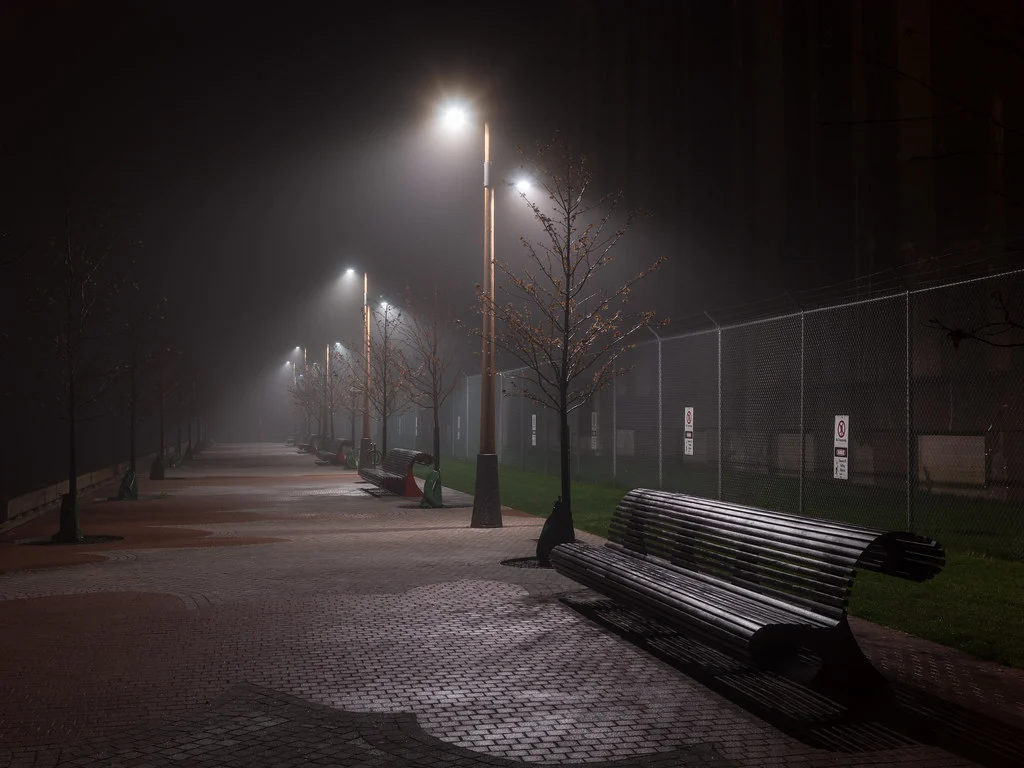
The good news is that once you understand how your camera captures light in dark conditions, night photography opens up a world of creative possibilities that simply do not exist during the day: light trails, star points, glowing cityscapes, the Milky Way, and aurora displays. This guide covers the exact settings for every major night photography scenario.
Quick Reference: Night Photography Settings Cheat Sheet
| Scenario | Aperture | Shutter Speed | ISO |
|---|---|---|---|
| City Skyline | f/8 – f/11 | 2s – 30s | 100 – 400 |
| Car Light Trails | f/8 – f/11 | 10s – 30s | 100 |
| Stars (sharp points) | f/1.4 – f/2.8 | 10s – 25s (500 Rule) | 1600 – 6400 |
| Milky Way | f/1.4 – f/2.8 | 15s – 25s | 3200 – 6400 |
| Star Trails | f/2.8 – f/4 | 30s x many frames | 400 – 800 |
| Moon (detailed) | f/8 – f/11 | 1/125s – 1/250s | 100 – 200 |
| Aurora/Northern Lights | f/1.4 – f/2.8 | 5s – 15s | 1600 – 6400 |
| Handheld Street at Night | f/1.4 – f/2.8 | 1/60s – 1/200s | 3200 – 12800 |
Understanding the Exposure Triangle at Night
During the day, the exposure triangle offers comfortable trade-offs. At night, you are working at the extremes of all three settings, and every trade-off has real consequences.
Aperture at Night
At night, you face a tension between two needs. Wider apertures (f/1.4 to f/2.8) let in more light, which is critical for handheld shots and astrophotography. But wider apertures also reduce depth of field and may show lens softness in the corners. Narrower apertures (f/8 to f/11) produce sharper images across the frame but require much longer exposures or higher ISOs.
The solution depends on your subject. For cityscapes and architecture on a tripod, use f/8 to f/11 and extend the shutter speed as long as needed. For stars and the Milky Way, open up to your widest aperture and accept the shallow depth of field. For handheld night street photography, use the widest aperture you have to keep shutter speed and ISO manageable.
Shutter Speed at Night
Shutter speed at night ranges from fractions of a second to several minutes. The right choice depends entirely on what you are photographing:
- Handheld: As fast as possible. 1/60s minimum, faster for moving subjects. Image stabilization helps but has limits.
- Tripod with static subjects: 2s to 30s. The camera’s built-in timer usually handles up to 30 seconds.
- Tripod with Bulb mode: 30 seconds to many minutes. You hold the shutter open manually (or with a remote) for as long as needed. Use a remote trigger or cable release with a lock feature for exposures longer than 30 seconds.
ISO at Night
Night photography almost always requires higher ISOs than daytime shooting. Modern cameras produce usable images at ISO 3200 to 6400, and some handle ISO 12800 or beyond. Higher ISO means more noise, but a sharp, noisy image is always better than a smooth, blurry one. You can reduce noise in post-processing; you cannot fix blur.
When shooting on a tripod with a static subject, keep ISO as low as possible (100 to 400) and use a longer exposure instead. The tripod eliminates the need for high ISO. When shooting handheld or photographing stars (where exposure time is limited), push ISO as high as your camera handles acceptably.
City and Urban Night Photography
City lights create some of the most visually striking night photographs. The combination of artificial lights, reflections, and the deep blue of twilight sky produces images that captivate viewers.
Cityscape Settings
| Setting | Value | Why |
|---|---|---|
| Aperture | f/8 – f/11 | Maximum sharpness across the frame; creates star-burst effects on point lights |
| ISO | 100 – 400 | Low noise; tripod allows long exposures |
| Shutter Speed | 2s – 30s | Long enough to gather light; varies with ambient brightness |
| White Balance | 3500K – 4500K or Auto | Preserves warm city light tones without going too orange |
| Metering | Matrix / Evaluative | Balances bright lights with dark sky |
Blue hour advantage: The best time for city night photos is not full darkness but “blue hour,” the 20 to 40 minutes after sunset (or before sunrise) when the sky is a deep, saturated blue. During this window, the sky is bright enough to show color and detail while city lights are fully on. This balance of light creates the most dynamic, professional-looking cityscapes.
Star-burst effect: Shooting at f/8 to f/11 or narrower causes point light sources (streetlights, distant building lights) to create a beautiful star-burst pattern. The number of points depends on your lens’s aperture blade count. Lenses with an even number of blades create that number of star points; odd-numbered blades create double the number of points.
Light Trail Settings
Car headlights and taillights create dramatic light trails during long exposures. Position yourself on an overpass, bridge, or elevated viewpoint overlooking a busy road.
| Setting | Value |
|---|---|
| Aperture | f/8 – f/11 |
| ISO | 100 |
| Shutter Speed | 10s – 30s (longer = more trails) |
| Tripod | Essential |
Longer exposures capture more cars passing through the frame, creating denser, more impressive light trails. If the road is not busy, use a 30-second exposure (or Bulb mode for longer) to accumulate enough traffic. If the scene is too bright at 30 seconds, use a smaller aperture or a neutral density filter.
Astrophotography Settings
Photographing the stars and Milky Way requires pushing your camera to its limits. For a comprehensive treatment, see our dedicated astrophotography guide and star photography guide.
Sharp Stars (No Trails)
| Setting | Value | Why |
|---|---|---|
| Aperture | Widest available (f/1.4 – f/2.8) | Gather as much starlight as possible |
| ISO | 1600 – 6400 | Amplify faint starlight |
| Shutter Speed | 500 / focal length = max seconds | Prevent star trailing from Earth’s rotation |
| Focus | Manual, on a bright star using Live View at max zoom | Autofocus cannot lock on stars |
| White Balance | 3800K – 4200K | Neutral night sky without orange or blue cast |
The 500 Rule gives you the maximum exposure time before stars begin to visibly trail due to Earth’s rotation. With a 24mm lens: 500 / 24 = about 20 seconds. With a 14mm lens: 500 / 14 = about 35 seconds. On a crop-sensor camera, use the equivalent focal length (multiply by 1.5 for most crop sensors).
Some photographers use the stricter “300 Rule” or “NPF Rule” for sharper results, especially when making large prints or with high-megapixel cameras.
Planning a Milky Way night? How to photograph the Milky Way covers when and where to find it, and planning around the sun, moon and tides tells you which nights are dark.
Focusing on Stars
Autofocus will hunt and fail in complete darkness. Switch to manual focus. Point your camera at the brightest star or planet visible, switch to Live View, zoom in to maximum magnification, and slowly turn the focus ring until the star appears as the smallest, sharpest point of light. Be extremely careful not to bump the focus ring after setting it. Some photographers tape the focus ring in place with gaffer tape.
If no bright star is visible, focus on a distant light on the horizon (a cell tower, distant building, or streetlight miles away). Anything at “infinity” will be close enough for stars. Do not trust the infinity mark on your lens barrel, since true infinity focus is often slightly before the mark.
Focusing at Night: General Tips
Focusing at night is one of the biggest challenges, regardless of your subject. Here are techniques that work across all night photography scenarios:
Use Manual Focus with Live View
Switch to manual focus and use your camera’s Live View screen at maximum zoom. Most cameras offer 5x or 10x zoom in Live View, which lets you see fine detail that is invisible through the optical viewfinder. Some cameras brighten the Live View display in dark conditions, making focusing easier.
Focus Before It Gets Dark
If you arrive at your location before sunset, set your focus while there is still enough light for autofocus to work. Lock it in (switch the lens to manual focus after autofocusing) and do not touch the focus ring for the rest of the session. This is the easiest and most reliable focusing strategy for night landscapes.
Use a Flashlight as a Focus Target
Have a friend stand at the distance where you want focus and shine a flashlight toward the camera. Autofocus on the flashlight, then switch to manual focus to lock it. This works perfectly for night portraits and foreground elements in night landscapes.
Back-Button Focus for Night Work
Back-button focus is especially valuable at night. Once you achieve focus, you can take as many shots as you want without the camera trying to refocus (and failing) each time you press the shutter button. The focus stays exactly where you set it.
Dealing with Noise in Night Photography
Noise is the biggest image quality challenge in night photography. High ISO amplifies sensor noise, and long exposures can introduce “hot pixels” (bright colored dots). Here is how to manage noise effectively:
In-Camera Noise Reduction
Most cameras have two types of noise reduction:
- High ISO noise reduction: Applies smoothing to JPEG files at high ISOs. If you shoot RAW, this has minimal effect (the RAW data is unprocessed). Leave it on Normal or Low.
- Long exposure noise reduction (LENR): After a long exposure, the camera takes a second “dark frame” of equal length with the shutter closed. It subtracts the hot pixels from your image. The downside: a 30-second exposure takes 60 seconds total (30 for the image, 30 for the dark frame). This is worth enabling for exposures over 30 seconds but can be inconvenient during fast-moving events like aurora.
Stacking for Cleaner Images
A powerful technique for reducing noise is to take multiple identical exposures and stack them in software. Noise is random, so averaging multiple frames cancels it out while preserving the signal (actual image detail). Stacking 4 frames reduces noise by half (equivalent to shooting at half the ISO). Stacking 16 frames reduces noise by 75%.
For star photos, use dedicated stacking software that aligns the stars between frames (since they move between shots). For static night scenes on a tripod, any layer-based editor can average the frames.
Planning star trails? The star trails calculator works out the exposures for you.
Post-Processing Noise Reduction
Modern noise reduction software (built into Lightroom, Capture One, and dedicated tools) is remarkably effective. Shoot at whatever ISO you need to get the shot, and handle noise reduction in post-processing. It is far better to have a noisy but properly exposed image than to underexpose at a lower ISO and try to brighten it later, which actually creates more noise.
Photos still gritty? Noise reduction covers how much to apply and where it starts to smear detail.
Settings like LENR double the time each frame takes. For ways to claw that time back, see this guide to a faster low light long exposure workflow.
Essential Gear for Night Photography
Beyond your camera and lens, a few accessories make night photography dramatically easier:
- Sturdy tripod: Essential for any night photography longer than handheld shutter speeds. A flimsy tripod that vibrates in the wind will ruin long exposures.
- Remote trigger or cable release: Pressing the shutter button can introduce vibration. Use a remote trigger, cable release, or your camera’s 2-second self-timer.
- Headlamp with red mode: White light destroys your night vision for 20 to 30 minutes. A red headlamp preserves it while letting you see your camera controls.
- Extra batteries: Long exposures and cold temperatures drain batteries quickly. Carry at least two fully charged spares.
- Fast lens: A lens with a maximum aperture of f/1.4 or f/2.8 makes an enormous difference for handheld and astro shooting.
Common Night Photography Mistakes
1. Shooting Only in Full Darkness
The most dramatic night photos are often taken during blue hour (20 to 40 minutes after sunset). The deep blue sky adds color and context that a black sky cannot. Arrive early and shoot through the transition from twilight to full dark.
2. Trusting the LCD Preview
Your camera’s LCD screen appears much brighter in the dark than it would in daylight, making images look properly exposed when they are actually too bright. Always check the histogram instead of trusting the preview. If the histogram data is piled up on the right side, you are overexposing.
3. Leaving Image Stabilization On During Tripod Shots
Some image stabilization systems can actually introduce vibration when the camera is on a tripod, because the system hunts for movement that is not there. Turn off image stabilization (IS/VR/IBIS) when shooting on a tripod. Exception: some newer systems have a “tripod mode” that is designed to stay on.
4. Using Autofocus in the Dark
Autofocus needs contrast to lock on. In very dark conditions, it will hunt back and forth without finding focus, potentially ruining your composition. Switch to manual focus and use the Live View techniques described above.
5. Forgetting to Shoot RAW
Night images require significant post-processing: white balance correction, noise reduction, shadow recovery, and highlight control. RAW files give you the data to make these adjustments. JPEG files compress away the information you need most.
6. Not Checking for Light Leaks
During long exposures, light can enter through the viewfinder eyepiece on DSLR cameras, causing a subtle brightening or color cast. Cover the viewfinder with the built-in eyepiece cover (most DSLRs include one on the strap) or a piece of dark tape. Mirrorless cameras do not have this issue.
Frequently Asked Questions
What is the best camera mode for night photography?
Manual mode gives you the most control and consistency. At night, the camera’s auto-exposure systems are often fooled by bright lights against dark backgrounds. Set aperture, shutter speed, and ISO manually, check the histogram, and adjust. Some photographers use Aperture Priority with exposure compensation for quickly changing scenes like street photography at night.
How do I photograph the moon and stars in the same shot?
This is challenging because the moon is incredibly bright compared to stars. A full moon will wash out all but the brightest stars. For the best results, photograph stars during a new moon (when the moon is not visible). If you want both moon and landscape, the moon provides excellent natural fill light for foreground elements. See our moon photography guide for detailed settings.
Do I need a full-frame camera for night photography?
Full-frame cameras generally handle high ISO better than crop-sensor cameras, producing less noise at ISO 3200 to 6400. However, modern crop-sensor cameras are capable of excellent night photography. A fast lens (f/1.4 or f/1.8) on a crop-sensor camera will outperform a slow lens (f/4 or f/5.6) on a full-frame camera for night work.
How do I photograph fireworks?
Fireworks require specific settings that differ from other night photography. Use f/8 to f/11, ISO 100, and a 2 to 4 second exposure on a tripod with a remote trigger. See our dedicated fireworks photography guide for the complete technique.
Why are my night photos orange?
Sodium vapor streetlights emit a very warm, orange light. If your white balance is set to Auto or Daylight, the camera will render this light as orange. Set your white balance to Tungsten (approximately 3200K) to neutralize the orange cast, or shoot RAW and adjust white balance in post-processing. Some photographers embrace the warm tones as part of the urban night atmosphere.
Try This: Practice Exercises
Exercise 1: Blue Hour to Full Dark Progression
Find a cityscape or interesting night scene. Arrive 30 minutes before sunset. Set up your tripod and take one photo every 10 minutes for 90 minutes, adjusting your shutter speed as the light fades (keep aperture at f/8 and ISO at 100). Review the series and notice which frame has the best balance of sky color and artificial lights. This trains your eye for the ideal shooting window.
Exercise 2: Light Trail Experiment
Set up on an overpass or bridge overlooking a road at night. Shoot the same scene at 5s, 15s, and 30s exposures (adjust ISO or aperture to maintain similar brightness). Compare how the light trail density and character change with exposure time. Decide which duration produces the most compelling result for this particular road.
Exercise 3: Night Focusing Drill
Practice the three main night focusing techniques: (1) Manual focus with Live View zoom on a distant streetlight. (2) Pre-focus before dark by autofocusing on a distant object and switching to manual. (3) Focus on a friend’s flashlight placed at your desired focal distance. Compare the results at 100% zoom. You will quickly discover which technique works best for your camera and learn to achieve sharp focus reliably in the dark.
Related Resources
- Night Photography Hub – Complete genre guide
- Astrophotography Guide – Stars, Milky Way, and deep-sky techniques
- How to Photograph Stars – Detailed star photography settings
- How to Photograph the Moon – Moon-specific settings and techniques
- How to Photograph Northern Lights – Aurora settings and planning
- Understanding ISO – Managing noise at high ISO values
- The Exposure Triangle – How aperture, shutter speed, and ISO work together
- Camera Histogram Guide – Reading exposure accurately at night